
On this page
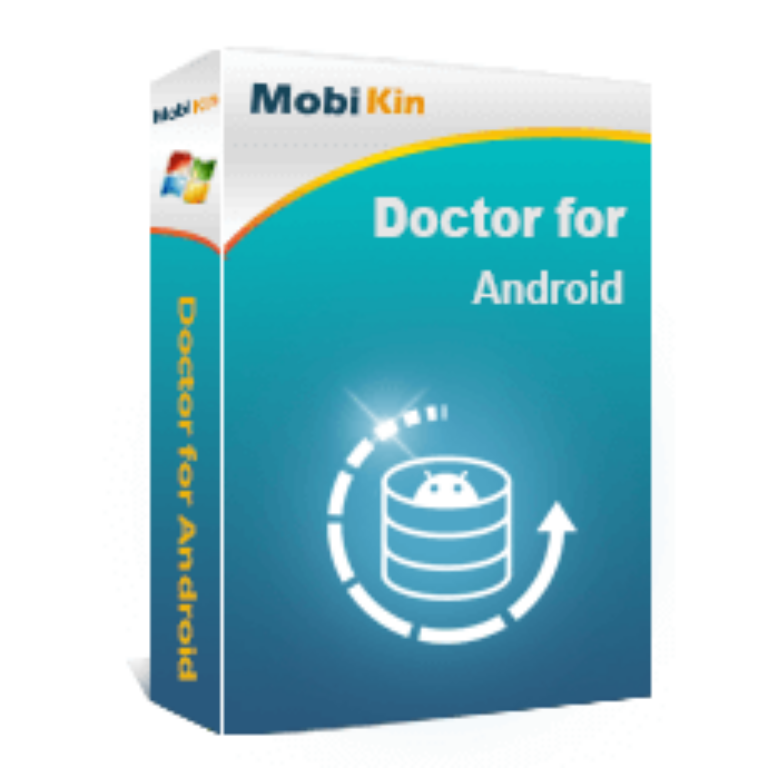
MobiKin Doctor for Android Giveaway
MobiKin Doctor for Android
the most user-friendly Android data recovery software
- Product
- MobiKin Doctor for Android
- Website
- mobikin.com
- License
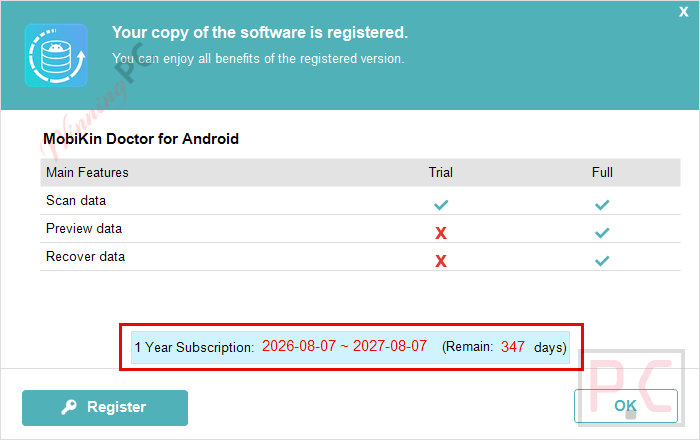
- 1-Year
- Platform
- Windows 11/10/8/7
- Installer
- mobikin-doctor-for-android.exe
- Support
- No technical support
- Usage
- Non-commercial use only
- Updates
- No future upgrades
- Updated
- 2026-08-25
Get your unique code by email
License key delivered free to your inbox within minutes.
Protected by Cloudflare Turnstile · Email quality checked by Reoon
This giveaway has ended, but you can still get a limited-time discount from the official offer page.
MobiKin Doctor for Android Plans & Coupon Codes
MobiKin Doctor for Android
5 plans · best save 70%
1 Year, 3 Devices, 1 PC License
1-Year Updates | 30-Day Money-Back Guarantee
1 Year, Unlimited Devices, 1 PC
1-Year Updates | 30-Day Money-Back Guarantee
Lifetime, 3 Devices, 1 PC License
Lifetime Updates | 30-Day Money-Back Guarantee
Lifetime, Unlimited Devices, 1 PC ★ Best Deal
Lifetime Updates | 30-Day Money-Back Guarantee
MobiKin Doctor for Android (Mac Version) Lifetime License
Lifetime Updates | 30-Day Money-Back Guarantee
You may also like
MobiKin Android Toolkit
2 plans · best save 72%
Lifetime (Windows) ★ Best Deal
One-time payment, lifetime, free upgrades included
Is this MobiKin Doctor for Android giveaway safe and legit?
Yes. This is an authorized giveaway running through MobiKin’s official publisher channel, not a reseller or grey-market key site.
No crack or keygen
You download MobiKin’s official installer and activate with a genuine publisher-issued key. Nothing is patched or modified.
Official authorized source
WinningPC partners directly with MobiKin for this giveaway. The license key is legitimate and issued by the publisher itself.
Read-only, risk-free scanning
MobiKin states the software operates in read-only mode during recovery, meaning it cannot overwrite or further damage your existing data.
30-day money-back on paid plans
The giveaway key is free, so there’s no financial risk on the free version. If you later upgrade, MobiKin’s paid plans come with a 30-day refund window.
How to claim your free MobiKin Doctor for Android license
- Enter your email address and submit the form above to get your free license code.
- Download the installer from MobiKin’s official site and run it on your Windows PC.
- Launch MobiKin Doctor for Android, paste your code to activate.
- Now start converting under the 1-Year: no payment needed.


Hands-on with MobiKin Doctor for Android
MobiKin Doctor for Android covers the most common data-loss scenarios cleanly: the accidental delete, the factory reset that went wrong, the SD card that came back blank. The standout part of the workflow is the preview step – deleted files are flagged in red, and you can confirm exactly what survived before clicking Recover. That alone saves a lot of guesswork compared to tools that ask you to commit first and find out later. The two recovery modes (internal storage vs SD card) also make it easy to know which one to reach for. That said, recovery depth on modern, tightly locked Android versions can vary by manufacturer – Samsung and Google Pixel devices tend to yield stronger results than some Huawei or OPPO builds, depending on Android version and settings. No recovery tool guarantees 100%, and MobiKin is no exception.

Key features
- Recover Deleted Android Files: Restores deleted files from phone memory or SD card to your PC without requiring back up.
- Flexible Recovery Location: Lets you select phone storage or SD card as the source before starting recovery.
- Android Data Backup to PC: Backs up existing Android files to your computer to help prevent future data loss.
- File Preview Before Recovery: Allows you to preview detailed content and select specific files before restoring them – items highlighted in red for easy selection.
- 98% Data Recovery Success Rate: Delivers a high recovery success rate, helping retrieve most lost files effectively.
- Fast and Simple Operation: Completes backup or recovery in three clear steps with a quick, user-friendly process.
- Selective recovery: Filter by file type and choose exactly what to restore
- Backup export: Save contacts/SMS to HTML or XML; media and docs to JPG, PNG, MP4, DOCX, PDF, and others.
- Broad Android Device Compatibility: Compatible with 7,000+ Android models across Samsung, Google Pixel, Xiaomi, Motorola, OPPO, realme, Huawei, and more
Pros & Cons
more screenshots


Comparing the MobiKin Doctor for Android plans
| Plan | Regular Price | With Code WPMOHALF | Devices | Duration | Best for |
|---|---|---|---|---|---|
| 1 Year, 3 Devices, 1 PC | $69.95 | $24.97 (64% off) | 3 | 1 year | Most home users |
| 1 Year, Unlimited Devices, 1 PC | $299.95 | $99.97 (67% off) | Unlimited | 1 year | IT pros, repair shops |
| Lifetime, 3 Devices, 1 PC | $79.95 | $29.97 (67% off) | 3 | Lifetime | Best value for individuals |
| Lifetime, Unlimited Devices, 1 PC | $499.95 | $149.97 (70% off) | Unlimited | Lifetime | Professionals, heavy use |
The Lifetime 3-Devices plan at $29.97 is the sweet spot for most individuals – it costs just $5 more than the yearly plan but removes the renewal clock entirely.
MobiKin Doctor for Android vs the alternatives
| Tool | Price | Root required | Platform | Best for |
|---|---|---|---|---|
| MobiKin Doctor for Android | Free (giveaway) / From $29.97/lifetime | Depends on recovery type/scan | Windows / Mac | All-round Android recovery with phone + SD card scanning |
| FoneLab Android Data Recovery | $31.22/lifetime | May be required for deeper/deleted data access | Windows / Mac | Broad recovery from device, SD card, SIM card, and Google Drive |
| iToolab RecoverGo Android | $27.97/yr | No | Windows / Mac | Root-free Android and WhatsApp/WhatsApp Business recovery |
| Apeaksoft Android Data Recovery | $35.97/lifetime | May require rooting depending on data/recovery mode | Windows / Mac | General Android recovery with preview and selective restoration |
| EaseUS MobiSaver for Android | $11.98/lifetime | Limited recovery without root; deeper scans may require root | Windows | Simple recovery of photos, videos, contacts, and messages. |
Common questions about MobiKin Doctor for Android
Can it recover data without rooting my phone?
Yes. Root access is never required. Both rooted and unrooted devices are supported. That said, recovery depth does vary by manufacturer and Android version – newer locked-down builds may return fewer recoverable files than older ones.
Does it support the latest Android version?
Yes. MobiKin states compatibility with Android 6 through Android 17, including the latest release.
What’s the cheapest way to get it right now?
The giveaway is free – a 1-year license at $0. If you want the paid version with updates and support, the Lifetime 3-Devices plan is $29.97 with code WPMOHALF, which is the best per-value option for home users.
Is MobiKin Doctor for Android worth downloading?
For a free giveaway key, yes – there’s no cost to try it. Run a scan, preview what it finds, and decide from there. The 30-day money-back on paid plans means even an upgrade carries minimal risk.
Does the giveaway license come with updates or support?
No on both counts. The free 1-year key includes no technical support and no future upgrades. If you want ongoing updates (especially as Android versions advance) or access to MobiKin’s support team, you’ll need a paid plan.
System Requirements & Details
| Field | Value |
|---|---|
| Operating system | Windows 11 / 10 / 8 / 7 |
| Processor | 750 MHz Intel or AMD or faster |
| RAM | 512 MB or above |
| Hard disk space | 1 GB or more |
| Android OS supported | Android 6 to Android 17 |
| Android devices | 7,000+ models (Samsung, Xiaomi, Google Pixel, Motorola, OPPO, realme, Huawei, Honor, Asus, HTC, ZTE, and more) |
| Supported input formats | Android internal storage files, SD card files — contacts, SMS, call logs, photos, videos, audio, documents |
| Supported output formats | JPG / JPEG, PNG, BMP, HEIC (photos); MP4, 3GP, M4V (video); EPUB, DOC, DOCX, XLSX, PDF (documents); HTML, XML (contacts, SMS, call logs) |
| Connection required | USB cable; USB debugging enabled on Android device |
| Mac version | Mac OS X 10.7 or later, Intel Core 1 GHz+ |



Activation key not accepted when try to register
Please ensure you use the correct email and license code sent to your inbox.
Registration key sent does not work
I have tested again, and the registration key is functional. Please ensure you use the correct email and license code sent to your inbox.
Activation key not accepted when try to register
You can now obtain a new giveaway code for one year of free access.