
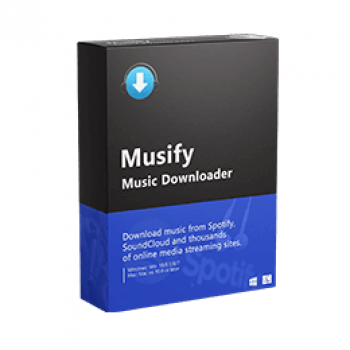
Musify Music Downloader – YouTube to Mp3 Downloader is a full solution for mp3 download and conversion, which can provide you with the best way to download and convert YouTube, Spotify music, or playlists for offline playback. High-quality conversion for better compatibility with iPhone, iPad, iPod, iTunes, Android, etc.
Top Music Downloader Coupon Codes (100% Working)

4K YouTube to MP3 - Pro Plan
44% off coupon code for Pro plan. Regular price $60, discounted price $33.75

MusicFab All-In-One (Lifetime)
10+ products - 1 License for 3 Computers; 30% off coupon code: regular price $369.99, discounted price $259.99

Allavsoft for Windows Lifetime
82% Off coupon code, regular price $99.99, discounted price $18

MP3 Downloader for Youtube - Lifetime
53% off discount code: regular price $35.99, discounted price $16.79

Musify Music Downloader License Key Free
- Product name: Musify YouTube to Mp3 Downloader
- Website: https://itubego.com/
- License type: 6-month
- Platform: Windows
- Giveaway link: click here
- Download: musify.exe
How to get the Musify license key?
Open the giveaway page and fill in your name – email address.
Check your inbox to get a Musify Music Downloader license code for 1-month free:

Download and install the program on your computer, open then register it by the above license:

Musify YouTube to Mp3 Downloader screenshot: just copy and paste the video links then the software will download them automatically.

Musify Music Downloader downloaded videos: you can manage all downloaded videos at this tab

Convert videos by Musify Music Downloader: select an output format (MP3, M4A, or WAV) and quality

Video converting:

Convert Youtube video to audio:

Musify Music Downloader Preferences:

Main Features
- YouTube music downloader: you can download music, albums, and playlists from YouTube without a YouTube Premium account
- Spotify music downloader: download Spotify music, albums, artist, or playlist URL and easily convert them to MP3, M4A, OGG, or AAC with a free account
- Support 1000+ music/video websites, just copy and paste the URL and enjoy it
- Music playlist downloader: easily download the entire playlist from Spotify, SoundCloud, Gaana, Bandcamp, etc
- Music converter: open media files to convert them to MP3, M4A, or WAV format in high quality
- Batch conversion: click the “Convert All” button to convert all files in batch
- Automatically download lyrics: lyrics will be downloaded automatically in various different languages
- Keep ID3 Tags: all music tags will remain including the title, artwork, artist, album,…
Technical Details
| Language Support | English, Français, Italian, Spanish, Swedish, and more… |
| Money Back Guarantee | 30-Day |
| Operating System | Windows |
| Shipping | Full version license code will be sent to you within minutes |
| Subscription | 1-Month, 1-Year, Lifetime |
| Support Services |




Think back for your most successful part of content. Now consider all the additional means by which you can deliver this message. Can it not work well as being a video? For an Info-graphic? Just as a longer whitepaper or manual? To get a far more sophisticated series of shorter articles?
Pretty …. small. If you are wanting people to try the software then try and have the minimum period as 3-4 months
Hi Steve,
I see and agree with you. But the developer only gives this software for 1-month free.