
 Cathryn Lee
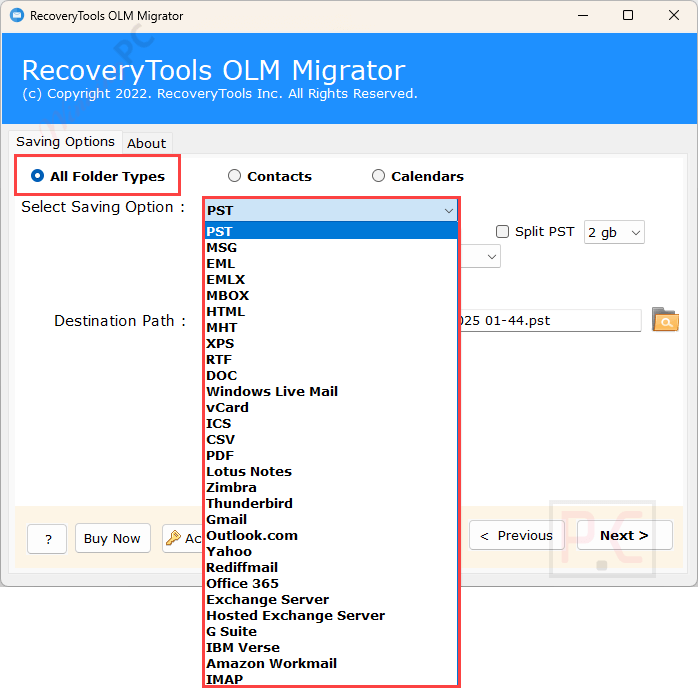
Migrating Outlook for Mac data to Windows can be tricky, especially when working with OLM files. RecoveryTools OLM Migrator helps convert OLM mailboxes into formats that work with Windows-based email clients and services. It supports exporting OLM data to many formats, including PST, EML, MSG, MBOX, PDF, and CSV, as well as cloud and IMAP-based platforms. Users can add single files or entire folders at once, which is useful for larger mailboxes. During conversion, the original folder structure, attachments, and email details are kept intact, making the transition from Mac Outlook to other environments much easier.
RecoveryTools OLM Migrator Coupon Oct 2026 (100% Working)

RecoveryTools OLM Migrator - Standard License
25% discount coupon code: regular price $39, discounted price $29.25
RecoveryTools OLM Migrator - Pro License
25% discount coupon code: regular price $49, discounted price $36.75
RecoveryTools OLM Migrator - Enterprise License
25% discount coupon code: regular price $99, discounted price $74.25
Key Features & Screenshots
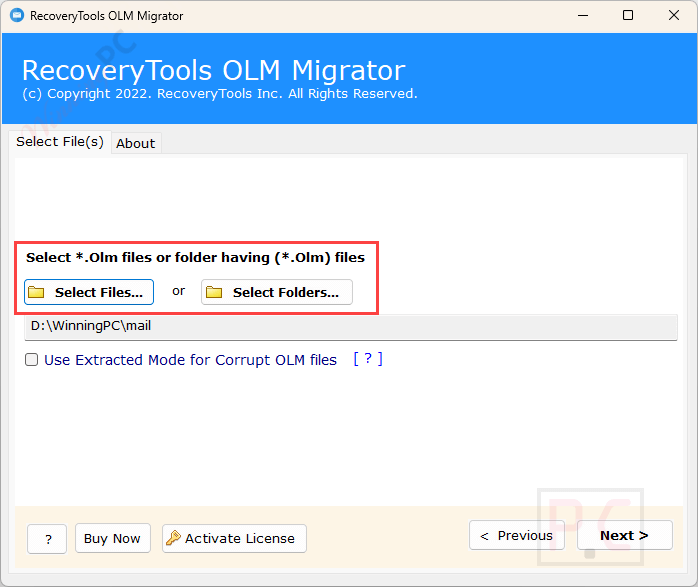
- Two Options to Add Mac OLM Files: RecoveryTools OLM Migrator is a powerful OLM converter that offers two options: add individual OLM files with ‘Select Files’ or import entire folders containing multiple OLM files using the ‘Select Folders’ feature, ensuring flexibility.
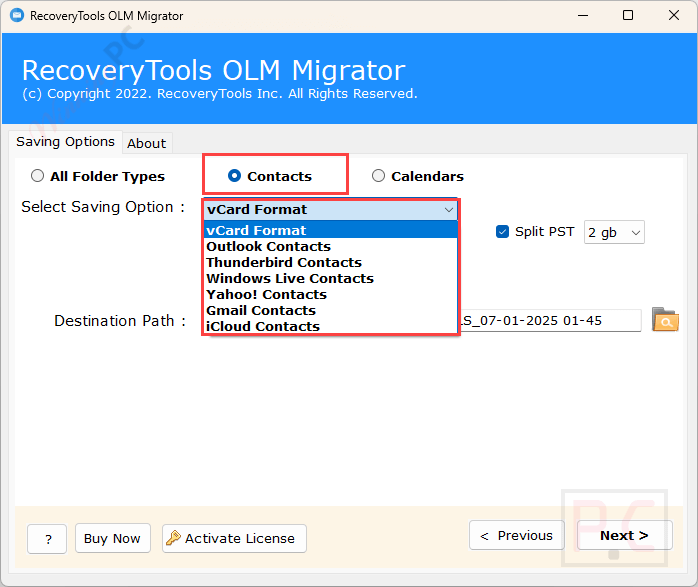
- Convert OLM Contacts & Calendars: This tool is built with advanced algorithms and offers features like separate options to convert OLM contacts and calendars data. Contacts can be saved in vCard, Outlook, Gmail, Yahoo, iCloud, and calendars in ICS format.
- Convert OLM Mailbox Completely: export Outlook for Mac data, including emails, contacts, calendars, tasks, notes, journals & other items. It supports full or selective folder migration based on user preferences.
- Preserve OLM Email Components: preserve original metadata, folder structure, and elements like Bcc, Cc, To, Subject, images, and signatures. Also, it ensures on-disk folder hierarchy remains intact during conversion.
- Save Output Files with Desired Naming: You can use this tool to rename output files with desired naming conventions. For single file formats, it offers options like combinations of Subject, Date, and From for flexible organization.
- Save Results at Selected Path: save output files at your preferred location. You are allowed to create new folders directly in the app and save entire OLM folders and their components to a chosen path.
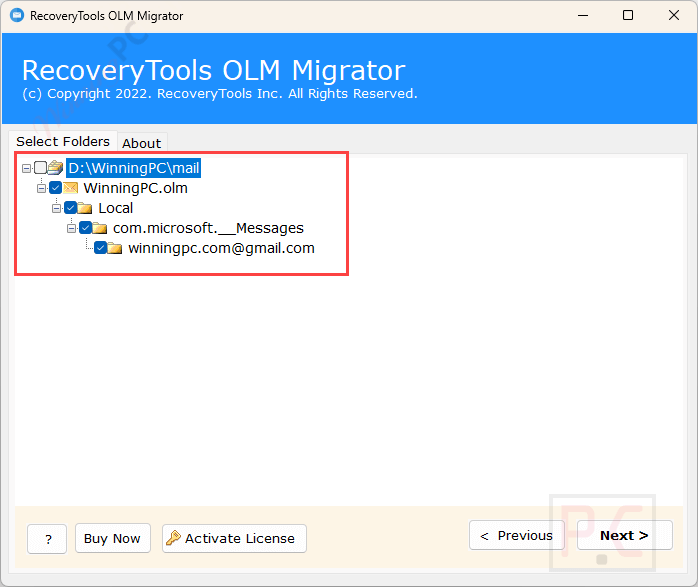
- Selectively Convert OLM Folders: Once OLM files are added, this tool displays all folders in a file explorer view. Use checkboxes to select or deselect items, then click ‘Convert’ to perform selective OLM conversion.
- Enable Extracted Mode Accordingly: If corrupted OLM files are added, they appear in red. Enable “Extracted Mode'” to repair them, and the tool will convert the files into healthy formats for further use.
- Proper Saving Report: Upon completing the OLM conversion, a TXT report is generated, detailing migration specifics like date, time, file size, format, and status, enabling users to review and analyze the conversion efficiently.
- Batch Conversion: You can convert simultaneous conver multiple OLM files without any size limitations, making it efficient for large-scale migrations and saving valuable time, especially when dealing with large datasets.
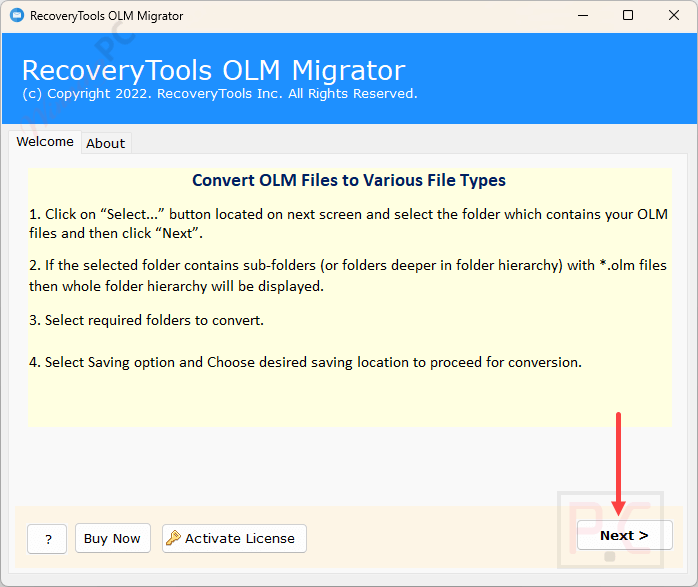
More screenshots
Frequently Asked Questions
Can I migrate OLM files directly to email clients using this tool?
Yes, RecoveryTools OLM Migrator directs migration to various email clients and services such as Outlook for Windows, Thunderbird, Zimbra, Gmail, Office 365, Lotus Notes, Zoho Mail, Yahoo Mail, and Exchange Server.
Does OLM Migrator support batch conversion of multiple OLM files?
Yes, it allows for the simultaneous conversion of multiple OLM files, streamlining the migration process and saving time.
How does the software ensure data integrity during conversion?
RecoveryTools OLM Migrator maintains the original folder hierarchy, email properties (including To, Cc, Bcc, Subject, and Date), and attachments during the conversion process, ensuring that no data is lost or altered.
Are there any file size limitations when using OLM Migrator?
The software is designed to handle OLM files of varying sizes, facilitating the migration of both small and large datasets without issues.
Does the software provide options for renaming output files?
Yes, it offers various file renaming options for the output data, allowing users to organize their converted files systematically.
Are there any discounts available for purchasing OLM Migrator?
Yes, using the coupon code WINN***PC20 provided by WinningPC, you can avail of a 20% discount on the purchase of RecoveryTools OLM Migrator.
Technical Details
| Language Support | English, Français, Italian, Spanish, Swedish, and more… |
| Money Back Guarantee | 30-Day |
| Operating System | Windows OS – Windows 11, 10, 8.1, 8, 7, Windows Server 2022, 2019, 2016, 2012, etc. Mac OS – Sonoma 14, Ventura 13, Monterey 12, Big Sur 11, Catalina 10.15, Mojave 10.14, High Sierra 10.13, Sierra 10.12, OS X El Capitan 10.11, Yosemite 10.10, Mavericks 10.9, Mountain Lion 10.8, etc. OLM Files – Mac Outlook 2021, 2019, 2016, 2011, and 2008. |
| Shipping | Register code will be sent to your email in minutes |
| Subscription | Lifetime |
| Support Services | Email, Live Chat, Phone |





