
 Laura Marano
Shoviv MBOX to Office 365 converts MBOX mailbox data into Office 365, on-premises Exchange, PST, EML, and MSG. It supports MBOX files from email clients like Thunderbird, Apple Mail, Entourage, Eudora, Opera Mail, and more.
Shoviv MBOX to Office 365
4 plans · best save 55%
📄 Licensing & Support Details
- Instant Delivery by Email.
- 100% Safe and Secure.
- 30-Day Money Back Guarantee.
- No File Size Limitation.
- 24×7 Free Technical Support (By – Live Chat, Emails, Contact-Us Form)
- Software updates and license validity (depending on the license you purchased)
📝 How to apply
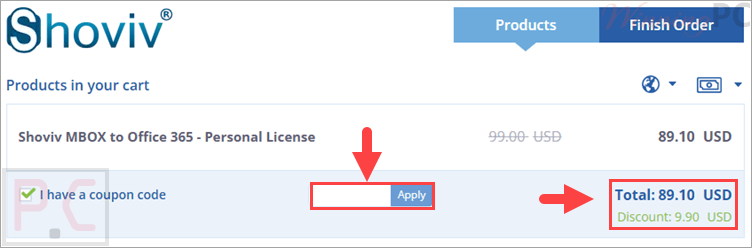
Click the ‘Copy Code’ button in the coupon box above. The code will be copied, and you will be redirected to the checkout page, where you can apply it to secure your discounted price.
Shoviv MBOX to Office 365: In-Depth Review & Features

Key Features:
- Imports MBOX files directly into Office 365 mailboxes.
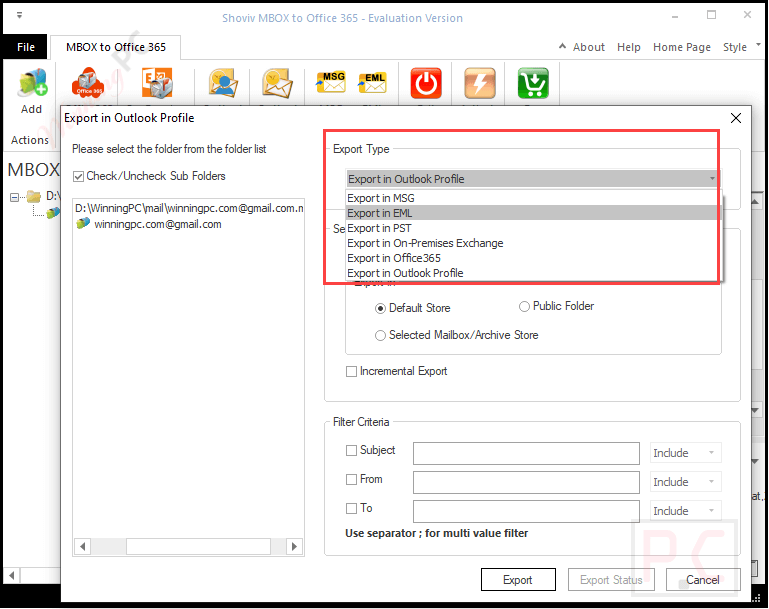
- Converts MBOX files into PST, MSG, and EML formats.
- Exports mailbox data to an on-premises Exchange server.
- Handles multiple MBOX files in one migration.
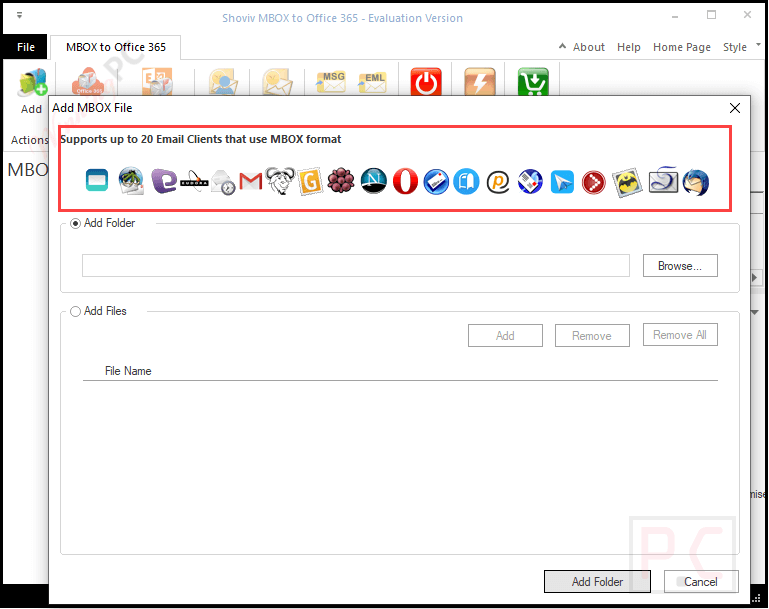
- Supports MBOX-based email clients such as Thunderbird, Apple Mail, Entourage, Eudora, Opera Mail, and Webmail.
- Provides a preview option for checking email items before export.
- Includes item filters using criteria such as From, To, and Subject.
- Preserves attachments, folder details, profile information, calendar details, Unicode content, and folder hierarchy.
- Supports MBOX family formats, including MBOXO, MBOXRD, and MBX-like files.
- Offers pause and resume functionality for interrupted migration tasks.
Pros & Cons
More Shoviv MBOX to Office 365 screenshots



Frequently asked questions
Which email clients are supported by Shoviv MBOX to Office 365 Migration Tool?
The tool supports over 20 email clients, including Thunderbird, Apple Mail, Entourage, Eudora, Opera Mail, etc.
Can I migrate multiple MBOX files at once?
Yes, the software supports batch migration, allowing users to transfer multiple MBOX files to Office 365 in a single operation.
I am a Mozilla Thunderbird user, can I migrate Thunderbird emails to Office 365 using this tool?
Yes, you can migrate Thunderbird emails using this tool. The Software impeccably supports Thunderbird as an email client.
Can I filter the emails I want to migrate?
Yes, the tool offers advanced filtering options based on criteria like date range, subject, sender, and recipient information.
To which other targets does the software allow to convert and save MBOX files?
Other than Office 365, the Software is capable of converting MBOX files to Outlook PST, EML, and MSG file formats. These are the commonly used file formats and provide convenience to users.
Does the software support EML and MSG output?
Yes. In addition to Office 365 and PST, it can save MBOX data in EML and MSG formats.
How can I get a discount on purchasing the software?
You can use the coupon code “WPC***2025” on WinningPC to save up to 55% on the purchase of Shoviv MBOX to Office 365 Migration Tool.
System Requirements & Details
| Operating System | Windows 7 / 8 / 8.1 / 10, Windows 11, Windows Server 2008 / 2012 R2 / 2016 / 2019 / 2022 / 2025 |
| Processor | Minimum 1.0 GHz, 2.0 GHz recommended |
| RAM & Storage | Minimum 4 GB RAM; minimum 512 MB free disk space |
| Supported Input | MBOX, MBOXO, MBOXRD, MBX-like formats |
| Supported Output | Office 365, on-premises Exchange, PST, EML, MSG |





