
 Laura Marano
Shoviv Outlook PST Repair helps you repair damaged Outlook PST files and recover emails, contacts, calendar events, attachments, tasks, and other mailbox data. It can export repaired PST items to formats like EML, MSG, RTF, and HTML, as well as Office 365, Outlook profiles, On-Premises Exchange, and webmail servers.
Shoviv Outlook PST Repair
4 plans · best save 55%
Personal License ★ Best Deal
For Home Users | Up to 2 Systems/PCs | 1 Year
Standard License
For Small Organizations | Up to 10 Systems/PCs | 5 Years
Corporate License
For Organizations | Up to 100 Systems/PCs | Lifetime
Enterprise License
For Consultants/Organizations in Multiple Locations | Unlimited Systems | Lifetime
📄 Licensing & Support Details
- Instant Delivery by Email.
- 100% Safe and Secure.
- 30-Day Money Back Guarantee.
- No File Size Limitation.
- 24×7 Free Technical Support (By – Live Chat, Emails, Contact-Us Form)
- Software updates and license validity (depending on the license you purchased)
📝 How to apply
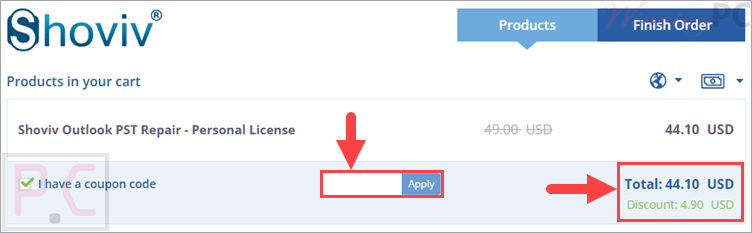
Hit ‘Copy Code’ in the coupon box above to automatically copy it. We’ll take you right to checkout, where you can apply your savings.
Shoviv Outlook PST Repair: In-Depth Review & Features
Key Features:
- Repairs damaged Outlook PST files quickly.
- Recovers emails, contacts, attachments, appointments, tasks, calendars, and to-do lists.
- Supports multiple PST files in one process.
- Handles large PST files without a size limitation.
- Splits large PST files by setting the size of the output PST.
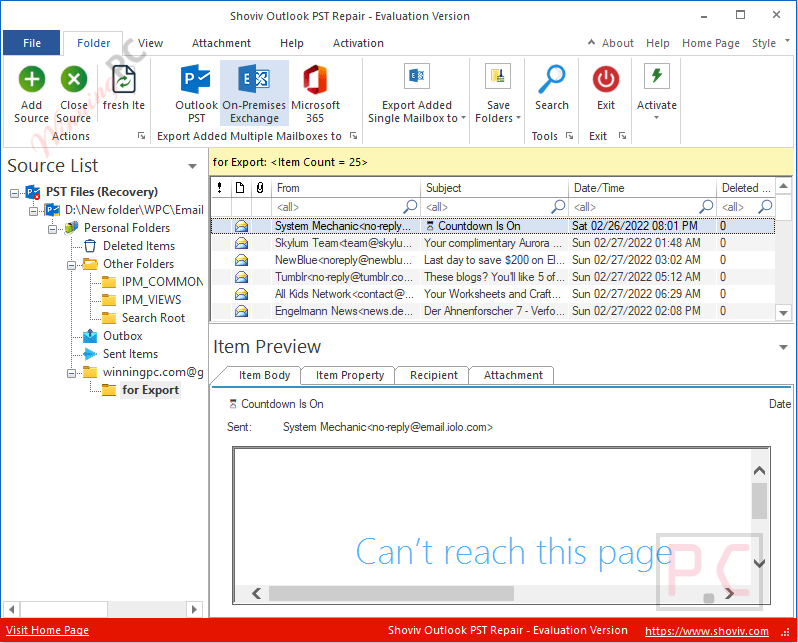
- Previews item body, properties, recipients, and attachments before export.
- Searches PST items by fields such as CC, BCC, subject, to, and from.
- Supports filters for read/unread messages and attachment types.
- Exports repaired data to EML, MSG, HTML, RTF, and other formats.
- Exports PST data to Office 365, Outlook profile, and On-Premises Exchange.
- Saves recovered PST items to webmail services through IMAP/POP configuration.
- Recovers permanently deleted PST items and deleted attachments.
- Saves attachments separately to a local disk.
- Keeps folder hierarchy and email metadata intact.
- Includes Incremental Export to continue an interrupted process.
- Offers email translation and folder mapping options.
- Supports all MS Outlook versions listed in the product data.
- Includes a trial version that processes the first 50 items per folder.
Pros & Cons
How to Use (Step-by-Step Guide)
Step 1. Install and open the software
Download Shoviv Outlook PST Repair, install it on your Windows PC, and launch the program.
Step 2. Add PST file(s)
Click Add to load one or multiple PST files, including large or corrupted ones.
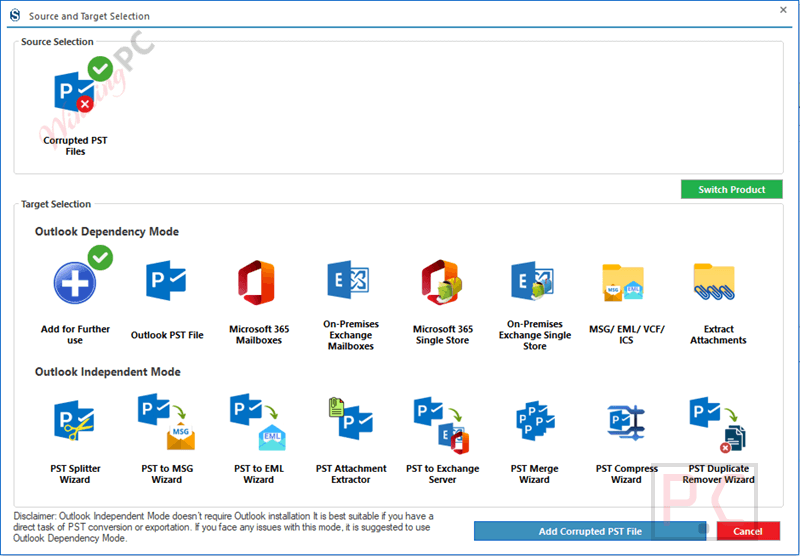
Step 3. Scan the PST file
Start the scan to analyze and repair the selected PST data.
Step 4. Preview recovered items
Browse emails, contacts, calendars, and attachments to confirm everything looks correct.
Step 5. Apply filters (optional)
Use search or filter options to select only the items you want to export.
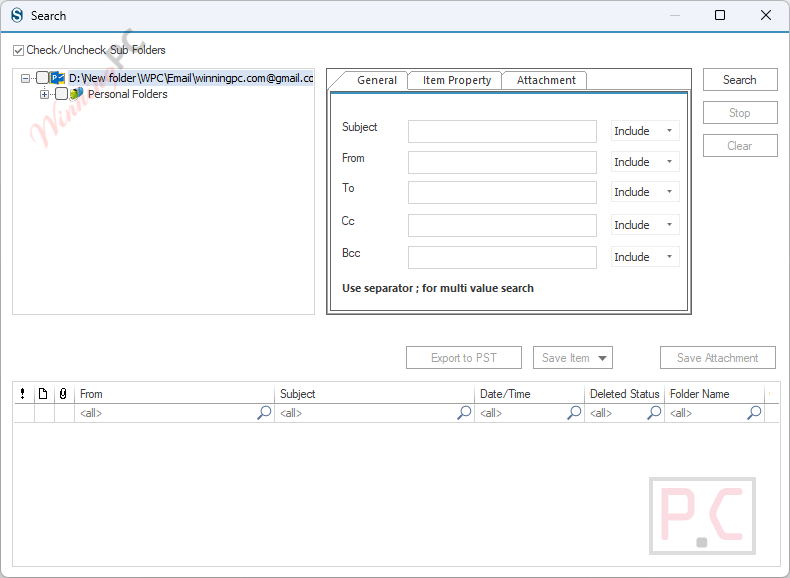
Step 6. Choose export destination
Select a file format, Outlook profile, Office 365, or Exchange as the target.
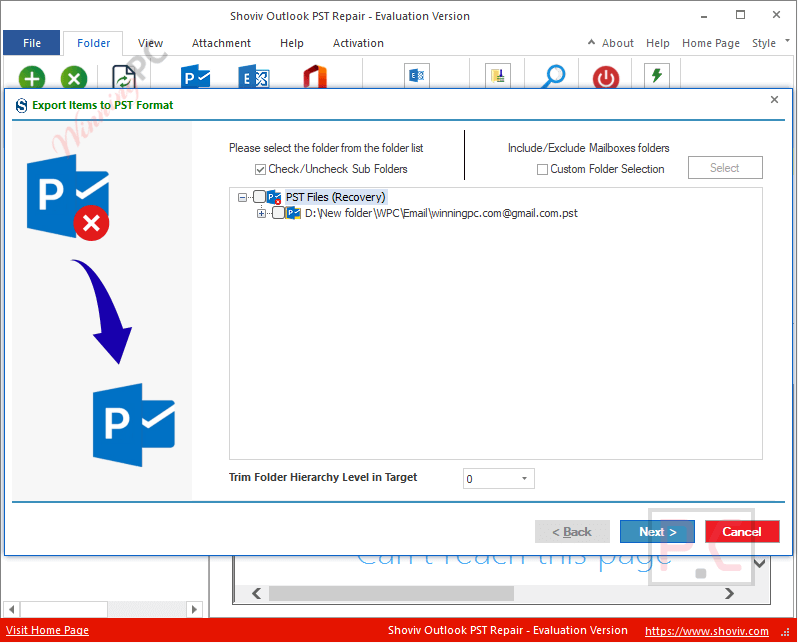
Step 7. Start export and save data
Begin the export process and save the recovered Outlook data to your chosen location.
Frequently Asked Questions
Can it fix PST files damaged by power failure or viruses?
Yes, it supports PST files affected by sudden shutdowns, malware, network errors, and similar issues.
Does the software support very large PST files?
Yes, there is no size limit, and large PST files can be repaired without splitting them first.
Can I recover permanently deleted Outlook emails?
Yes, the tool can scan and restore hard-deleted emails and attachments from PST files.
Can I export PST data directly to Office 365?
Yes, PST data can be exported to Office 365 accounts with proper admin permissions.
Does it support On-Premises Exchange and Outlook profiles?
Yes, you can export recovered data to Exchange servers or existing Outlook profiles.
Is there a discount available on Shoviv Outlook PST Repair?
Yes, WinningPC provides a coupon code WPC***2025 that helps you get up to 55% off on Shoviv Outlook PST Repair.
System Requirements & Details
| Operating System | Windows 7 / 8 / 8.1 / 10, Windows 11, Windows Server 2008 / 2012 R2 / 2016 / 2019 / 2022 / 2025 |
| Processor | Minimum 1.0 GHz; 2.4 GHz recommended |
| RAM & Storage | Minimum 4 GB RAM; 512 MB free hard disk space |
| Supported Input | Outlook PST files |
| Supported Output | EML, MSG, RTF, HTML, Outlook profile, Office 365, On-Premises Exchange, webmail through IMAP/POP setup. |





