

On this page
SoftOrbits Duplicate Photo FinderGiveaway
| Product | SoftOrbits Duplicate Photo Finder |
| Publisher | SoftOrbits |
| Original price | $69.99 (Lifetime) |
| Giveaway price | Free |
| License | Lifetime (version 1.1) |
| Platform | Windows 11/10/8.1/8/7 (32/64 bit) |
| Installer | DuplicatePhotoFinder.exe |
| Use | Non-commercial use |
| Updates | No free updates |
| Support | No free tech support |
| Verified | Oct 2026 by Chris |
How to Get the SoftOrbits Duplicate Photo Finder License Key for Free
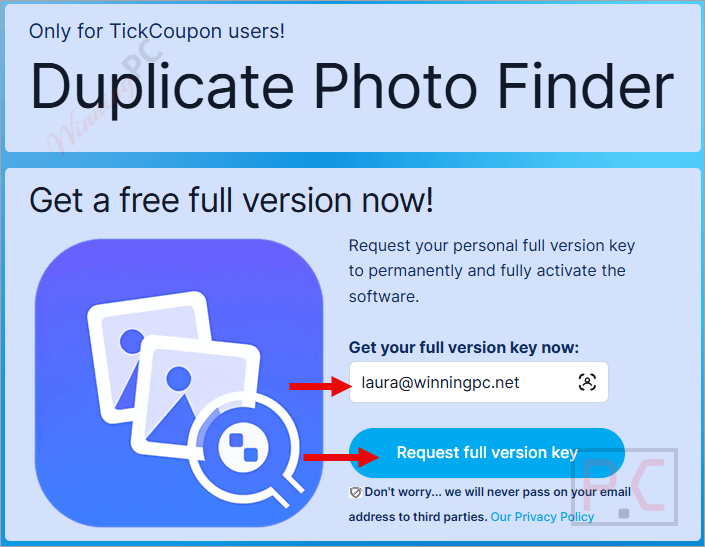
- Click the giveaway button above to open SoftOrbits’ official registration page.
- Fill in your name and email address to complete your basic profile.
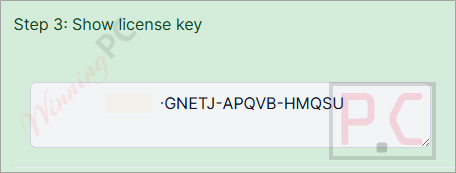
- Submit the form – SoftOrbits will send your Lifetime license key by email.
- Download and install SoftOrbits Duplicate Photo Finder from the official page.
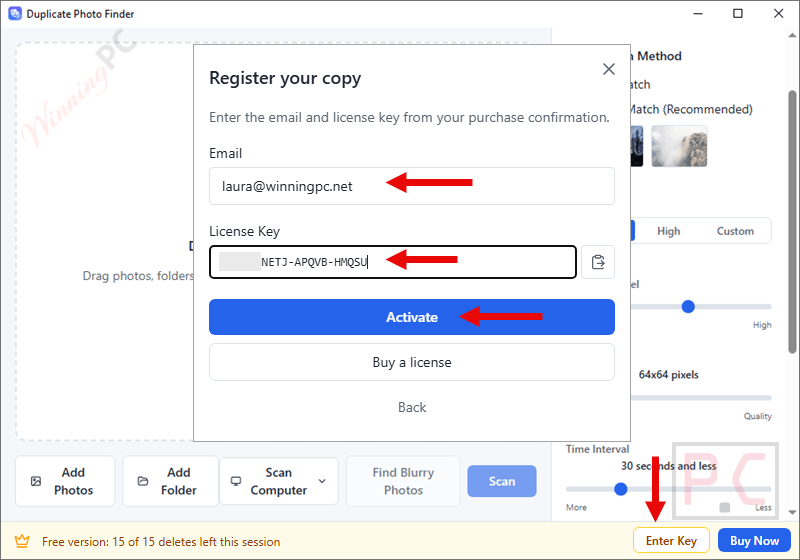
- Launch the app and click Register.
- Enter the license key and your email address to unlock the full version at no cost.
Top Duplicate Photo Finder Coupon Code Oct 2026
EaseUS DupFiles Cleaner Perpetual use
Lifetime free upgrades | 30-day money back guarantee
Auslogics Duplicate File Finder
1-year for up to 3 PCs | Professional support

PassFab Duplicate File Deleter - Lifetime
Free upgrades and lifetime use

4DDiG Duplicate File Deleter Lifetime
1 License for 1 PC | Lifetime free upgrades
Is this SoftOrbits Duplicate Photo Finder giveaway safe and legit?
No crack or patched build
You download the standard SoftOrbits installer and activate it with a real license key. Nothing is modified or repackaged.
Official publisher giveaway
The key is issued directly by SoftOrbits – not a grey-market reseller or third-party key site.
Fully offline tool
SoftOrbits Duplicate Photo Finder does not upload your photos anywhere. All scanning runs locally on your machine, which is also a privacy plus.
Safe deletions by design
Marked files go to the Windows Recycle Bin, not permanent erasure. You can restore anything you change your mind about.
Hands-on with SoftOrbits Duplicate Photo Finder
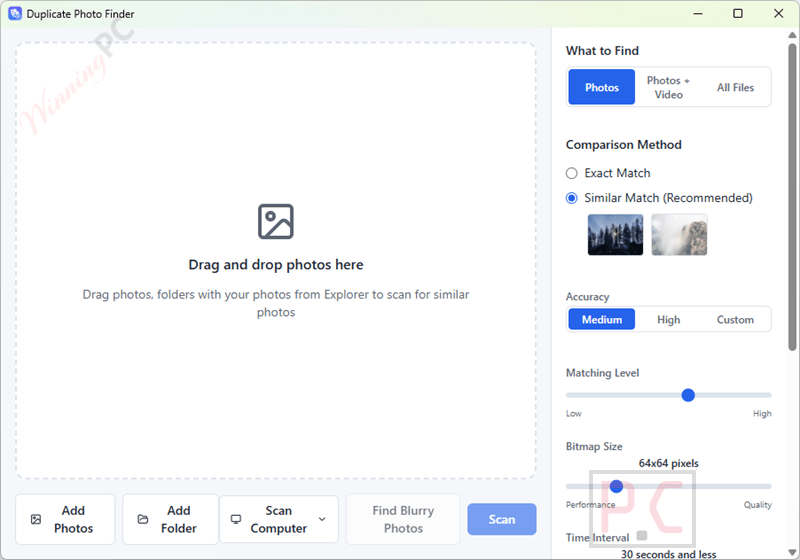
SoftOrbits Duplicate Photo Finder uses a perceptual matching engine to find more than byte-identical files. While many duplicate finders focus on exact copies, this one can also group photos that look the same – a burst frame captured a fraction of a second apart, a JPEG re-exported from the original PNG, or a rotated crop. The blur scorer (variance of Laplacian) also helps with selection: instead of simply choosing the largest file, it measures actual sharpness and marks the crisper shot as the keeper.
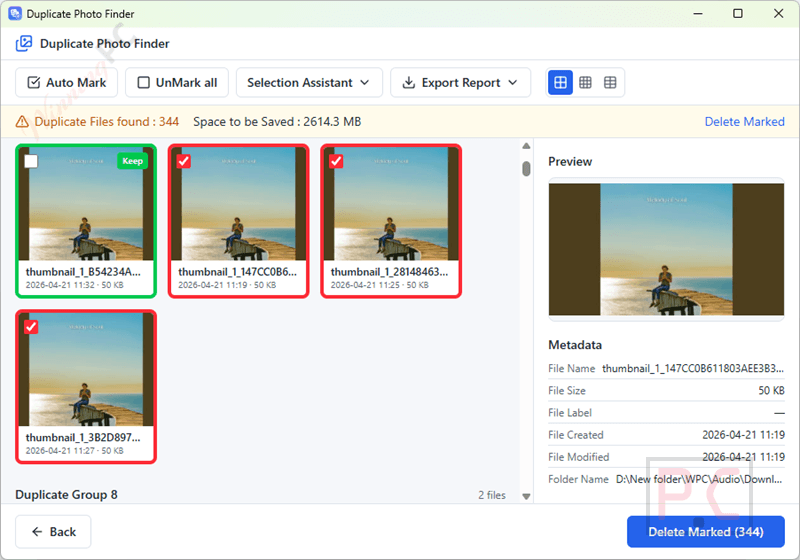
That matters if you shoot bursts with a DSLR or tap the shutter repeatedly on a phone. The interface is functional rather than polished, and the giveaway version being locked to the current build is worth keeping in mind – no updates means no new format support or bug fixes down the road.
Key features
- Perceptual similarity matching: finds resized, rotated, re-saved and format-converted near-duplicates beyond byte-identical copies.
- Automatic best-shot selection by resolution, sharpness (blur score) and file size, with manual override before anything is deleted.
- Wide format support: JPG, PNG, BMP, GIF, TIFF, WebP, iPhone HEIC and 30+ camera RAW types; videos, documents and installers handled in All Files mode.
- Selection Assistant with configurable keep rules (newest, oldest, largest or highest-resolution in each group).
- Safe by design: deletions go to the Recycle Bin, system folders are never touched, and at least one photo per group is always kept; live space-to-save estimate shown before you confirm.
What we think
SoftOrbits Duplicate Photo Finder vs the Alternatives
| Tool | Price | Perceptual matching | HEIC + RAW | Blur / best-shot auto-pick | Platform |
|---|---|---|---|---|---|
| SoftOrbits Duplicate Photo Finder | $69.99 (free today) | Yes | HEIC + 30+ RAW | ✅ Yes – blur score ranks sharpness | Windows |
| Auslogics Duplicate File Finder | $20.07/yr | Yes (content-based) | Not specifically documented | No | Windows |
| Nero DuplicateManager Photo | $38.36/lifetime | Yes (Places / Series / Motives categories) | HEIC ✅ + multiple RAW formats ✅ | No | Windows |
| PassFab Duplicate File Deleter | $25.16/yr | Yes (similar images) | RAW ✅; HEIC not listed | No | Win / Mac |
| 4DDiG Duplicate File Deleter | $27.96/yr | Yes (similar images) | RAW ✅; HEIC not listed | No | Win / Mac |
| EaseUS DupFiles Cleaner | $14.99/yr | Yes (similar photos + minor edits) | RAW ✅; HEIC not listed | No | Windows |
| dupeGuru | Free / open-source | Yes (Image mode) | HEIC/RAW not officially documented | No | Win / Mac / Linux |
Frequently Asked Questions
Does the giveaway Lifetime license actually last forever?
Yes – “Lifetime” means the license does not expire. You keep access to this version of the software for as long as you want. The limitation is the build itself: the giveaway key covers the current release, not future versions. If SoftOrbits ships a major update next year, the free key does not upgrade to it.
Will it delete photos I want to keep?
No. The app moves marked files to the Windows Recycle Bin rather than erasing them permanently, so you can restore anything you change your mind about. On top of that, the software always keeps at least one photo per group – you cannot accidentally wipe every version of a shot. The Selection Assistant makes a suggestion; you review before you confirm.
Can it find duplicate videos, not just photos?
Yes. Switch to All Files mode on the first screen and it scans videos, documents and installers for exact duplicates alongside photos. One thing to note: the perceptual similarity engine (the one that groups near-duplicate photos by look and sharpness) applies to photos only. Video matching in All Files mode is exact-duplicate (byte-level).
Can it scan Google Drive, OneDrive or Dropbox?
It can scan cloud folders that are synced locally to your PC – point it at the local sync folder and it reads the files from there. It does not connect directly to cloud storage via an API or web interface. For cloud-only files that are not synced to the drive, it will not reach them.
What happens after the giveaway period closes – is my key still valid?
Yes. Once you register and activate the key during the giveaway window, the license is yours to keep. The giveaway closing just means new keys can no longer be claimed – your existing activation stays valid.
System Requirements & Details
| Operating system | Windows 11/10/8.1/8/7 (32/64-bit) |
| Processor | Intel i3 / AMD Ryzen 5 or above |
| RAM | 4 GB or above |
| Graphics | NVIDIA GeForce 8-series, Intel HD Graphics 2000, AMD Radeon R600 or higher (up-to-date drivers required) |
| Display | 1280 × 768 minimum, 32-bit colour |
| Disk space | 1 GB free hard disk space or above |
| Supported input formats | JPG, PNG, BMP, GIF, TIFF, WebP, iPhone HEIC, 30+ camera RAW types (DSLR); videos, documents and installers (All Files mode) |
| Supported output formats | N/A – this is a duplicate scanner and removal tool, not a converter; files are moved to the Recycle Bin, not converted |
| Internet connection | Not required – fully offline |




WARNING Softorbits DO NOT RESPECT THE INTEGRITY OF YOUR SYSTEMS. They build their programs and installers to bypass admin protections on program installation to allow non-admins like children and employees to install programs when they are not authorised or allowed to install unauthorised programs. They FORCE installation to the system drive, and force installation into an insecure folder hierarchy in the user AppData folders subfolder which is not write protected against non-elevated malware. I do not recommend the installation of products by such a self-serving malicious developer on your machines.
Hello Cool, thanks! Thanks to the programmer, able, always, success.
Your developers did an extraordinary job. Only Best Software World .
Thank you very much to you and all colleagues. I’m very happy.
I use this powerful Software. This app is more than 5 stars.
Thanks again for your sincere cooperation. have a nice day.