
 Laura Marano
SysTools EML Viewer is a lightweight, easy-to-use, and convenient EML viewer tool for reading EML files with attachments. The main approach of this tool is the ability to eliminate the dependency on specific email clients, allowing you to open and read EML files effortlessly. With the intuitive interface and comprehensive features, it can help you view EML files, making it easier for you to navigate and extract the information you need. This tool delivers a wide range of viewing modes and robust search functionality to ensure you can access and analyze email content and metadata with precision.
Additionally, SysTools EML Viewer comes with the option to manage and organize large volumes of EML files. Functions like parameter sorting and auto-file loading from designated folders simplify work processes and free up your time to concentrate on important job components. Another of its best features is the ability to read and view EML emails along with their associated attachments. You can easily view EML message attachments such as DOC/ DOCX/ XLS/ PPT/ Image files and other file types.
SysTools EML Viewer Coupon Code Oct 2026
SysTools EML Viewer Pro
25% discount code: regular price $69, discounted price $51.75
You may also like

Bundle Offer - SysTools MSG Viewer Pro + PST Viewer Pro + EML Viewer Pro
20% discount code: regular price $199, discounted price $95.20
Key Features and Screenshots
- View and Read EML File: quickly and accurately displays EML files while maintaining original email formatting. It allows you to view key email properties like To, From, Subject, Received Date, and Size, ensuring a comprehensive understanding of the email content.

- Preview Emails with Attachments: View EML messages and attachments with this tool. The integrated Attachments View Mode allows easy access to attachments like DOC, DOCX, XLS, PPT, images, and more, ensuring all email content is available for detailed review.
- View Message Header of EML File: lets you view hidden message headers in EML files, and can access detailed header information quickly and easily.

- Auto-Load EML Files: effortlessly read EML files. After selecting the folder containing EML files, the software loads and displays all emails on its dashboard.
- View Emails of Multiple Email Clients: view EML files from various email clients like Thunderbird, Windows Live Mail, Entourage, Eudora, PowerMail, Opera Mail, Hotmail, Outlook Express, and Google Apps.
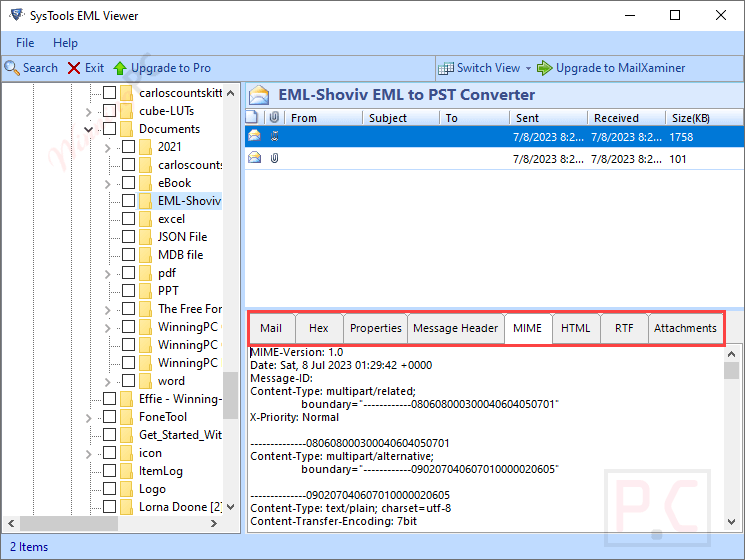
- View & Read Noname.eml: can read EML messages sent as noname.eml attachments, which are typically inaccessible via web-based email services. This tool allows users to easily view such attachments.
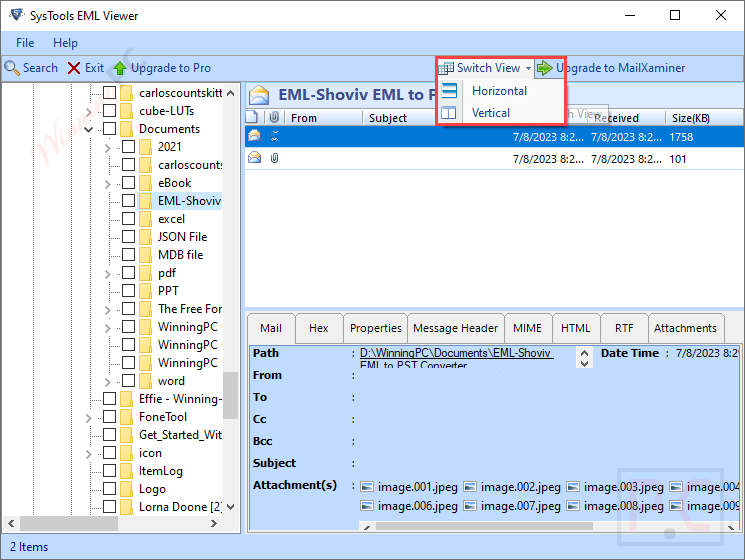
- Dual Preview Modes: easily switch between horizontal and vertical view modes to view EML files conveniently.
- User-Friendly Interface: easy-to-use design makes it accessible for both experts and beginners.
Frequently asked questions
Can SysTools EML Viewer open EMLX files?
Yes, SysTools EML Viewer can open both EML and EMLX files.
Can I view attachments with SysTools EML Viewer?
Yes, the software allows you to view all attachments associated with EML files.
What are the different preview modes available in SysTools EML Viewer?
The software offers multiple preview modes, including Normal, Hex, Properties, Message Header, MIME, HTML, and RTF views.
Is there a search functionality in SysTools EML Viewer?
Yes, the tool includes an advanced search feature that allows users to filter emails by date, subject, sender, and other parameters.
Is there any file size limitation associated with the EML Viewer tool to read and view EML files?
No, the user can read EML files via the EML file reader software without any file size restrictions.
How can I get a discount on SysTools EML Viewer?
For those interested in purchasing SysTools EML Viewer, WinningPC offers a 25% discount with the coupon code WINPC25.
Technical Details
| Language Support | English, Français, Italian, Spanish, Swedish, and more… |
| Money Back Guarantee | 30-Day |
| Operating System | Windows 11 (64-bit), Windows 10, 8, 7 (32-bit or 64-bit) & Windows Server 2019, 2016, 2012 R2, 2008 |
| Shipping | Register code will be sent to your email in minutes |
| Subscription | Lifetime |
| Support Services | Email, Live Chat, Tickets, Training |





