
 Cathryn Lee
SysTools Mac OLM Converter converts Mac Outlook OLM files into multiple file formats while preserving emails, contacts, calendars, tasks, notes, attachments, and folder structure. It supports batch conversion, selective export, and migration from Outlook for Mac 2011, 2016, and 2019.
SysTools Mac OLM Converter
Personal License | 1 Year Free Product Updates
Bundle Offer
2 plans · best save 53%
SysTools MAC OLM Converter + Win OLM Converter ★ Best Deal
Personal License | No refund
SysTools Mac OLM Converter + Win OLM Converter + OLM to MBOX Converter
Personal License | No refund
📄 Licensing & Support Details
- 100% Safe and Secure
- Instant Delivery by Email
- 24*7 Free Technical Support
- 1 Year Free Product Updates
- 30 Days Money Back Guarantee
📝 How to apply
- Just click the “Copy” button above to easily get the discount, which will be automatically applied prior to being forwarded to the payment screen.
In-Depth Review & Features
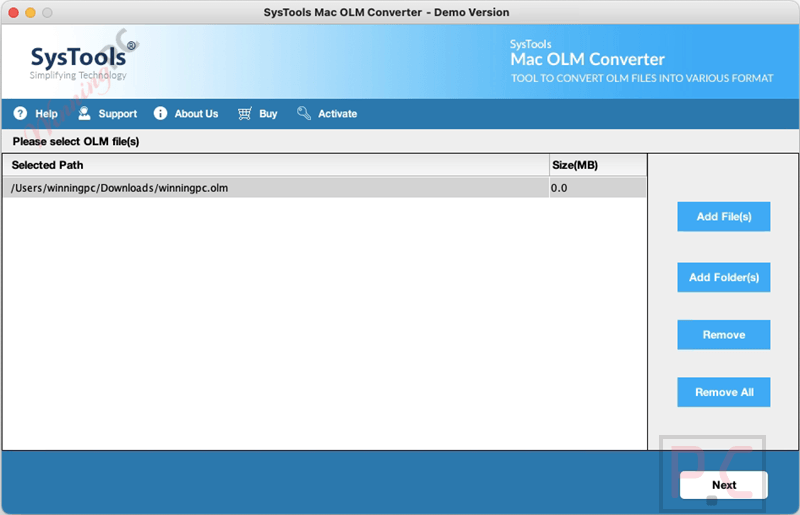
Key Features
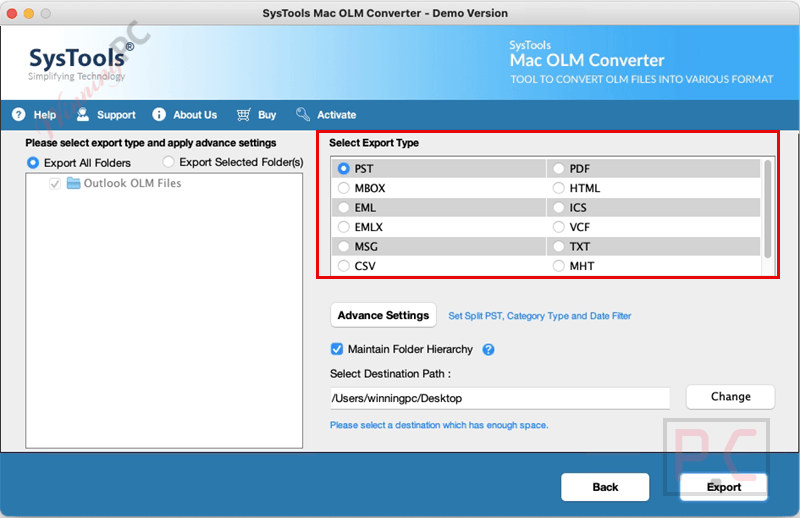
- Multi-Format Export: Converts OLM files into PST, EML, EMLX, MSG, MBOX, ICS, VCF, HTML, CSV, PDF, and TXT formats.
- Complete Data Migration: Transfers emails, contacts, calendars, notes, tasks, and attachments safely.
- Batch Processing: Allows users to add multiple OLM files or an entire folder for bulk conversion in a single run.
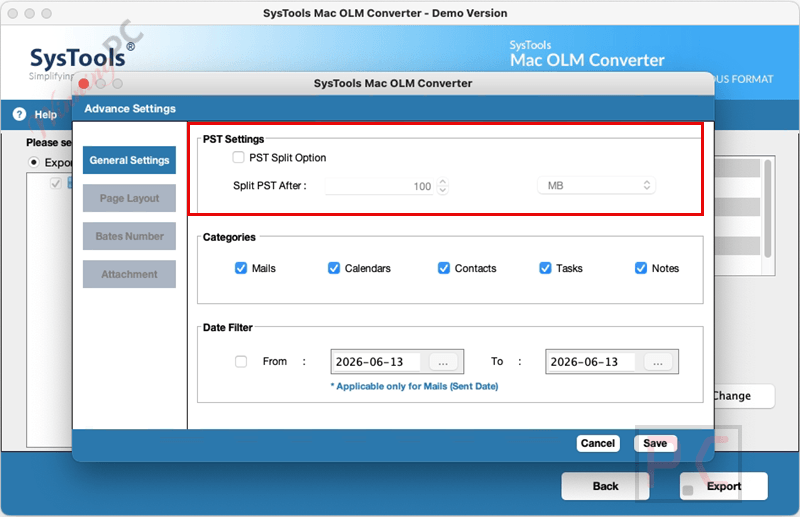
- Date-Based Filtering: Enables selective data export by setting a specific date range using “From” and “To” fields.
- Category Selection: Lets users choose specific data items like Mails or Calendars instead of exporting the entire file.
- PST Splitting: Offers the option to divide large output PST files into smaller parts to prevent file corruption.
- Maintains Folder Hierarchy: Keeps the original on-disk folder structure and email metadata (To, Cc, Bcc, Subject) intact.
- Custom Naming Conventions: Provides options to save exported files systematically using patterns like Subject or Date + Subject.
- CSV Contact Export: Specifically converts Mac Outlook contacts into CSV format for easy opening in MS Excel or text editors.
Pros & Cons
More SysTools Mac OLM Converter screenshots:
Frequently Asked Questions
Where can I locate active promo codes for SysTools Mac OLM Converter?
You can find reliable and verified coupon codes for this software directly on WinningPC. We regularly update our site with the latest promotions alongside official developer offers.
What is the highest current saving available for this OLM migration tool?
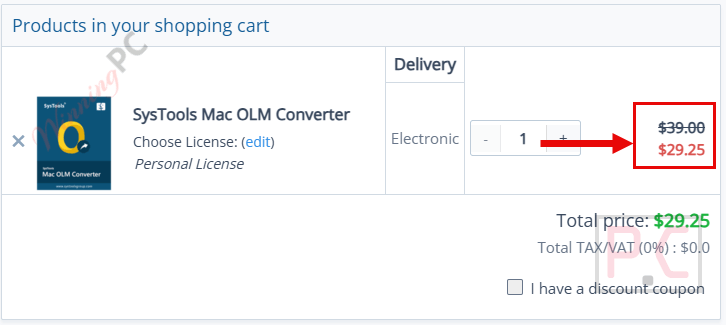
Right now, you can get a 25% OFF discount on SysTools Mac OLM Converter through WinningPC, dropping the regular price from $39 down to $29.25.
Can I export only my emails from an OLM file and leave the rest?
Yes, the category selection feature allows you to choose and export only desired data items, such as emails, without transferring calendars or contacts.
Is there a file size limit when converting OLM files?
No, there are no file size restrictions. You can convert large OLM files without any limitations.
Will my email attachments be included during the transfer process?
Yes, the software migrates all attachments associated with your emails, including documents, images, and presentations.
Can I split the output file if I convert my OLM to PST?
Yes, there is an option to split large PST files into multiple smaller data files to avoid corruption issues.
How do I filter emails by date for export?
You can use the Date Filter option by specifying the date range in the “From” and “To” fields. The tool will then export only the emails sent or received within that period.
Technical Specifications
| Feature | Specifications |
|---|---|
| Language Support | English |
| Operating System | MacOS X 10.8 (Mountain Lion) to MacOS X 15.0 (Sequoia) and above |
| Processor | Mac Computer with Intel Processor or Apple Silicon (M1) |
| RAM & Storage | 4 GB RAM recommended; 100 MB free hard disk space |
| Supported Input | Mac Outlook OLM files (.olm) |
| Supported Output | PST, EML, EMLX, MSG, MBOX, ICS, VCF, HTML, CSV, PDF, TXT |





