
 WinningPC
Are you tired of searching for a converter tool to convert NSF files into EML and MSG formats? Look no further! SysTools NSF Converter is here to revolutionize your converting experience. As one of the most potent apps to convert NSF files to multiple formats, this NSF Converter offers a seamless and efficient solution to export NSF files to multiple formats, including MSG, MBOX, EML, EMLX, PDF, vCard, ICS, HTML, CSV, TXT, DOC, and DOCX effortlessly. With our user-friendly interface, you can convert NSF File Emails, Contacts, Tasks, & Calendars in 8+ file formats.
SysTools NSF Converter has a batch conversion function that helps you convert multiple NSF files simultaneously, saving time and effort. In addition to converting encrypted NSF files, this program offers the ability to decrypt data when exporting. This tool ensures that the converted data remains true to the original, which means doclinks, internet headers, and HTML formatting are retained. Additionally, it
SysTools NSF Converter Coupon Code Oct 2026

SysTools NSF Converter
25% discount code: regular price $69, discounted price $51.75
You may also like

Bundle Offer - SysTools NSF Converter + Export Notes + Outlook to Notes
47% discount code: regular price $187, discounted price $99
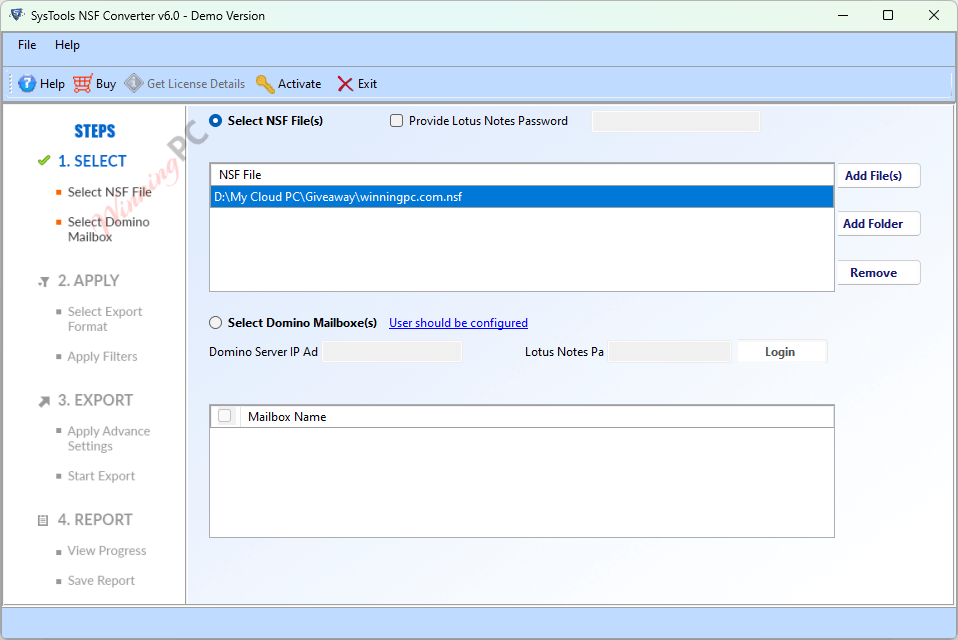
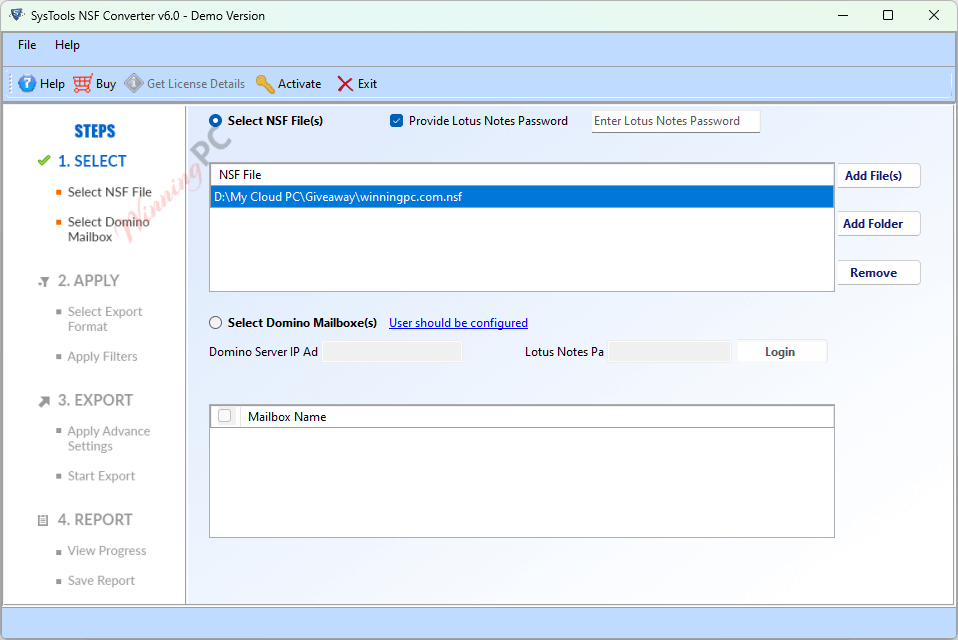
Key Features and Screenshots

- Export Complete NSF File: SysTools NSF Converter converts entire NSF data, including emails, contacts, and calendars, while preserving metadata, attachments, and formatting. It ensures no data loss and supports Names.nsf file migration.
- Convert NSF into Eight Different File Format: You can use this tool to convert NSF file items into eight different formats. You can free use the files in different applications like Outlook, Outlook Express, Windows Mail, Thunderbird, etc., after conversion of the files.
- Batch NSF File Conversion: This software allows for the batch conversion of multiple NSF files at once without imposing size limitations, significantly saving time and effort. This feature is particularly useful for users dealing with large volumes of data.
- Convert Selective NSF File Items: This NSF conversion tool can migrate all items, including emails, contacts, and calendars. You can selectively convert items by checking or unchecking them, allowing for customized data migration.
- Convert Lotus Notes Tasks: you can effortlessly convert tasks and related data, including attachments, into formats like PDF, MSG, HTML, CSV, and TXT. It supports unlimited files and can also handle data conversion for Domino tasks.
- Option Expot Lotus Notes Data to TX: SysTools NSF Converter allows you to export all Lotus Notes items, including emails, contacts, calendars, and tasks, into various formats. You can also export multiple tasks by selecting the desired file format and data items.
- Convert Lotus Notes Contacts: The tool can be used for converting multiple Lotus Notes contacts to vCard formats (2.1, 3.0, 4.0). Furthermore, it allows saving all names .nsf contacts into a single vCard for easy export.
- Export Lotus Notes Calendar: SysTools NSF Converter can convert multiple Lotus Notes calendar items to ICS format. This tool is an excellent choice for precise and efficient conversion if you need to extract only calendar data.
- Maintains the Folder Hierarchy: This tool maintains the folder structure of NSF files to save the data, including doclinks, internet headers, and HTML formatting, to ensure the converted data remains true to the original without any changes.
- Selective Export Using Date Filter: The NSF Converter wizard includes a Date Filter Option, enabling you to selectively export NSF file elements within a specified date range during conversion for precise data extraction.
- Convert Specified Folder: convert items from specific folders. Just select the Include Folder for Conversion option and enter the folder name with subfolders (e.g., folder1\folder2). It also supports converting NSF files to EML format.
- Naming Convention & Report Generation: The NSF Converter allows you to customize Naming Conventions using properties like MD5 Subject, To, From, Date, and Auto Increment. It supports combinations like Subject+To and includes date/time formats (DD-MM-YY) (HH-MM-SS). Detailed reports are also generated post-conversion for future reference.
- Extract Lotus Notes Data to CSV: You are allowed to convert Lotus Notes emails, contacts, and calendars to CSV format. This tool is compatible with all Windows versions, including Windows 10, 8.1, 8, and older versions, as well as all Lotus Notes versions.

Frequently asked questions
Do I need Lotus Notes installed to use the SysTools NSF Converter?
Yes, Lotus Notes installation is required to perform the conversion.
Can the software convert encrypted NSF files?
Yes, the software can convert encrypted NSF files and provides an option to remove encryption during the conversion process.
Does the software support batch conversion of NSF files?
Yes, it supports batch conversion, allowing you to convert multiple NSF files at once.
Does the software maintain the original formatting and metadata after conversion?
Yes, SysTools NSF Converter retains the original formatting, including doclinks, internet headers, and HTML formatting.
Are there any filters available for selective conversion?
Yes, the software provides data filters for the selective conversion of NSF files.
Are there any discounts available for purchasing SysTools NSF Converter?
Yes, WinningPC offers a coupon code WINPC***25 that provides a 25% discount on SysTools products.
Technical Details
| Language Support | English, Français, Italian, Spanish, Swedish, and more… |
| Money Back Guarantee | 30-Day |
| Operating System | The register code will be sent to your email in minutes |
| Shipping | Register code will be sent to your email in minutes |
| Subscription | Lifetime |
| Support Services | Email, Live Chat, Tickets, Training |





