
 Laura Marano
SysTools Windows Live Mail Converter can convert Windows Live Mail emails, contacts, and calendars into PST and several other file formats. It also supports bulk exports, mailbox preview, auto-detection of WLM storage locations, and migration to Outlook-compatible formats.
SysTools Windows Live Mail Converter
Personal License | 1 Year Free Product Updates
Bundle Offer
3 plans · best save 53%
SysTools Windows Live Mail Converter + WAB Converter ★ Best Deal
Personal License | Refund NOT Applicable for Bundle Products
SysTools Windows Live Mail Converter + DBX Converter
Personal License | Refund NOT Applicable for Bundle Products
SysTools DBX Converter + EML Converter + WAB Converter + Windows Live Mail Converter
Personal License | Refund NOT Applicable for Bundle Products
In-Depth Review & Features
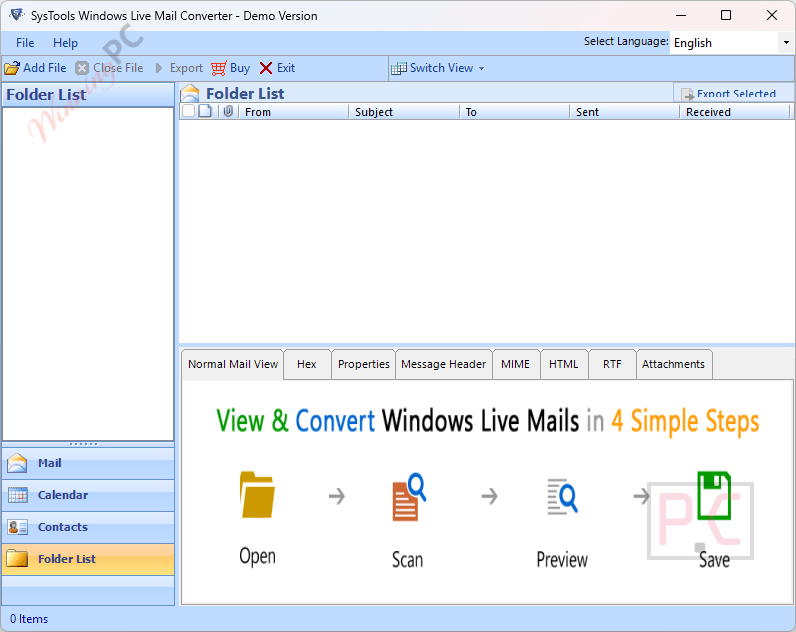
Main Features
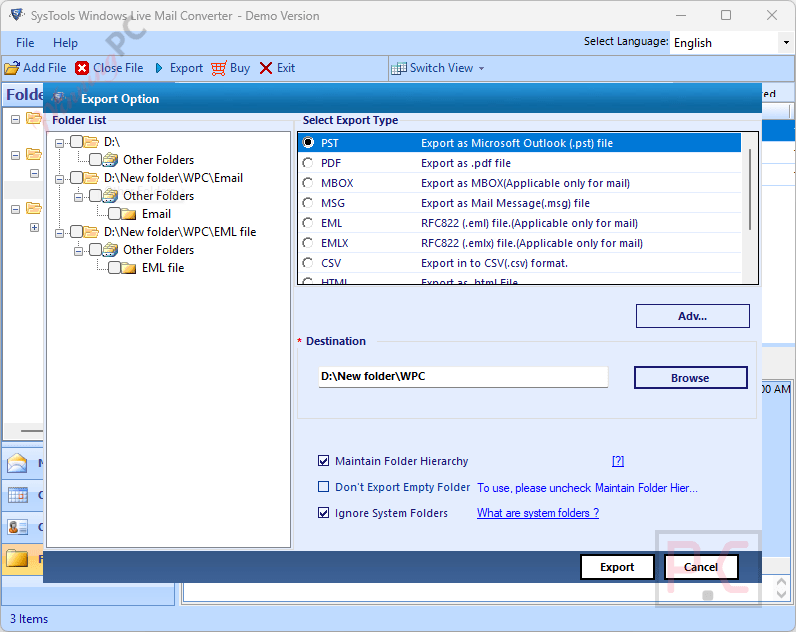
- Converts Windows Live Mail data into PST, MSG, EML, EMLX, MBOX, and directly to Office 365.
- Exports emails into standard document formats, including PDF, HTML, TXT, MHT, and CSV.
- Automatically detects the default storage path of your configured mail files so you do not have to search for them manually.
- Retains the exact HTML formatting, fonts, and inline images (such as PNG, JPEG, and GIF) of the source emails.
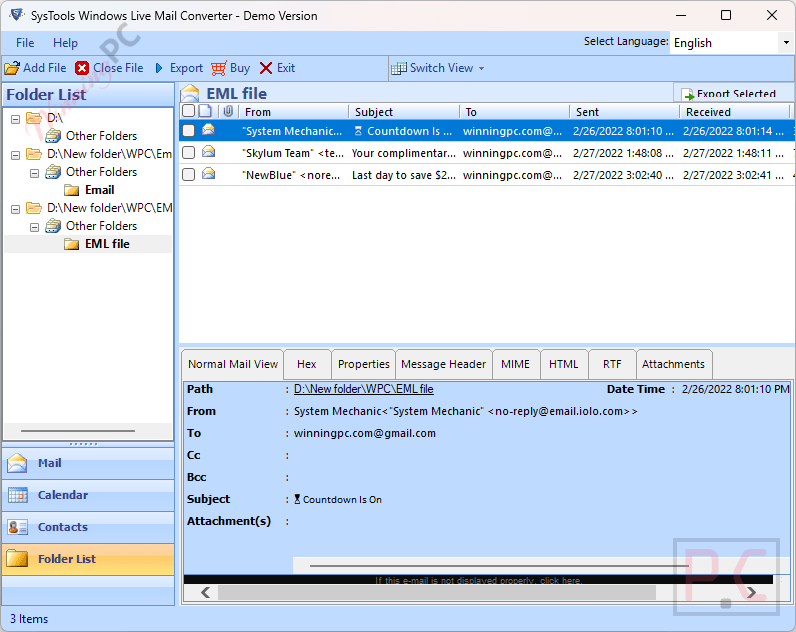
- Features a dual-mode preview panel (horizontal and vertical) to inspect emails and attachments before conversion.
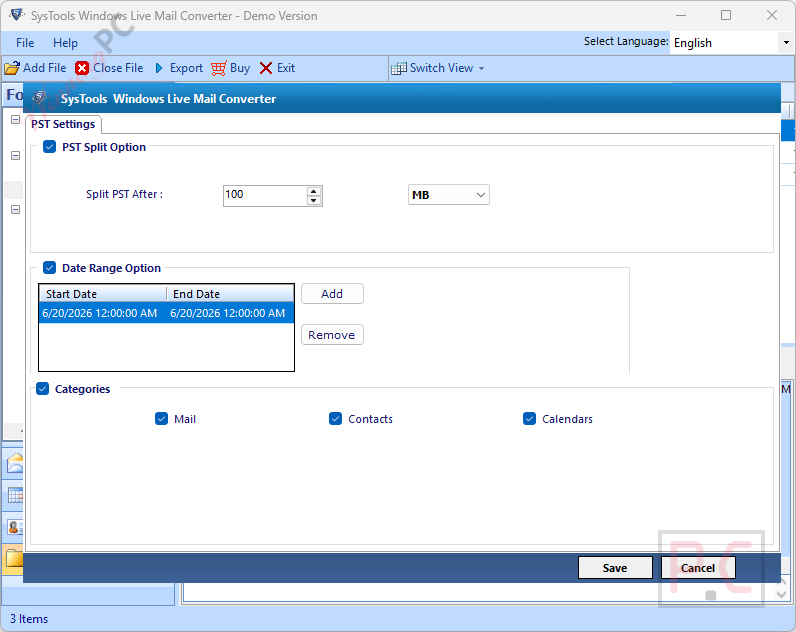
- Includes a splitting tool that can divide massive PST files into smaller parts of 2GB or more.
- Provides custom naming conventions (Date, Subject, From, or AutoIncrement) when saving files as MSG and EML.
- Offers a date-range mail filter to isolate and convert only the specific messages you need.
Pros & Cons
More SysTools Windows Live Mail Converter screenshots!
Folder List
Export Option
Settings
Frequently Asked Questions
Where can I find promo codes for SysTools Windows Live Mail Converter?
The most reliable place to secure active offers and deals for this software is right here on WinningPC, where we partner directly with the developers to bring you verified savings.
What is the biggest price drop available right now for this converter tool?
Currently, you can claim a massive 25% OFF the standard retail price exclusively through our WinningPC promotional link.
Do I have to install Outlook before using this software?
No, SysTools Windows Live Mail Converter functions entirely on its own. You do not need to have Microsoft Outlook installed on your machine to successfully create a PST file.
Will I lose the images pasted inside my emails during the transfer?
No, the software safely retains all inline images exactly as they appeared in the original message body, with no alterations to the image properties.
Is it possible to only export emails from a specific month?
Yes, there is a built-in mail filter option that allows you to set a defined date range, letting you export only the messages received within that specific period.
Does the tool transfer my contacts and address book?
Absolutely, it migrates your complete Windows Live contacts list and calendar entries directly into the resulting file format.
What happens if my resulting PST file is too large?
SysTools Windows Live Mail Converter includes a feature to automatically split oversized PST files into smaller, more manageable fractions, starting at 2GB or larger, based on your preference.
Can I process data from multiple Windows Live Mail identities?
Yes, you can add and scan multiple live mail store folders (identities) sequentially, and then select the ones you want to export all at once.
Technical Specifications
| Feature | Specifications |
|---|---|
| Language Support | English |
| Operating System | Windows 7, 8, 8.1, 10, Windows 11, Windows Server 2008/2012 R2/2016/2019/2022 |
| Processor | Windows: Minimum 8-core processor; Mac: Intel Processor or Apple Silicon (M1) |
| RAM & Storage | 4 GB RAM recommended, 100 MB free disk space |
| Supported Input | Windows Live Mail mailbox data, emails, contacts, calendars |
| Supported Output | PST, MSG, EML, EMLX, MBOX, Office 365, PDF, TXT, MHT, HTML, CSV |
| Microsoft Outlook Support | Outlook 2003, 2007, 2010, 2013, 2016, 2019, 2021 |
| Additional Requirement | Microsoft .NET Framework 4.5 or later |





