
 Chris Bruner
SysTools Yahoo Backup is a desktop tool designed to back up Yahoo Mail data and save it in different file formats. Bypassing webmail interface restrictions, this dedicated migration engine processes batch transfers of entire accounts and encodes the raw server data into universally compatible offline formats, including PST, PDF, MSG, MBOX, and EML.
SysTools Yahoo Backup - Single User License
30% off coupon code: regular price $49.0, discounted price $34.30
SysTools Mac Yahoo Backup - Single User License
30% off coupon code: regular price $49.0, discounted price $34.30
📄 Licensing & Support Details
- 30-Day Money Back Guarantee
- 100% Safe and Secure
- Instant Delivery by Email
- 24*7 Free Technical Support
- 1 Year Free Product Updates.
📝 How to apply
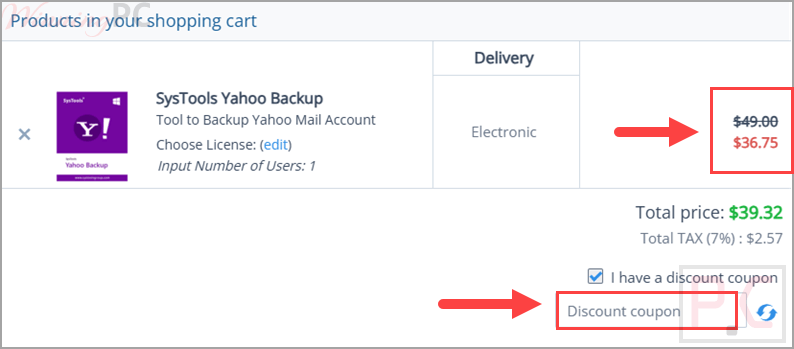
Click the ‘Copy Code’ link above, and we’ll take you straight to the official SysTools Yahoo Backup checkout page. Check your ‘Order Summary’ to confirm the promo code is active and the price has dropped.
SysTools Yahoo Backup: In-Depth Review & Features
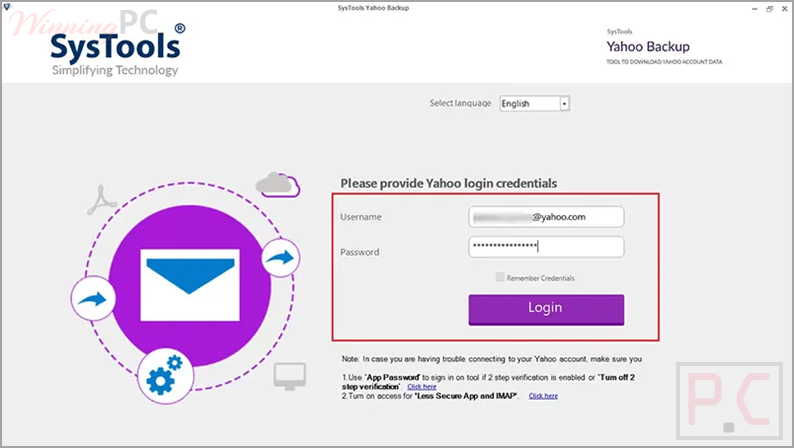
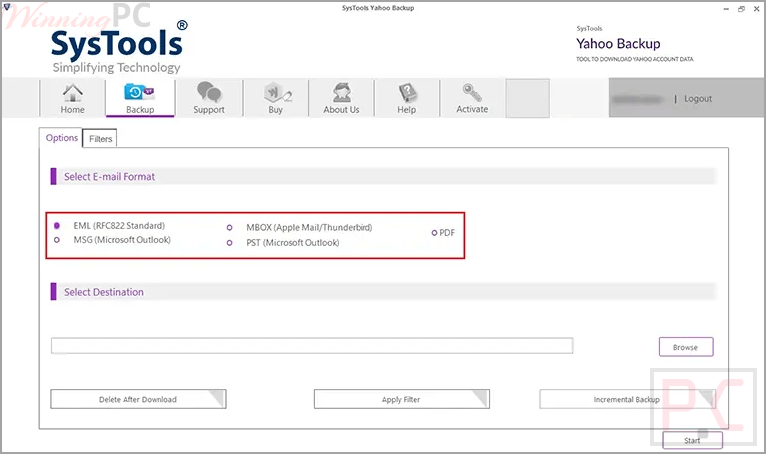
- Multiple export formats: save Yahoo emails in PST, PDF, MSG, MBOX, and EML formats.
- Mac output options: includes additional formats like HTML, TXT, CSV, EMLX, and MHT.
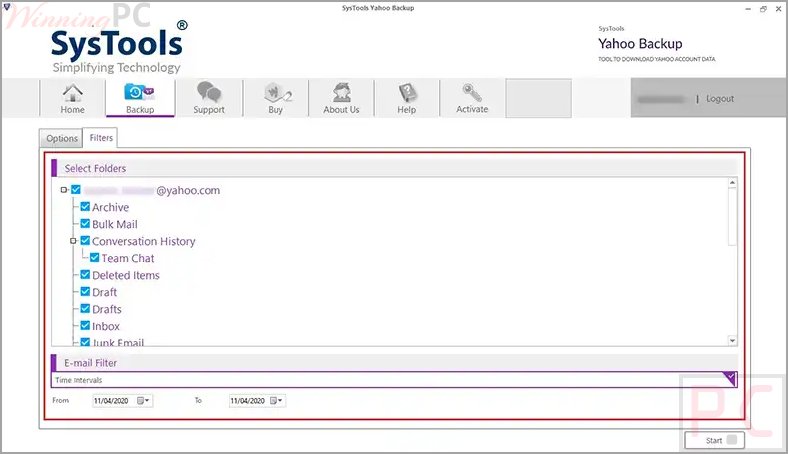
- Email filter by date: allows selective backup based on a chosen date range.
- Download attachments: extracts and saves attachments along with emails.
- Multiple account support: backup data from single or multiple Yahoo accounts (processed one at a time).
- Wide domain compatibility: supports @yahoo.com, @rocketmail.com, @oddpost.com, and others.
- Incremental backup: skips previously backed-up emails to avoid duplication.
- Maintain folder structure: keeps the original hierarchy of folders intact.
- Delete after download: removes emails from the account after backup if selected.
- Resume backup process: continues from the last point after interruption.
- Maintain email properties: keeps metadata like To, Cc, Bcc, and read/unread status unchanged.
- Naming convention options: save files with custom naming patterns like Subject+Date.
- Multi-language support: offers several language options during installation.
Pros & Cons
More screenshots:
Frequently Asked Questions
How long does the backup take?
The time depends on your internet bandwidth.
Does it require additional software?
No, there is no need to install any additional application.
Is it compatible with Windows 11 and 10?
Yes, SysTools Yahoo Backup works on Windows 11, 10, and earlier versions.
Can I resume a failed backup process?
Yes, the tool allows you to resume the backup from where it stopped.
Does it download attachments as well
Yes, it can download and save attachments along with emails.
Can I backup multiple Yahoo accounts at once?
The tool supports multiple accounts, but processes one account at a time.
Does it support different Yahoo domains?
Yes, SysTools Yahoo Backup supports domains like @yahoo.com, @yahoo.co.uk, and others.
Can this tool backup Yahoo emails locally?
Yes, it allows users to create a local copy of Yahoo mailbox data in multiple formats.
Does the coupon apply to all plans?
The provided deal applies to the single-user license.
Where can I find the SysTools Yahoo Backup coupon code?
You can find the latest coupon code on WinningPC, offering 25% off the single-user license.
System Requirements & Details
| Supported Platforms | Windows 11, 10, 8, 7, and Windows Server editions macOS 10.8 to macOS 14 (Sonoma) |
| RAM | 4 GB recommended |
| Disk Space | 100 MB free space |
| Processor | Windows: Intel Core 2 Duo or above Mac: Intel or Apple Silicon (M1) |
| Requirements | Windows: .NET Framework 4.5+, internet connection, app password for Yahoo. Mac: proper system region settings, internet connection |





