On this page
vMail OST to PST Converter Coupons & Pricing
vMail OST to PST Converter
3 plans · best save 70%
Personal License ★ Best Deal
1 Year License for 2 PCs | 1 Year Software Updates
Corporate License
Lifetime License for 5 PCs | 1 Year Software Updates
Technician License
Lifetime License for 10 PCs | 1 Year Software Updates
Is the vMail coupon legit?
Yes. XMAS***5 is a discount V Software offers WinningPC readers, and it runs through the developer’s own checkout.
Official source
The link goes straight to V Software’s store, not a reseller or a grey-market key site.
Genuine license, no crack
You install the official build and unlock it with a real license, so nothing is patched or repackaged.
Secure checkout
Payment happens on V Software’s checkout page, and your card details never pass through WinningPC.
10-day money-back
If you’re not satisfied, contact V Software within 10 days of buying directly from vsoftware.org for a refund. After that window, refunds aren’t issued except in cases of fraudulent purchase.
How to Use the vMail OST to PST Converter Coupon Code
Test your file first (recommended). Install the free vMail OST to PST Converter demo from V Software’s site and load your OST. It previews everything it can recover and saves up to 30 items per folder, so you know your file is readable before you pay.
Click the coupon button on this page. It opens V Software’s checkout with XMAS***5 already applied.
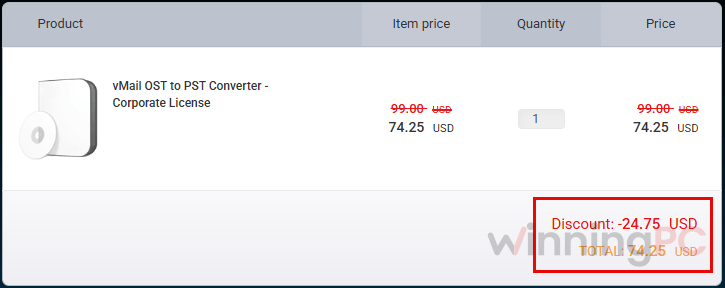
Check the price. Personal should show $29.25, Corporate $74.25 and Technician $149.25.
Complete the payment on V Software’s checkout page.
Register the program. Enter the license details V Software emails you into the installed copy to unlock unlimited saving.
How well does vMail OST to PST Converter work?
What sets vMail OST to PST Converter apart at this price is how many places it can send your mail. Plenty of converters stop at PST. This one also writes MBOX for Thunderbird and PDF for archiving, and it can push a mailbox straight into Microsoft 365 or Gmail without a middle step. The preview window matters more than it sounds.
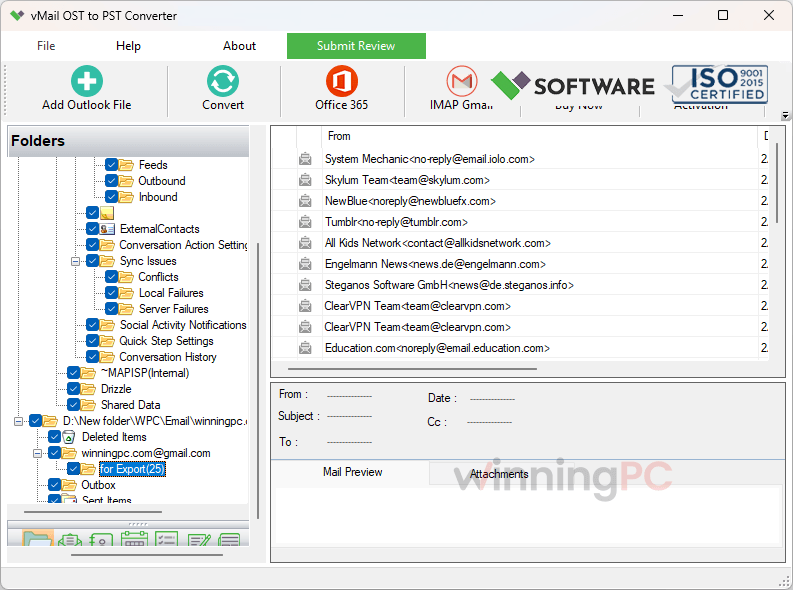
With a damaged OST you want to see your folders and messages before you pay, and the demo lets you do exactly that. One thing to keep in perspective: claims like “no risk of data loss” are V Software’s marketing. How much comes back from a badly damaged file depends on the damage, which is why the demo is worth ten minutes of your time.
Key features
- Repairs OST files damaged by sync errors, hardware failure, viruses or a forced Outlook shutdown, including encrypted and password-protected files.
- Saves to PST plus a long list of other formats, from MBOX for Thunderbird to PDF for archiving (full list in the requirements below), keeping your folder structure, To/CC/BCC, dates and attachments.
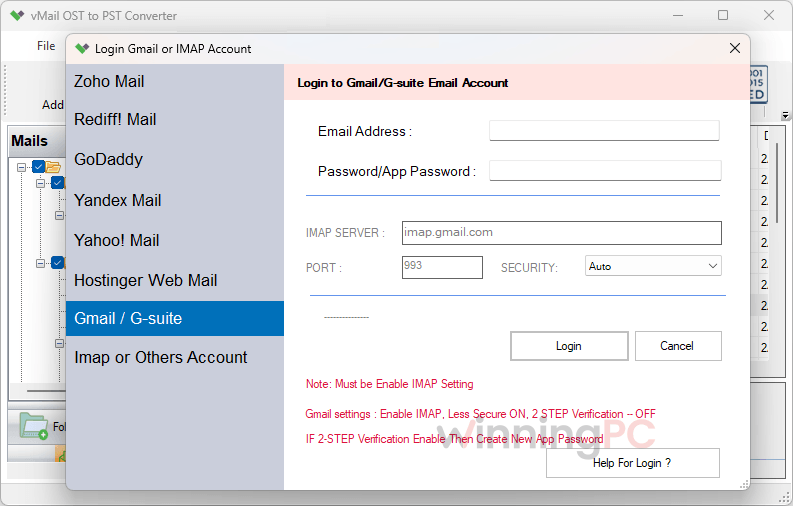
- Imports directly into Microsoft 365, Exchange Server, Gmail or Google Workspace, Yahoo Mail, Yandex, Rediff Mail or any IMAP account.
- Splits an oversized result into several smaller PST files, which keeps Outlook stable.
- Handles OST files of any size and shows a preview of every recovered email before conversion.
What we think
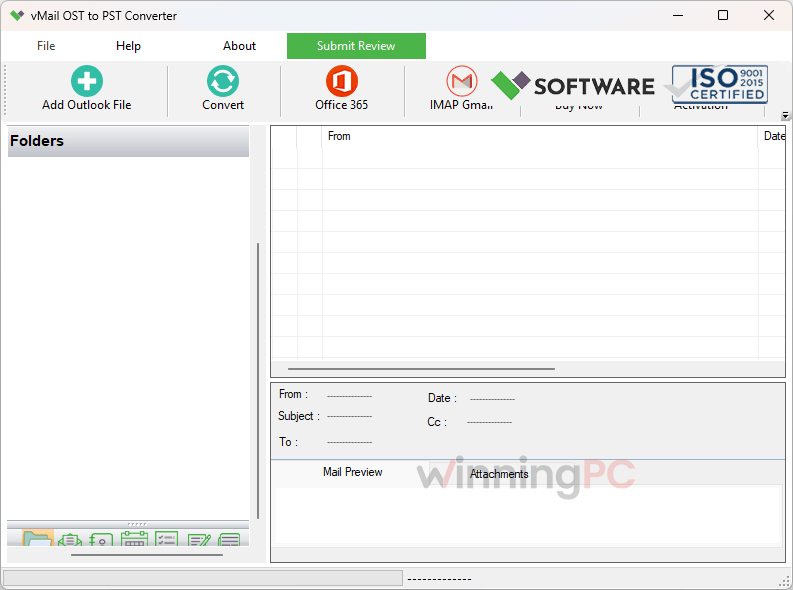
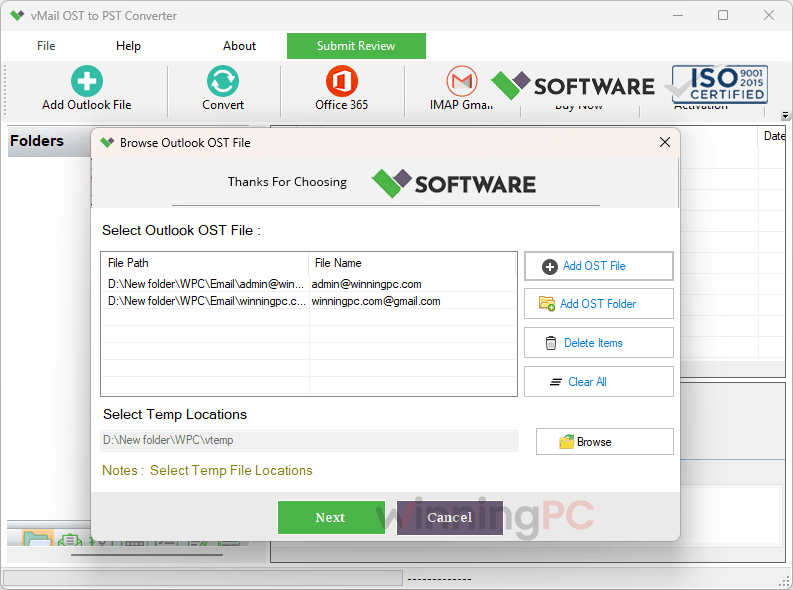
More vMail OST to PST Converter Screenshots
vMail OST to PST Converter vs Alternatives
| Tool | Entry price | Saves or exports to | Worth knowing | Best for |
|---|---|---|---|---|
| vMail OST to PST Converter (our budget pick) | $29.25 Personal with code (regular $99) | PST, MBOX, PDF and more; Microsoft 365, Gmail, IMAP | Demo saves 30 items per folder | Home users and small jobs on a budget |
| DataNumen OST to PST Converter | $159.96/lifetime/per user | PST | Much pricier, built around recovery quality | Badly corrupted files where recovery rate matters most |
| Kernel for OST to PST | $34.3 Personal/yr, $139.30 Corporate/lifetime | PST; Microsoft 365 and Exchange on higher tiers | Personal license lasts 1 year, on 2 PCs | IT teams wanting an established brand |
| Shoviv OST to PST Converter | $44.10 Personal/yr, $269.10 Corporate/lifetime | PST, EML, MSG, Office 365, Exchange | Personal tier is basic | Business migrations |
| Outlook’s built-in Export to PST | Free | PST | Only works while the account still connects | Mailboxes that still exist on the server |
If your Exchange or Microsoft 365 mailbox still exists, you may not need a converter at all. Let Outlook resync, then use File > Open & Export > Import/Export > Export to a file to save a PST for free. A converter earns its price when the OST is orphaned (the account is gone) or corrupted.
Frequently Asked Questions
Is there a free version of vMail OST to PST Converter?
Yes, a free demo. It works like the full version but saves only 30 items per folder, and you can preview everything it recovers before deciding.
Do I need Outlook installed to convert OST to PST?
No. V Software’s Microsoft Store listing says conversion works without Outlook installed. You’ll still want Outlook, or another mail client, to open the PST afterwards.
Will it change my original OST file?
No. vMail OST to PST Converter reads the OST and writes new files, leaving the original structure untouched. If that OST is your only copy of years of mail, it’s still smart to work on a backup copy.
Can I get a refund?
Yes, within 10 days of purchase, as long as you bought directly from vsoftware.org. Contact V Software inside that window. Requests after 10 days aren’t refunded unless the purchase was fraudulent. Ten days is short, so run your actual OST through the demo first rather than relying on the refund.
Which vMail OST to PST Converter license should I buy?
For your own mailbox, Personal at $29.25 is the obvious pick. The tier names suggest Corporate is for business use and Technician is for IT pros working on client machines, but V Software doesn’t spell out seat counts on the product page. Check the order page before paying for a higher tier.
Is it a one-time payment or a subscription?
One-time. V Software sells it as a lifetime license, with free support for the first year. We haven’t seen any auto-renewal on these plans.
How fast is the license delivered?
Not always instantly. V Software’s Microsoft Store listing quotes anywhere from 15 minutes to 72 hours, so don’t leave the purchase until the last minute if a mailbox migration is on a deadline.
Is there a Mac version?
Yes, as a separate product: vMail OST to PST Converter for macOS (v10.5). It runs on macOS 11 Big Sur, 10.15 Catalina and older, needs very little hardware, and exports to PST, MBOX, MSG, EML, EMLX, HTML and VCF, plus direct migration to Office 365 and Gmail. It’s licensed separately, so check that the coupon covers it before buying.
System Requirements & Details
| Field | Windows (v15.0.0.1) | macOS (v10.5) |
|---|---|---|
| Operating system | Windows 11, 10, 8.1, 8, 7 | macOS 11 Big Sur, 10.15 Catalina and older |
| Processor | Pentium class | Intel Core i3 |
| RAM | 4 GB | 128 MB minimum (512 MB recommended) |
| Disk space | 500 MB free for installation | 50 MB free for installation |
| Supported input formats | OST files from Outlook for Microsoft 365, 2021, 2019, 2016, 2013, 2010, 2007 and older, including corrupt, encrypted and password-protected files; no file size limit | OST files from Outlook 2021, 2019, 2016, 2013, 2010, 2007 and older, including corrupt, encrypted and password-protected files; no file size limit |
| Supported output formats | PST, MSG, EML, EMLX, MBOX, HTML, PDF, RTF, vCard, vCal | PST, MBOX, MSG, EML, EMLX, HTML, VCF |
| Other requirements | Internet connection for cloud imports; Microsoft 365 with MFA requires Azure app approval (EWS full access) | Internet connection for Office 365 and Gmail migration |