
 Cathryn Lee
WonderFox HD Video Converter Factory Pro is an all-in-one video toolkit that lets you convert, download, record, edit, compress, and enhance videos with GPU acceleration and batch processing. It supports up to 500 output formats and devices, including modern codecs such as AV1, H.265/HEVC, VP9, and Apple ProRes.
WonderFox HD Video Converter Factory Pro
Your go-to solution to convert, download, record, edit, and compress videos – Simpler and Faster with GPU acceleration and batch mode.
- Product
- HD Video Converter Factory Pro
- Product website
- videoconverterfactory.com
- License
- Lifetime
- Platform
- Windows 11/10/8.1/8/7 and lower
- Usage
- Personal use only
- Updates
- No free upgrades to future versions
- Support
- Support for current subscriptions only
- Updated
- 2026-08-26
Continue on videoconverterfactory.com
Share to reveal your free license code, then activate it inside the app.
The limited-time giveaway!
The free license is no longer available.
HD Video Converter Factory Pro Plans & Coupon Codes
HD Video Converter Factory Pro
3 plans · best save 83%
WonderFox DVD Ripper Pro + HD Video Converter Factory Pro - Discount Pack
Lifetime Free Upgrade/Support
📄 Licensing & Support Details
- 1 Year Subscription: 1 PC, 1 year of free upgrades
- Lifetime License: 1 PC, one-time payment, lifetime free updates
- Family Pack: 3 PCs, one-time payment, lifetime free updates
- Money-Back Guarantee: 30 days
- Platform: Windows 11/10/8/7 and lower
📝 How to apply
- To take advantage of this offer, select the “Copy” button within the coupon area provided.
- The discount will be applied instantly, and you’ll be sent to the payment page to purchase the software at the most competitive rate.
How to Get the HD Video Converter Factory Pro License Free?
- With the giveaway link: Open HD Video Converter Factory Pro giveaway page, click on the “Get It Now” button, and download the installer and license key.
- Without the giveaway link:
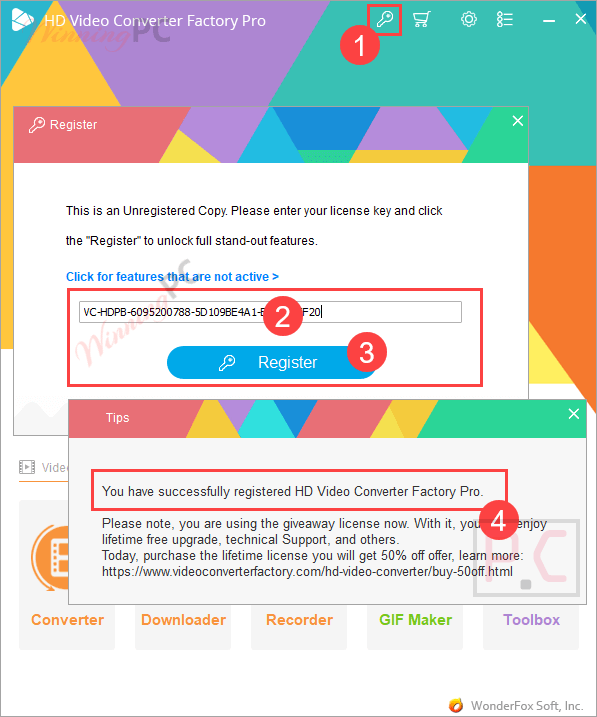
– Download the installer from the Wonderfox homepage
– Run the installer, launch it, and register it with the license key above.
– Enjoy the full features.
In-Depth Review & Features
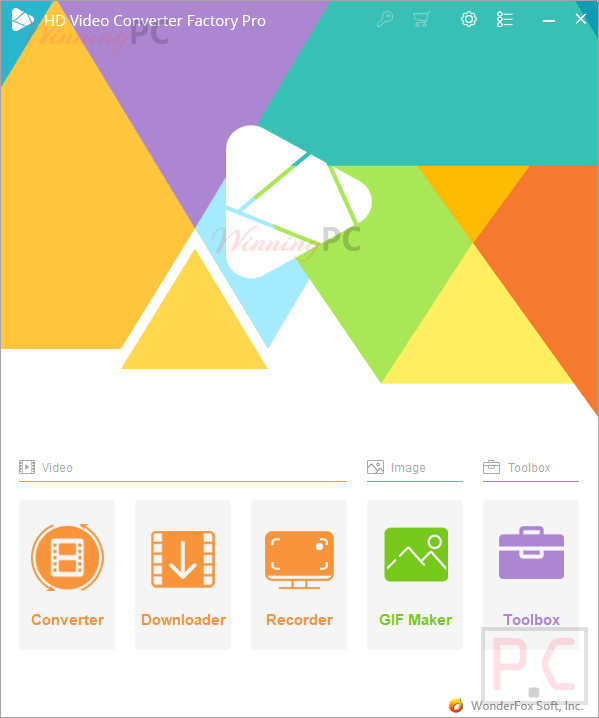
Main Features
- Format Conversion: Convert audio and video to over 500 formats and devices, including MP4, MKV, AVI, Apple ProRes, H.265 (HEVC), and AV1.
- High-Resolution Support: Full control over video resolutions from SD up to 12K, 8K, and 4K.
- Hardware Acceleration: Utilizes NVIDIA NVENC, CUDA, Intel QSV, and Multi-CPU for up to 50x faster conversion speeds via Lightning Mode.
- Online Downloader: Save videos and music from over 1,000 websites like YouTube, Vimeo, and Facebook in bulk.
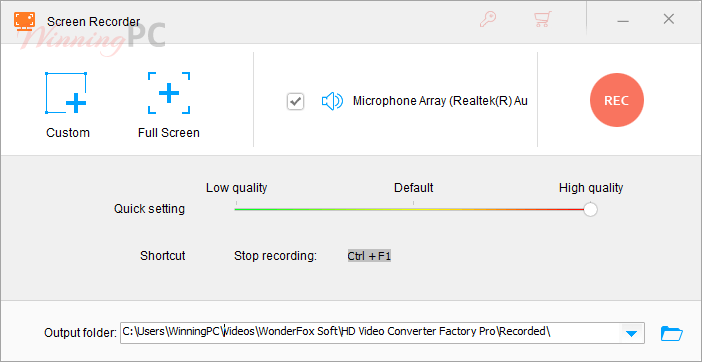
- Screen Recorder: Capture custom areas, full-screen, gameplay at 60fps, or audio-only with no watermark and no time limit.
- Video Editing: Trim, split, merge, crop, rotate, flip, and add filters, watermarks, or subtitles.
- Lossless Compression: Downsize video file sizes by up to 80% without losing quality.
- GIF Maker: Convert video clips or a sequence of photos into animated GIFs.
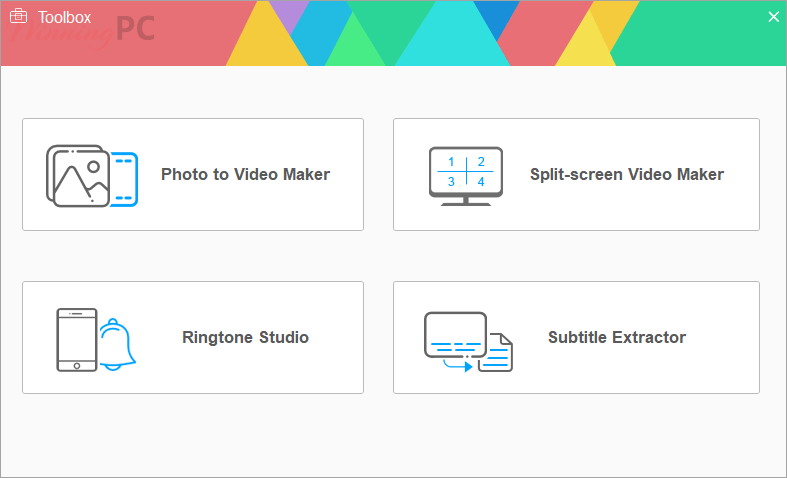
- Toolbox Extras: Extract subtitles, create ringtones, build split-screen videos, and enhance picture quality.
Pros & Cons
More WonderFox HD Video Converter Factory Screenshots!
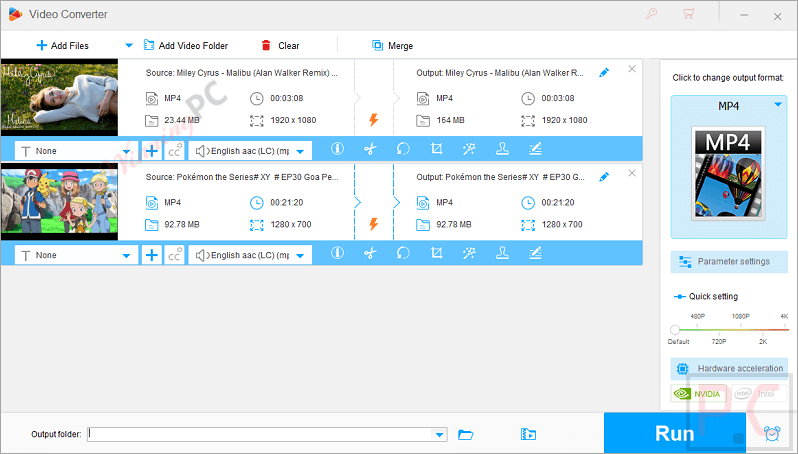
Video Converter – select your video files or add a video folder to get started:
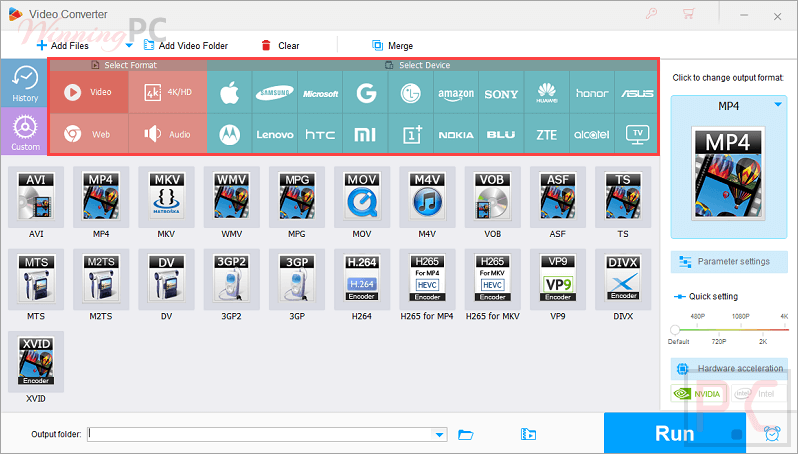
Click here to change output format by Format categories or Device categories:
Parameter Settings for video converter allow you to configure output as you like:

WonderFox HD Video Converter Factory Pro screen recorder function:
WonderFox HD Video Converter Factory Pro – Toolbox
Frequently Asked Questions
Where can I find the latest promos or deals for WonderFox HD Video Converter Factory Pro?
You can find verified promotional codes and deals directly on the WinningPC website, which works closely with developers to offer the best prices, as well as on WonderFox’s official site during seasonal sales.
What is the lowest price or best discount currently available for this software?
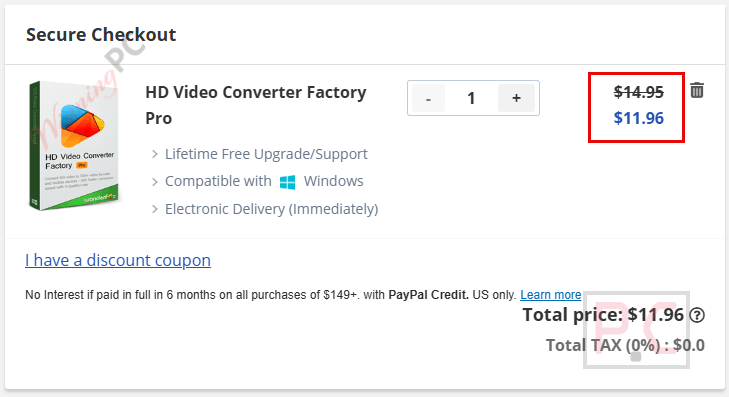
Right now, you can claim an 83% OFF discount on the Lifetime (1 PC) license through WinningPC, dropping the regular price from $69.95 down to just $11.96.
Does it support 4K and 8K video conversion?
Yes, it is among the first to support HD, 2K, 4K, 8K, and even up to 12K video conversion, using exclusive encoding technology for high-quality results.
Can I convert multiple files at the same time?
Yes, the batch mode allows you to convert up to 10 video or audio files simultaneously, saving you a lot of time.
What websites does the downloader support?
The built-in downloader works with over 1,000 websites, allowing you to save videos and music from platforms like YouTube, X/Twitter, Facebook, Vimeo, and SoundCloud.
Is there a limit on how long I can record my screen?
No, the screen recorder has no time limit and does not add a watermark to your captured videos.
Can I make my blurry videos look clearer?
Yes, it includes a Picture Enhancement Tech (PET-1) that can convert low-resolution videos to higher resolutions, improving the clarity during the conversion process.
Can I shrink the size of my video files without ruining the quality?
Yes, you can achieve up to an 80% compression ratio to reduce file size while maintaining excellent visual and audio quality.
System Requirements & Details
| Feature | Specifications |
|---|---|
| Language Support | Multilingual |
| Operating System | Windows 11/10/8.1/8/7 and lower |
| Processor | Intel or AMD, 1.5 GHz or higher |
| RAM & Storage | 1 GB RAM or higher; 300 MB available hard disk space |
| Graphics Card | NVIDIA GeForce, Intel HD Graphics, AMD Radeon series |
| Display | 1200 × 768 resolution or higher |
| Supported Input | Video, audio, image files, online video URLs |
| Supported Output | MP4, MKV, AVI, MOV, WMV, MP3, WAV, FLAC, AAC, Apple ProRes, AV1, H.264, HEVC, VP9, GIF, and more |



Thank you so much for this great giveaway 🙂
ALL codes are expired.
Thanks for your great giveaway.
Install and launch it, register it with the license key: VC-HDPB-73C3A00787-FF54E6FF3F-F26468FC24
Till Aug 23, 2021
expired code
not Supported AMD VCE encoder
Code worked, but the program thinks a nas with multiple terabytes of free space is not big enough to convert a small video onto