Laura Marano
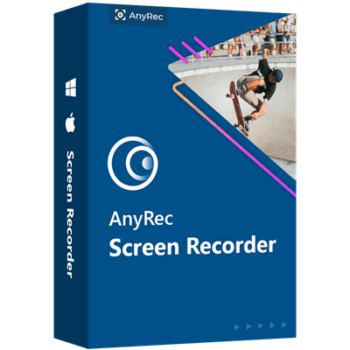
AnyRec Screen Recorder is a screen recording tool tailored for recording video, audio, gameplay, or even your phone screen at high quality. It provides multiple screen recording modes to help you capture the entire screen, a specific area of the screen, or the area around the mouse cursor. In fact, it was built with all the features to record videos at up to 4K resolution and 60 FPS with crisp and smoothy. It can record not only your screen but also your webcam and record audio from both your microphone and system. HD audio and video recordings are permitted, and MP4 exports are permitted.
AnyRec Screen Recorder is incredibly simple to use and offers a decent level of customization through its video editing app along with annotation features. It is especially good for creating video lectures with minimal effort. You are allowed to add drawings on your recording video or screenshot with text, arrow, line, etc. Besides, you can set hotkeys to start/stop/pause/resume recording, screenshot, and record webcam.
Top Screen Recorder Software Coupon Code Sep 2026

iTop Screen Recorder - Lifetime
76% off coupon code, regular price $109.99, discounted price $25.99.

EaseUS RecExperts (Lifetime)
40% Off coupon code: regular price $69.95, discounted price $41.97

PassFab Screen Recorder - Lifetime License
61% off promo code: regular price $89.99, discounted price $34.99
AnyRec Screen Recorder License Key Free
- Product name: AnyRec Screen Recorder
- Website: https://www.anyrec.io/
- License type: 1-year
- Platform: Windows
- Download: screen-recorder.exe
- Giveaway – last updated: Oct 29, 2024
AnyRec Screen Recorder giveaway link
How to get the license key?
Please fill out the giveaway page with your name and email address before clicking the “Get Free License” button:

Check your mailbox to get your email address and registration code to activate this software.

Click the download link above to start the software’s download and installation process. To register the software, copy and paste your license code and email address.

Enjoy it for free!
AnyRec Screen Recorder main screenshot!


Main Features
- Comprehensive Screen Recording: AnyRec Screen Recorder allows you to capture your entire screen, specific application windows, or selected areas. It supports up to 4K resolution and 60 FPS, ensuring that your recordings are crisp and smooth. You can use it to record professional presentations, tutorials, webinars, and gameplay videos with no time restrictions.
- High-Quality Audio Capture: This screen recorder application allows you to record system audio, microphone input, or both simultaneously. Audio recordings can adjust audio to control audio quality to balance file size and sound clarity, combined, and converted to AAC, AC3, WMA, WAV, AIFF, and other widely used formats.
- Screen capture: During recording, you can take screenshots of your recording window. With a single click, you can capture a screenshot of the entire screen, a window, a menu, a scrolling area, or a portion of the screen. It provides multiple tools to polish the photos. You can edit the photo with editing options, such as a callout, a watermark, a line, and more as well as customize the colors and fonts.
- Gameplay Recording in HD: The game recorder is another important feature of the AnyRec Screen Recorder to helps you record games at high frame rates and resolutions lag-free. You are allowed to capture the gameplay videos from online sites (Steam, Minecraft, Dota 2, etc.), as well as game consoles(Play Station 3, 4, 5, Xbox, Switch, Wii, and more) within clicks.
- Webcam Recorder: The webcam video for recording Skype calls, business meetings (such as those held using Zoom, Google Meet, GoToMeeting, Lync, Microsoft Teams, etc.), and game narration should also be included. If your computer does not have a built-in camera, you can connect an external webcam.
- Mobile Screen Mirroring: The next advantage of AnyRec Screen Recorder software is the phone recorder function. This means you can use it to record iPhone/iPad/Android phone screen video and audio on your computer up to 4K by connecting through Wi-Fi or USB.
- Customizable Hotkeys and Scheduled Recording: Hotkeys are included in this screen recorder tool to facilitate faster control and navigation. You are allowed to start, pause, and end recordings with a single keyboard. Additionally, you can set the recording start and stop times for capturing live events or broadcasts unattended.
- Built-In Editing Tools: With built-in editing tools, you can trim, cut, merge, and compress your recordings directly within the software. The editing tools enable you to adjust video lengths, merge multiple clips, and compress for easier sharing without the need for additional software.
- Flexible Output Options: You can save your recordings in various formats, including MP4, AVI, and GIF, or even export them as audio-only formats like MP3, making it easy to share and use your content across different platforms and devices.
Technical Details
| Language Support | English, Français, Italian, Spanish, Swedish, and more… |
| Money Back Guarantee | 30-Day |
| Operating System | Windows 11/10/8.1/8/7 Mac OS X 10.12 or higher |
| Shipping | Register code will be sent to your email in minutes |
| Subscription | 1-Month, Lifetime |
| Support Services |