
 Laura Marano
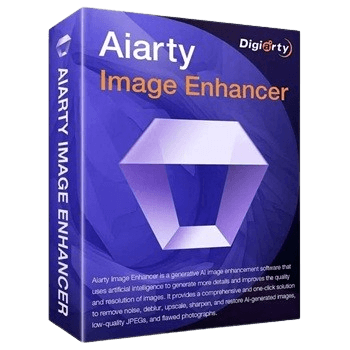
Aiarty Image Enhancer is an AI-driven image-processing utility designed to upscale, denoise, and deblur low-resolution images. Utilizing advanced neural models, the software upscales compressed JPEGs, legacy photos, and AI-generated artwork by up to 8x, outputting natively in 2K, 4K, or 8K resolutions. Bypassing standard interpolation, it directly repairs visual artifacts and reconstructs fine physical textures, including skin and hair, to generate high-fidelity, print-ready media.
- Product name: Aiarty Image Enhancer v3.1
- Publisher: WinX DVD
- Website: https://www.aiarty.com/
- License type: 1-year
- Platform: Windows 10 (x64) 1809 or higher and macOS Catalina 10.15 or higher
- License code & download – last updated: Apr 22, 2026
Click here...
Unlocking content...
The giveaway version comes with no free updates. If you want to use Aiarty Image Enhancer forever with priority support, we highly recommend the lifetime deal below.

Aiarty Image Enhancer (+ 2 Bonus Gifts) - 1 Year/ 3 PCs
50% off coupon code: regular price $85.0, discounted price $42.0
Aiarty Image Enhancer (+ 2 Bonus Gifts) - Lifetime/ 3 PCs
55% off coupon code: regular price $155, discounted price $69
Aiarty Image Enhancer for Mac (+ 2 Bonus Gifts) - 1 Year
50% discount coupon: regular price $85.0, discounted price $42.0
Aiarty Image Enhancer for Mac (+ 2 Bonus Gifts) - Lifetime
55% discount code: regular price $155, discounted price $69
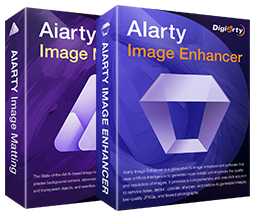
Aiarty Image Tool Bundle (Lifetime)
51% discount code: regular price $264, discounted price $129
Aiarty Image Tool Bundle for Mac (Lifetime)
51% discount code: regular price $264, discounted price $129

Aiarty 3-in-1 Bundle (Lifetime)
48% discount code: regular price $499, discounted price $259
Aiarty 3-in-1 Bundle for Mac (Lifetime)
48% discount code: regular price $499, discounted price $259

Aiarty AI Toolbox
62% discount coupon: regular price $343, discounted price $129. Bundle content: Gift: 5KPlayer VideoProc Converter AI (Lifetime License for 1 PC) Aiarty Image Enhancer (Lifetime | 3PCs) Aiarty Image Matting (Lifetime License)
Please follow the instructions below to get your Aiarty Image Enhancer license key for free. If you have any questions or need help, feel free to leave a comment at the bottom of this post.
Download and install the software on your computer.

When the installation is finished, launch it. Please copy and paste the Aiarty Image Enhancer license code to register the software.


Now, you can optimize the images for free!

Aiarty Image Enhancer Main Screenshot

Main Features
- 1-Click Enhancement: Automatically denoise, deblur, de-jpeg, and upscale your images with a single click.
- Advanced Denoising: Instantly clean up grainy photos taken in low-light conditions or at high ISO settings.
- Effective Deblurring: Restore sharp clarity and fine details to blurry pictures caused by motion blur.
- 32K Upscaling: Upscale your images up to 8x to achieve stunning, ultra-high resolutions up to 32K.
- Detail Generation: Realistically enhance fine textures like skin, hair, and fabric for a professional look.
- Batch Processing: Save massive amounts of time by enhancing up to 1,000 images simultaneously.
- Specialized AI Models: Choose from three distinct AI models (More-detail GAN, Smooth Diff, Real-Photo) tailored for specific image types.
- Broad File Support: Seamlessly process a wide range of image formats, including JPEG, PNG, TIFF, WebM, and RAW files.
Frequently asked questions
What is Aiarty Image Enhancer?
Aiarty Image Enhancer is an AI-powered software designed to enhance image quality by upscaling resolution, removing noise, fixing blurriness, and restoring details.
How does Aiarty Image Enhancer work?
The software uses advanced AI models to analyze and improve images, increasing their clarity, sharpness, and resolution up to 8K.
Can I use Aiarty Image Enhancer to upscale images?
Yes, you can upscale images by 200%, 400%, or 800%, resulting in high-resolution outputs up to 8K.
Does Aiarty Image Enhancer support batch processing?
Yes, the software allows batch processing, enabling you to enhance up to 1000 images simultaneously.
How can I get a discount on the Aiarty Image Enhancer?
Please, enter the WinningPC coupon code “V****VE” at checkout on the Aiarty website to save 50% on your purchase.
Technical Details
| Language Support | English, Français, Italian, Spanish, Swedish, and more… |
| Money Back Guarantee | 30-Day |
| Operating System | Microsoft Windows 10 (x64) 1809 or higher macOS Catalina 10.15 or higher |
| Shipping | Register code will be sent to your email in minutes |
| Subscription | 1-Year, Lifetime |
| Support Services | Email, Tickets, Forums |



PC Specs:
Win 10 Pro 22H2
CPU: AMD Threadripper Pro 5955 16 Core running at 4000Mhz
Memory: 128Gb
Graphics: Nvidia RTX 4070 12Gb of dedicated RAM
My system is a custom job I slung together and is probably a bit overkill! However, it copes well with my media work needs.
I installed the app using a custom path and set the output to my download folder.
I set the output image to jpg with a quality setting of 100
On the first run of the programme I found you had to install all the AI Models… A lot of them and the process takes quite a while.
Once loaded I tested all 3 AI Models.
Upscale set at: x1 x2 and 4k
everything worked as it should.
I think the issues people are having is more to do with their computers rather than the programme being at fault.
Suggestion: Go to the website find the product and check the minimum requirements! The people with crashing issues probably have underpowerd computers!
It may not be the best of apps but it certainly does do a job.
Sorry to say this but this software just doesn’t work and wouldn’t do what it is supposed to do ! What is the point of running this app on your desktop when it does nothing but just freeze and crash ??? When was the last time the developer of it tested his app and made sure it is working ?
Definitely it is not my kind of image enhancer app.
Most times on loading a picture it gives me an Error: APPCRASH … KERNELBASE.DLL and wants to restart the program
In the certain case I managed to open a picture after a short processing time the output directory stood empty. Tried all 3 different AI-models, always the same empty folder.
I downloaded all components for all 3 models. Is there some AI missing?
Most other compareable offline AI-programs (Nero, FliFlik, AKVIS, INTEL, Leawo, DVDFab…) work well for me and produce results.
My wish to Digiarty: make it as compatible as possible and not bound to some specific AI-models bound to some specific hardware. At the moment it looks a little bit like Frankensteins Munster.
After downloading this , it is not even working for me.
Still isn’t working as of June 14, after re-download, re-installation as administrator on an up to date windows 11 system. Any recommendations to solve this please?