Chris Bruner
Automatic Email Manager is an incredible tool that automatically monitors your email boxes, detects new messages, and triggers custom scenarios to completely simplify your daily routine. If you spend hours manually printing attachments, saving invoices to folders, or forwarding reports to your team, this software is built for you.
Status: ✅ Active & Verified
Last Checked: October 2026
Offer: 15% Off
Automatic Email Manager - 1 Year
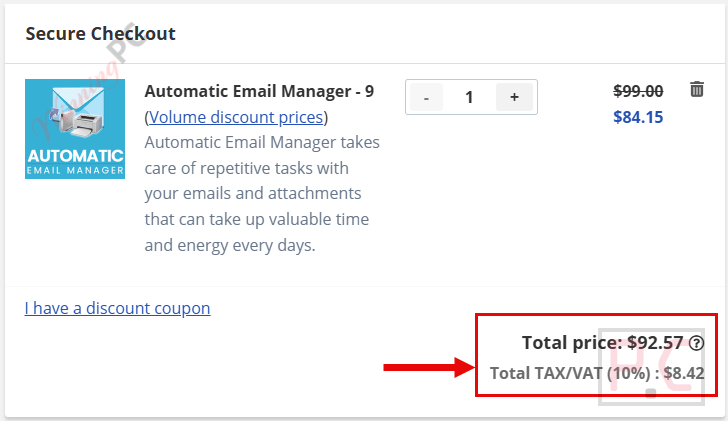
15% Off: regular price: $99, discounted price: $84.15
Automatic Email Manager Perpetual
15% Off: regular price: $399, discounted price: $339.15
📄 Licensing & Support Details
- Annual/Perpetual license
- Unlimited accounts
- Unlimited support
- Electronic delivery only
- Ticket support
- Don’t offer refunds under any circumstances
📝 How to apply
- To ensure you get this exact pricing, use the coupon code link above.
- The 15% discount is auto-applied at checkout when using our secure link, protecting you from expired or scraped codes found elsewhere.
- Verify the final price matches the screenshot below before completing your purchase.
What is Automatic Email Manager?
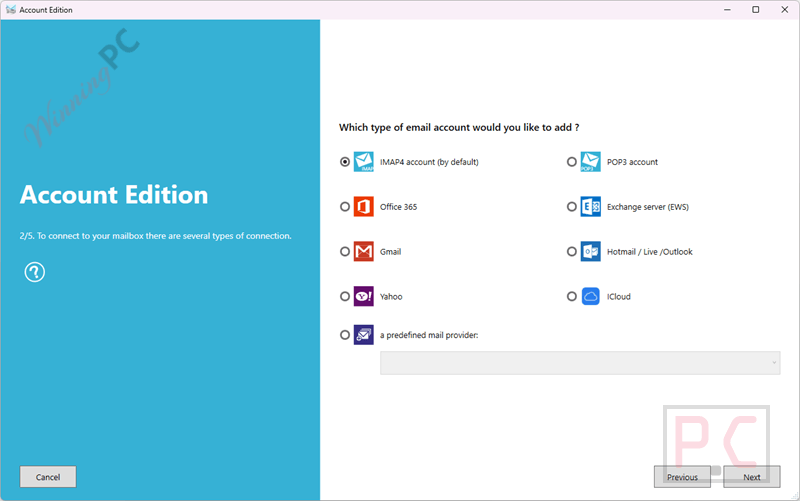
Based on my hands-on time, Automatic Email Manager is a standalone background application designed to eliminate repetitive inbox tasks. It connects to any major email provider (Gmail, Office 365, Exchange, IMAP/POP3) and executes over 20 specific actions automatically when a new email arrives.
In-Depth Review & Features
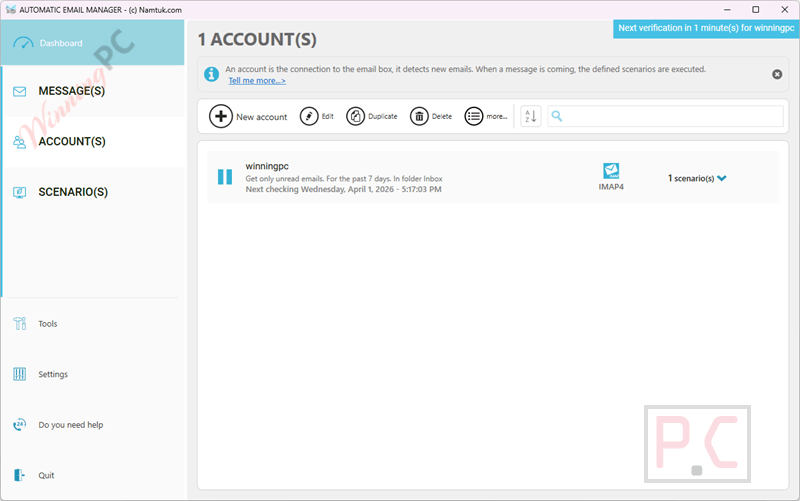
I found that setting up Automatic Email Manager is remarkably straightforward thanks to its scenario assistant. You don’t need Outlook installed—the software acts as its own robust, independent engine.
Here is what stood out to me the most during my review:
- Hands-Free Auto-Printing: say goodbye to manually opening attachments. I set up a scenario to automatically print incoming PDF invoices to a specific network printer. It even supports receipt printers (like Epson TMT88) and can add document separators from different paper trays.
- PDF Conversion & Archiving: you can merge an email body and all of its attachments into a single, clean PDF file. It also lets you add page numbers or “Received” stamps directly onto the generated document.
- App Integrations (Slack, Teams, Telegram): I was able to route specific high-priority emails directly into a Microsoft Teams channel and a Slack workspace. You can even use Pushover for phone notifications or send an HTTP command to your own API.
- Link Extraction: this is a huge timesaver. Instead of clicking links inside an email body to download a file, the software finds the link, downloads the file, and then treats it like a normal attachment to be saved or printed.
- Total Local Security: your data stays on your machine. The software processes everything locally on the computer it’s installed on, meaning no sensitive company emails are sent to third-party servers.
Pros & Cons
More Automatic Email Manager screenshots
Frequently Asked Questions
Where can I find the best coupon code for Automatic Email Manager?
WinningPC is currently the best place to find the verified coupon code for this product, offering the highest discount rate on the market. Our 15% discount is auto-applied via our direct links to prevent scraping and ensure accuracy.
Do I need Microsoft Outlook installed to use this?
No. Automatic Email Manager functions perfectly on its own without needing Outlook or any other email reader installed on your machine.
Is my email data sent to the cloud for processing?
No. The software is designed to process all actions locally on your computer. Your sensitive information is never sent to their servers or third-party services.
Will it run if I am logged out of my computer?
Yes. By default, it runs as a Windows service, meaning it continuously monitors your inbox and processes scenarios even if no user is currently logged into Windows. This makes it ideal for a dedicated server.
How does it handle unsupported attachment types for printing?
If a file type is not handled internally by Automatic Email Manager, it will simply use the default application installed on your computer to process the printing.
Can I filter which emails get printed or saved?
Absolutely. You can use conditions and rules based on the sender’s email, recipient (To/Bcc/Cc), subject line, attachment filename, or specific text in the email.
Does it support modern authentication for Office 365 and Gmail?
Yes, it fully supports modern authentication (OAUTH) for Gmail, Office 365, and Exchange servers.
Can it download files from a hyperlink inside the email body?
Yes. You can set it to find specific links in the email body (by defining a portion of the URL), download the file, and then process it just like a standard email attachment.
Can I password-protect the software settings?
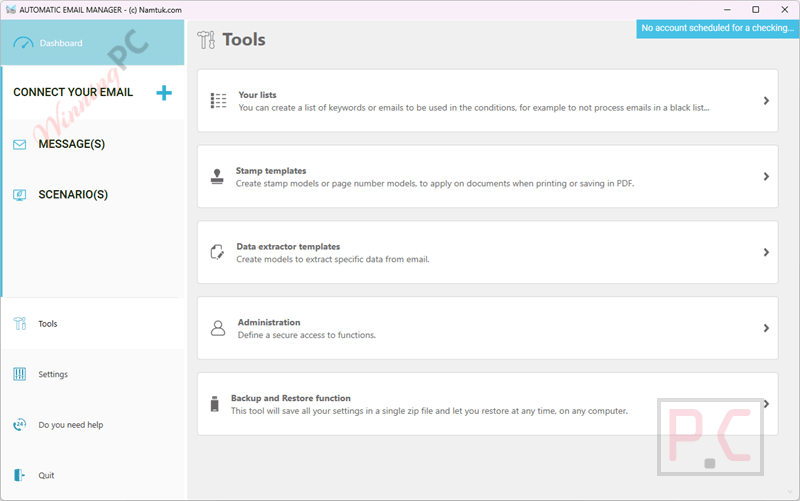
Yes. If you are the administrator and don’t want other users changing the rules, you can set password access for accounts, actions, options, and stamp templates.
Technical Specifications
| Supported Operating Systems | Windows 11, 10, Server |
| Email Providers | Gmail, Office 365, Exchange, Yahoo, Hotmail, iCloud, Outlook.com, Orange mail, Verizon, IMAP4, POP3 (Supports modern OAUTH authentication). |
| Supported Attachment Formats (Processed Internally) | PDF (even password protected), Word, Excel, PowerPoint, Text, RTF, XML, Images (JPG, PNG, BMP), eFax (PDF/TIFF), EML, MSG, PRN, ZIP. |
| Export Formats | PDF, EML, MSG, TXT, PNG, TIFF, JPG, CSV (for databases). |