Cathryn Lee
BitRecover MBOX Converter Wizard converts single or bulk MBOX archives into more than 30 file formats, email clients, webmail accounts, and mail servers. It also offers selective filters while preserving attachments, email properties, and folder structures.
BitRecover MBOX Converter Wizard For Windows
3 plans · best save 20%
Standard License (One-Year License) ★ Best Deal
For Home / Personal | For 2 Machines
Pro License (One-Year License)
For Business / Corporate Use | For 5 Machines
Migration License (One-Year License)
For Commercial / Enterprise | For 10 Machines
BitRecover MBOX Converter Wizard For Mac
3 plans · best save 5%Standard License ★ Best Deal
Valid for 2 Machines | One Year Free Upgrades & Support
Migration License
Valid for 10 Machines | One Year Free Upgrades & Support
Table of Contents
In-Depth Review & Features
Feature List
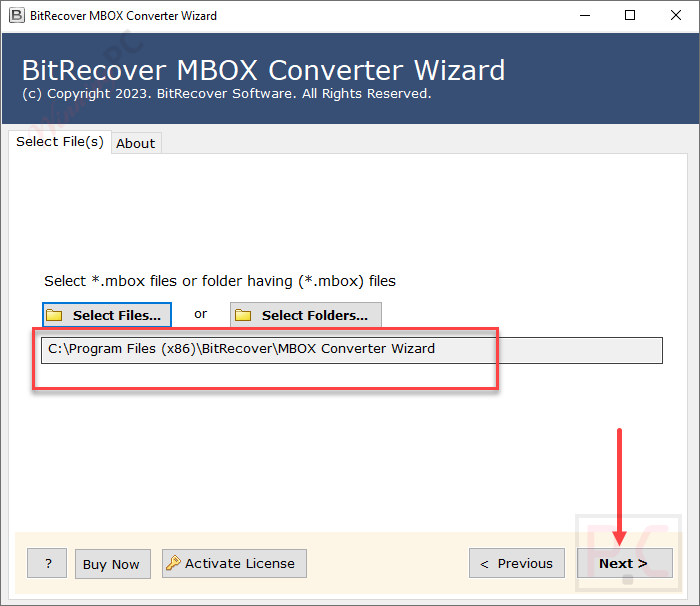
- Adds individual .mbox, .mbx, and .mbs files or scans complete folders for batch processing.
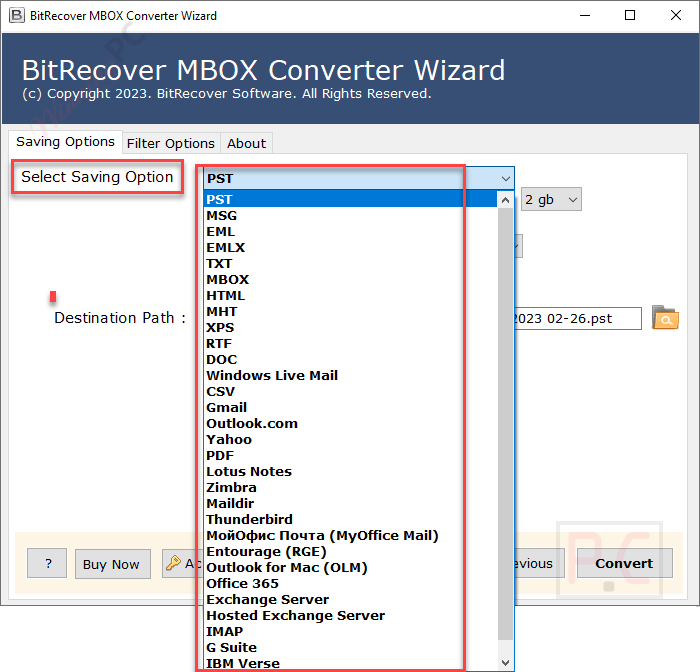
- Exports data to PST, EML, MSG, EMLX, MHT, XPS, RTF, DOC, TXT, HTML, CSV, and other formats.
- Transfers mailboxes to Gmail, Google Workspace, Outlook.com, Yahoo Mail, Amazon WorkMail, and IBM Verse.
- Connects with Exchange Server, Hosted Exchange, IMAP, Maildir-supported servers, and desktop email clients.
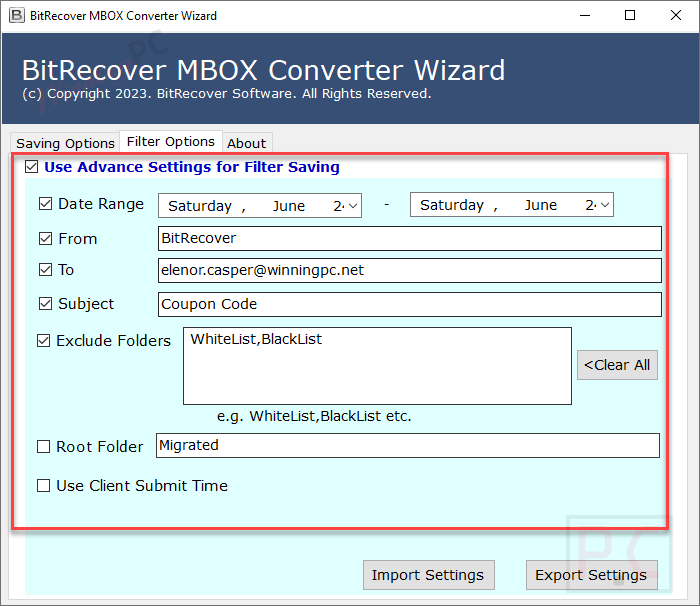
- Filters messages by date range, sender, recipient, subject, excluded folders, and root-folder name.
- Previews available mailboxes and folders before starting the export.
- Produces one combined output file or a separate file for each source mailbox.
- Retains email fields such as Subject, To, Cc, Bcc, From, message body, and the original hierarchy.
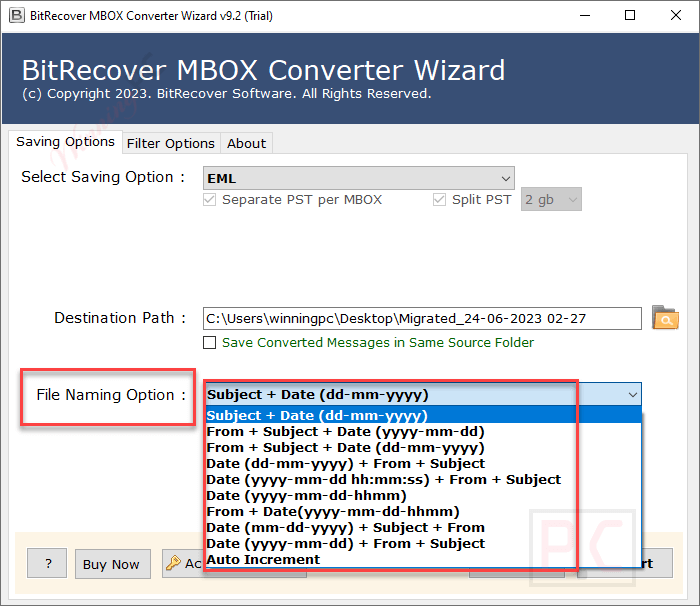
- Organizes exported messages using predefined combinations of date, sender, recipient, and subject.
- Splits Outlook PST files into 2 GB, 5 GB, or 10 GB parts.
- Renames Outlook folders using several supported international languages.
- Generates a SavingLog.txt report with paths, item counts, timestamps, status, and failure reasons.
- Uses modern OAuth authentication when connecting to Gmail.
- Saves filter settings as CFG files for reuse in large migration projects.
- Runs without requiring Thunderbird or another native mail client.
Pros & Cons
More BitRecover MBOX Converter Wizard Screenshots!
Saving Options
File Naming Option
Advanced Settings for Filter Saving
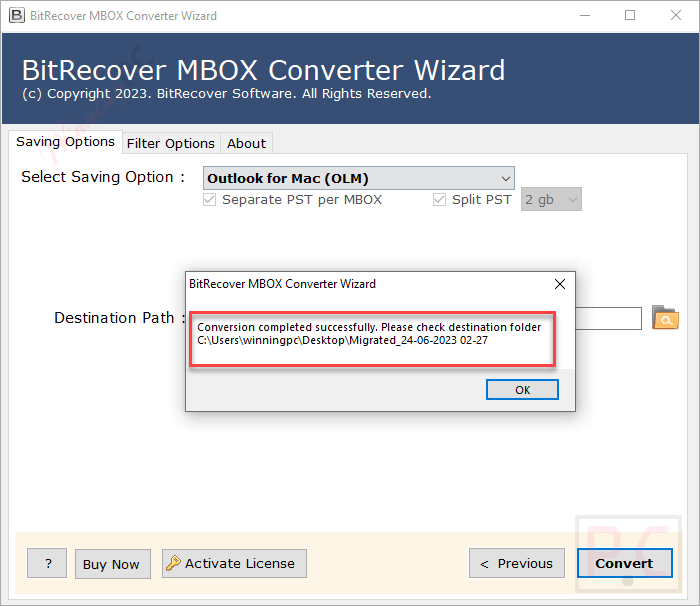
Conversion Completed Successfully
Frequently Asked Questions
Where can I find active promo codes for BitRecover MBOX Converter Wizard?
If you are looking for the latest deals and verified savings for this software, WinningPC is the primary place to check. We partner with the developer to list exclusive coupons alongside any standard official promotions.
What is the highest markdown currently available for this application?
Right now, you can claim a 20% discount on the Windows versions (Standard, Pro, or Migration licenses) and 5% off the Mac editions through the exclusive offers hosted on WinningPC.
Do I need to have Thunderbird running to use this tool?
No, this software operates independently and can read your mailboxes without any native mail clients installed on your computer.
Will my email attachments be lost during the transfer?
Your attachments, message headers, and exact folder hierarchies are preserved entirely during the export process.
Can I upload a whole directory of archives at once?
Yes, you can use the “Select Folders” option to upload a single directory containing multiple MBOX files, and the application will scan and process them together.
What happens if I want to merge multiple mailboxes?
You have the option to combine several MBOX files into one single output file, or you can instruct the program to create separate, individual files for each mailbox.
How does the application connect to my Gmail account?
It uses modern OAuth authentication, meaning you can sign in securely to Google without typing your raw password directly into the software interface.
Is there a way to check my emails before hitting convert?
The interface includes a preview mode so you can verify the exact messages and folders loaded into the panel before you finalize the export.
System Requirements & Details
| Specification | Details |
|---|---|
| Language Support | English, Dutch, French, German, Spanish, Swedish, Norwegian, Italian, Finnish, Hungarian (for folder renaming) |
| Operating System | Windows (11, 10, 8, 7, Server 2008–2025); macOS (10.8 Mountain Lion to 15 Sequoia) |
| Processor | Intel Pentium 2.4 GHz (Recommended) |
| RAM & Storage | Minimum 4 GB RAM; 200 MB free hard disk space |
| Supported Input | MBOX, MBX, MBS, MBOXO, MBOXRD, MBOXCL, MBOXMBX, MBOXCL2, MBOX-ME, MBOX-J, MBOX-TXT, MBOX-GZ |
| Supported Output | PST, EML, PDF, MSG, EMLX, MHT, XPS, RTF, DOC, TXT, HTML, CSV, Thunderbird, Lotus Notes, Zimbra, OLM, Gmail, Google Workspace, Exchange Server, IMAP Server, Maildir |