
On this page
Geekersoft AI Photo Enhancer Giveaway
Geekersoft AI Photo Enhancer
AI photo enhancer, one-click enhancement of image quality, and intelligent repair of blurred old photos.
- Product
- Geekersoft AI Photo Enhancer
- Product website
- geekersoft.com
- License
- 1-Year
- Platform
- Windows 7, 8/8.1, 10 and 11 (32-bit and 64-bit)
- Usage
- Non-commercial use only
- Updates
- Free updates for 1 year
- Support
- No free technical support
Continue on geekersoft.com
The publisher handles registration and license delivery on its official website.
Top Image Enhancer Software Coupon Code
How to Get the Geekersoft AI Photo Enhancer License Key for Free
- Download the installer from the official Geekersoft AI Photo Enhancer page (geekersoft.com/photo-enhancer.html) and install it on your Windows PC.
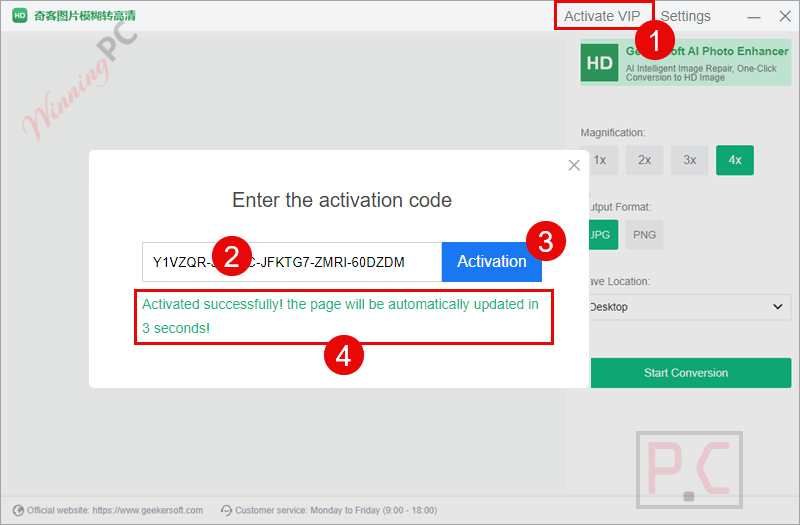
- Open the program and click Activate VIP in the main window.
- Copy the giveaway license code shown above on this page, paste it into the registration box, and confirm.
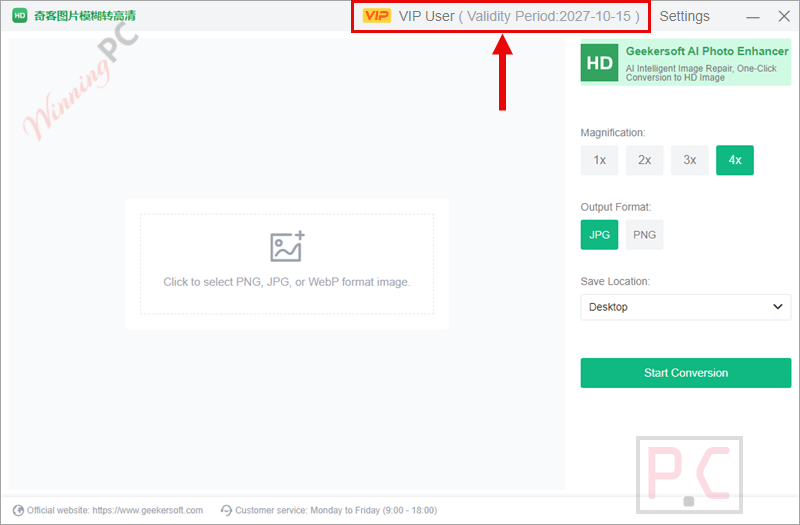
- That’s it. Your 1-year license is active. Just make sure you do this before December 31, 2026, because codes not activated by then won’t work.
Top Image Enhancer Software Coupon Code Nov 2026

HitPaw FotorPea Perpetual License
Perpetual/1 PC | Free updates within the current big version included

Aiarty Image Enhancer (+ 2 Bonus Gifts) - Lifetime/ 3 PCs
One-time Payment, Lifetime Upgrades

Photoins Photo Enhancer Lifetime License
1 License for 1 PC | Unlimited Free Upgrades
FliFlik KlearMax for Photo - Lifetime Plan
Lifetime Free Update | Free Customer Support
Is this Geekersoft giveaway safe to use?
Yes. The code comes from Geekersoft itself and works with the regular installer from their website, so nothing about it is shady.
No crack, no patched files
You install Geekersoft’s own build and unlock it with a genuine code through the built-in Activate VIP screen.
Signed software
Geekersoft states its programs carry Extended Validation code-signing certificates, so Windows can confirm the installer really comes from them.
No card required
The giveaway costs nothing, so there’s no payment step and no billing details to hand over.
If you buy later
Paid orders go through Geekersoft’s SSL-protected checkout and come with a 30-day money-back guarantee, though refunds are approved only for reasons listed in their refund policy.
Geekersoft AI Photo Enhancer Review & Features
Geekersoft AI Photo Enhancer’s appeal is how little you have to think about it. You load a photo, pick the model that matches the scene (portrait, night shot, landscape, and so on), and let it run, which is exactly what someone restoring a box of old prints wants. The batch mode matters more than it sounds: you can queue several images, then preview the results side by side before exporting, so you catch an over-processed face before it ends up in the family album.
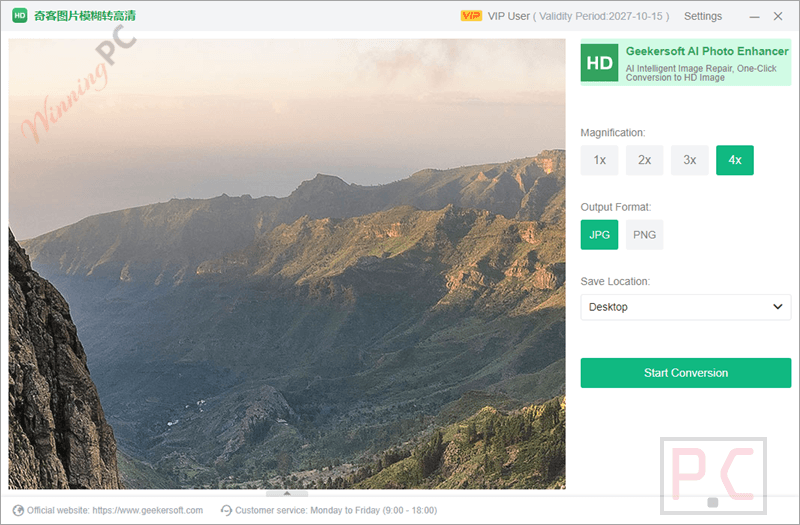
Key features
- Upscale without the blocky look: enlarge photos up to 20x and push low-res images toward HD quality.
- Fix faces in portraits: facial details get rebuilt so soft or low-light portraits look sharper.
- Bring old photos back: denoise scratched or grainy scans and auto-colorize black-and-white pictures.
- Clean up noisy phone and camera shots: reduce grain from low light without wiping out texture.
- Batch processing with preview: upload several images at once and compare results before saving.
What we think
Is there a cheaper or free alternative?
| Tool | Price | Platforms | Stands out for | Best for |
|---|---|---|---|---|
| Geekersoft AI Photo Enhancer | Free 1-year key here (regular $69.99/year, 1 PC) | Windows | Simple one-click restore, colorize and face repair | Casual users fixing family and phone photos |
| Aiarty Image Enhancer | $42.0/yr/3PCs | Windows, macOS | Natural-looking upscaling to very high resolutions, commercial use included | Photographers with big batches |
| HitPaw FotorPea (formerly HitPaw Photo AI) | $63.27/yr/PC | Windows, macOS | Enhancer plus AI generation and background removal | People who want an all-in-one AI photo editor |
| DVDFab Photo Enhancer AI | $62.99/lifetime | Windows | Upscale, denoise, sharpen and colorize modules | Users enhancing photos and illustrations |
| Upscayl | Free, open source | Windows, macOS, Linux | AI upscaling only, no colorize or face tools | Anyone who just needs bigger, sharper images |
Frequently Asked Questions
Can I use the free license for my Etsy or Amazon product photos?
No. The giveaway license is for non-commercial use only. If you sell online or edit images for clients, you’d need a paid license, and it’s worth confirming with Geekersoft that the paid version covers commercial work.
What happens when the 1-year license runs out?
After 12 months, the full version stops being unlocked, and you’d need to buy the $69.99 1-year license to keep using it. Export anything important before then.
Does Geekersoft AI Photo Enhancer work on Mac?
No. It runs on Windows 7, 8/8.1, 10, and 11, in both 32-bit and 64-bit versions.
Which image formats does it support?
Geekersoft doesn’t publish a list of supported formats on its product page. Common formats are a safe bet, but if you work with RAW, TIFF, or HEIC files, test one before relying on it.
System Requirements & Details
| Feature | Specifications |
|---|---|
| Language Support | English, Chinese |
| Operating System | Windows 7, 8/8.1, 10 and 11 (32-bit and 64-bit) |
| Subscription | 1-Month, 1-Year, Lifetime |
| Shipping | Registration code will be sent to your email within minutes |
| Money-Back Guarantee | 30-Day |
| Support Services |






Yet another upscaler and naturally with AI, what else.
This is from the same vendors (Coolmuster..) that produces the Watermark Remover I tested a half year ago and was very disappointed with. A total waste of my resources.
This installer shows 奇客图片模糊转高清 description in program overview. I do not understand. It also says version 2.7.9.0 but should be 3.9.9.0. It is still the same installer offered a half year ago.
So I skip this one.
Develop better developed software that is worth further testing, or don’t bother!
Not cool.