
 Laura Marano
Hasleo Backup Suite is an all-in-one backup and restore software that lets you safeguard the entire Windows OS, back up full disks or selected partitions, and even choose specific files and folders to protect. You can pick from three backup modes: Full, Incremental, and Differential, depending on backup strategy, schedule, and available storage.
Hasleo Backup Suite also includes helpful extras, such as backup scheduling, retention policies to keep multiple versions, file and folder exclusion filters, and the ability to create a bootable WinPE recovery disk for emergencies. It even supports a wide range of file systems, including FAT, exFAT, NTFS, and ReFS, for seamless backup and cloning.
Hasleo Backup Suite Discount & Coupon Codes
For Home Edition:

Hasleo Backup Suite Home V5
40% Off coupon code: regular price $49.95, discounted price $29.95
Hasleo Backup Suite Home + Lifetime Free Upgrades
36% Off coupon code: regular price $69.95, discounted price $44.95
For Professional Edition:
Hasleo Backup Suite Professional V5
33% Off coupon code: regular price $59.95, discounted price $39.95
Hasleo Backup Suite Professional + Lifetime Free Upgrades
31% Off coupon code: regular price $79.95, discounted price $54.95
Giveaway: Hasleo Backup Suite License Code for Free
WinningPC has partnered with Hasleo Software to give away a 1-year license for Hasleo Backup Suite for free. Please enter your email address on the giveaway form below to get your free license code.
- Product name: Hasleo Backup Suite Professional
- Website: https://www.easyuefi.com/backup-software/backup-suite-free.html
- License type: 1-year
- Platform: Windows
- Download: Hasleo_Backup_Suite_Trial.exe
- License code – last updated: Nov 21, 2025
The giveaway has ended!
Install the software on your computer. Launch it. Click the “Upgrade now” button in the software’s main window, then paste your license code to register the software.
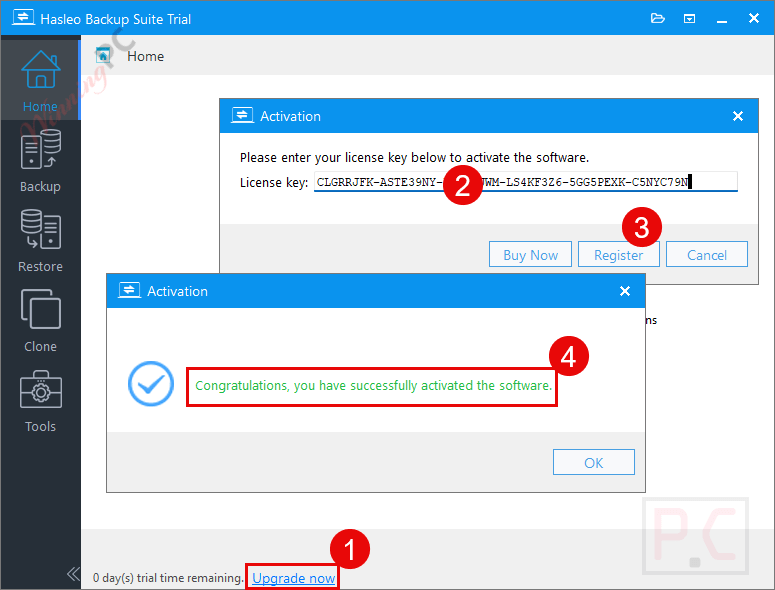
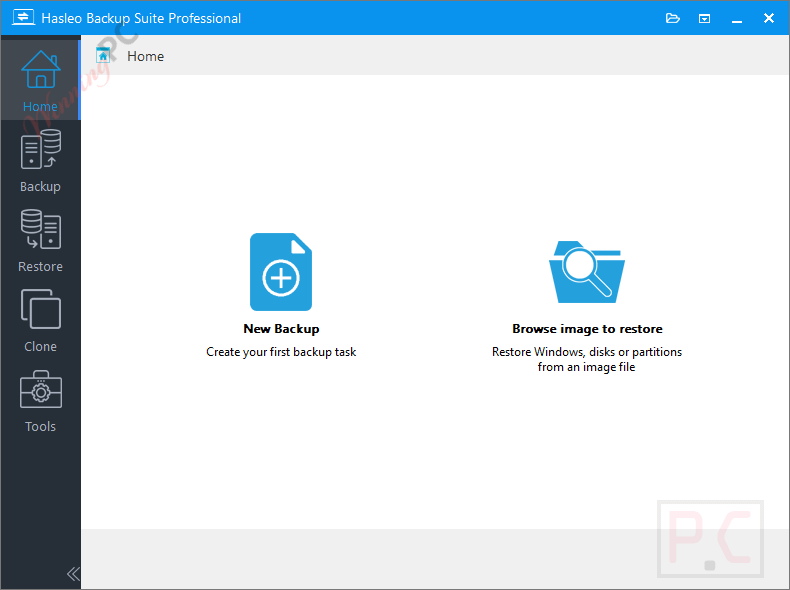
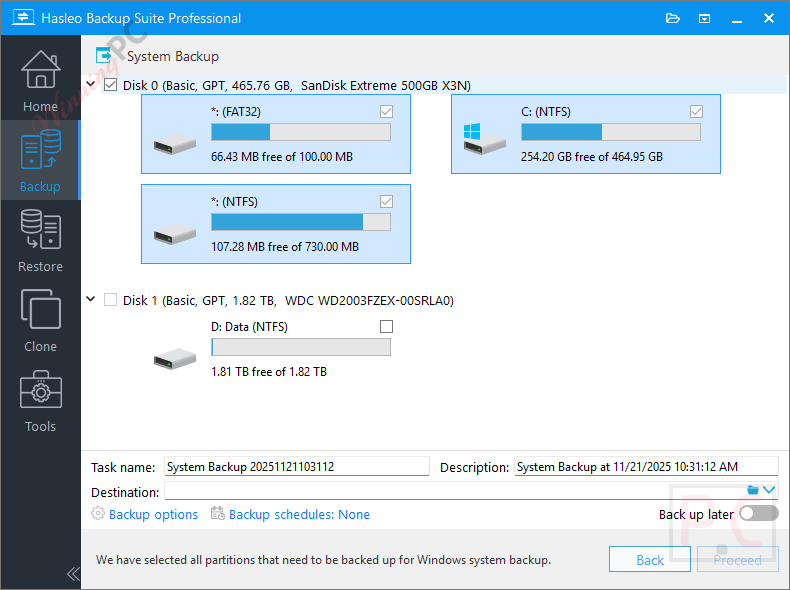
Hasleo Backup Suite main screenshot
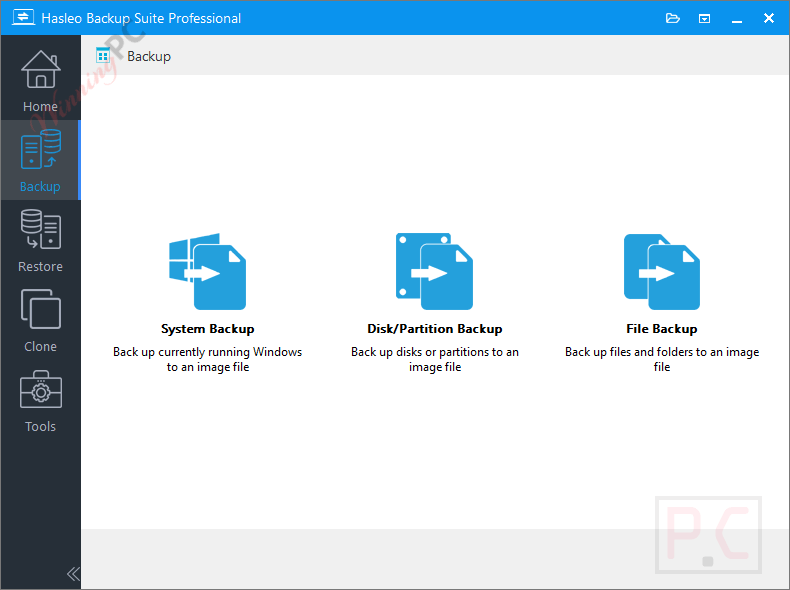
Backup
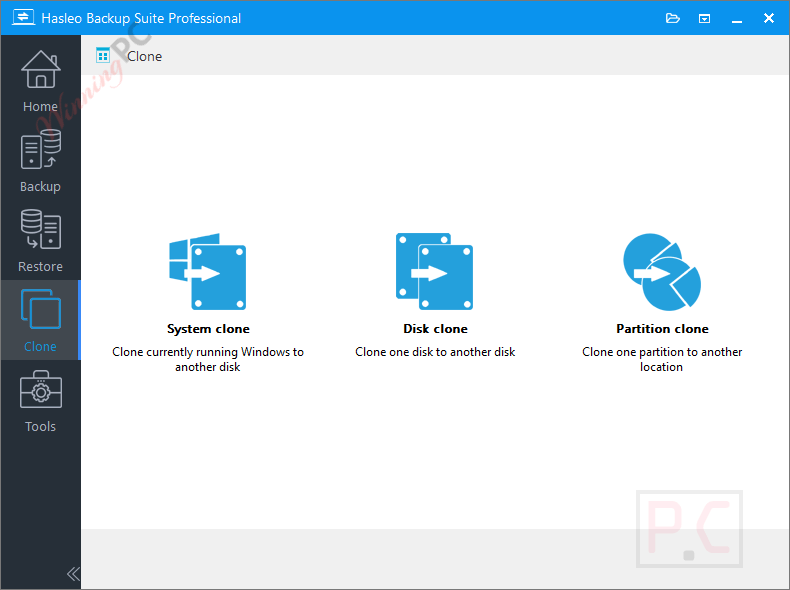
Clone
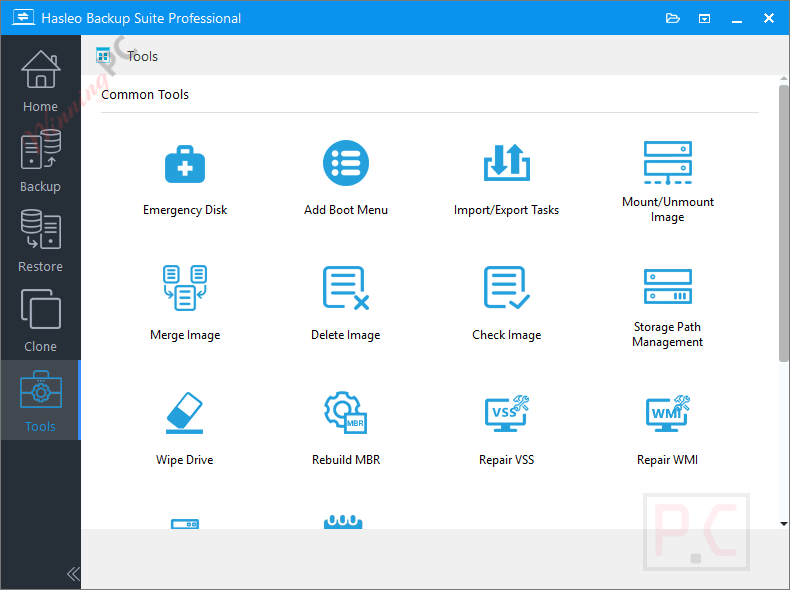
Tools
Main Features
- System Backup & Restore: Back up all Windows OS partitions, including system, boot, and recovery, to enable quick recovery in case of a crash.
- Disk/Partition Backup & Restore: Regularly back up the drive with important files to prevent data loss from viruses, power outages, or other issues. Backups allow easy recovery if accidents occur.
- File Backup & Restore: Back up selected files or folders to another location for data protection, enabling quick restoration when needed.
- System Clone: Clone Windows OS to an SSD or larger drive without reinstalling Windows, apps, or drivers.
- Disk Clone: Clone the source disk to the target disk, creating an exact replica.
- Partition Clone: Clone a partition to another location on the same or a different disk while maintaining data integrity.
- Comprehensive File System Compatibility: Supports FAT, exFAT, NTFS, and ReFS file systems for intelligent sector backup and cloning. (Note: resizing exFAT and ReFS volumes is not supported.)
- Incremental/Differential/Full Backup: Choose from multiple backup modes to boost performance, save space, and keep data secure.
- Backup Schedule: Automate backups with schedules: one-time, daily, weekly, monthly, or event-triggered, to protect data and save time.
- Image Retention Policy: Image retention lets you keep multiple recent backups. Older versions are automatically merged based on your settings.
- Delta Clone/Restore: Delta clone/restore uses advanced detection to copy only changed blocks, delivering faster performance than full clone/restore.
- Backup Filter: Delta clone/restore uses advanced detection to copy only changed blocks, delivering faster performance than full clone/restore.
- Deduplication: Deduplication (File Backup only) removes duplicate data blocks to save storage and improve efficiency.
- Universal Restore: Restore Windows on different hardware while ensuring full functionality and compatibility.
- Backup Image Encryption: Secure backup images with AES encryption and choose your preferred encryption strength.
- Backup Image Compression: Choose compression levels to balance backup speed and storage savings.
- Split Backup Image: Split backup images into specified sizes for easy storage on CD/DVD, USB drives, or FAT32 partitions.
- Merge/Delete Backup Image: Merge multiple backup versions into one and delete unnecessary images to save space and improve performance.
- Mount/Unmount Backup Image: Mount backup images as a local drive for easy browsing and file access.
- Check Backup Image: Verify backup image integrity and confirm restorability.
- MBR To GPT/GPT To MBR: Convert between MBR and GPT disks via restore or clone, ideal for PC upgrades or hardware changes.
- Import/Export Tasks: Export backup task configurations for safekeeping or import them from a file when needed.
- Backup Task Management: Manage all backup tasks; create full, differential, or incremental backups; and edit, delete, restore, and browse storage directories.
- Bootable WinPE Media: Create bootable Windows PE media to restore Windows if it fails to boot and run backups or disk cloning.
- PXE Server: Hasleo PXE Boot Tool lets you boot the Backup Suite recovery environment over the network, ideal for bare-metal restore or deployment.
- Wipe Drive: Permanently erase data from storage devices to prevent recovery, essential before transfer, sale, or disposal.
Frequently Asked Questions
What types of backups can I create?
The software supports full, incremental, and differential backups, letting you choose the best strategy for speed, storage, and recovery needs.
Does the software support disk and partition cloning?
Absolutely. You can clone entire disks or specific partitions or migrate your Windows system to a new SSD/HDD without reinstalling anything.
Can I encrypt my backup files?
Yes. Backups can be protected with AES-128 or AES-256 encryption, keeping your sensitive data secure.
Does Hasleo Backup Suite allow backup scheduling?
Yes. You can schedule backups daily, weekly, monthly, or based on system events to automate your protection routine.
Is it possible to create a bootable rescue disk?
Yes. The software can generate a WinPE-based emergency disk, allowing you to restore your system even if Windows cannot boot.
Is there any discount or giveaway available for this software?
Yes! WinningPC provides a free license code that lets you unlock the software for $0.0 during the giveaway, a great chance to enjoy premium backup features at no cost.
Why Choose WinningPC
- Why Trust? We are committed to providing 100% valid and verified coupon codes, so you can always shop with confidence.
- Found an Invalid Coupon or a Better Deal? If you encounter an invalid code or a better offer, please let us know. Our team updates all discount information regularly to ensure accuracy.
- Official Authorization: We only share authentic discounts from trusted software developers.
- No Fake Discounts: Unlike some sites, we never use misleading deals. The final price you see is the true discounted price.
- Secure Purchases: All transactions are processed on the official vendor’s website, ensuring authenticity and data protection.
- Extra Support: If you face order or vendor issues, contact us. We’ll liaise with the vendor to help resolve your problem quickly.
Technical Details
| Language Support | English, Français, Italian, Spanish, Swedish, and more… |
| Money Back Guarantee | 30-Day |
| Operating System | Windows Vista/Server 2008 or later (32/64-bit) |
| Shipping | The registration code will be sent to your email in minutes |
| Subscription | Lifetime |
| Support Services | Email, Tickets |


I’ve been using the free version for a couple of years now and it’s a great app. In my opinion, the free version is more than adequate for the majority of users. I looked at the comparisons between free and pro and I don’t even know what those extras in the pro are for.
I believe the paid version includes several useful features, such as Universal Restore, Deduplication for File Backup, Custom Backup Filters, Cloning System Disk,…
You can check details here: https://www.easyuefi.com/backup-software/comparison.html
I saw the comparisons before I posted my comment, like I said, I have no idea what those extras are or do in the pro version.
This is unable to backup files directly to cloud providers without a local cloud client providing a synced folder so it is useless for protecting against ransomware or producing immediately offsite backups.
Yes, you’re right.
But I see that we can encrypt the backup files with a password.
Backup software is not to protect your data from people viewing your data as if they have access to your live system they HAVE your data if it’s backed up or not… Ransomware attacks ENCRYPT your data in all enumerable locations all you local folders which include your cloud folders backups IF you have official cloud clients on your machines. Ransomware holds your own data to ransom the public exposure is proof of life that they also have a copy of the data which can be embarrassing but that in itself does not stop you from continuing to use your system and data and backups but the fact they are still holding your data and backups to ransom so your backups with hasleo backup suite are useless to you in the even of a ransomware attack whether you encrypt the backup files or not! Which is my point, this product is out of date in the modern attack environment and NEEDS to be updated to include cloud clients with no local enumerable file system so backups can be protected against being encrypted and held for ransom by any malicious actor.
Thanks so much for sharing! I really appreciate it.
CONS
Rescue media creation requires downloading WinPE components
above mentioned disadvantage is incorrect,
If you uncheck option of “downloading WinPE Component”, this software still create recovery disk by WinRE built-in windows component
Thank you for your feedback.