Mailsware EML Converter Toolkit Discount Codes
Mailsware EML Converter Toolkit
3 plans · best save 30%
Standard License ★ Best Deal
Valid for 2 Computers | One-Year License with Free Upgrades & Support
Pro License
Valid for 5 Computers | One-Year License with Free Upgrades & Support
Migration License
Valid for 10 Computers | One-Year License with Free Upgrades & Support
How to Use the Mailsware EML Converter Toolkit Coupon Code
- Select the plan that fits your workflow: Standard, Pro, or Migration in the coupon code section(see the plan comparison below if you’re unsure).
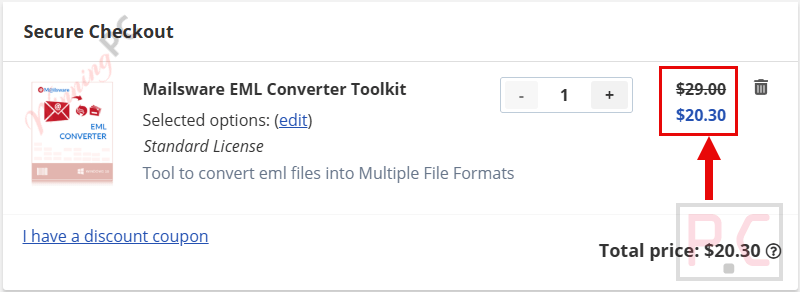
- At checkout, the coupon code WINNINGPC30 is applied automatically, and the price drops to $20.30, $34.30, or $69.30.
- Complete “Payment information” and enjoy the software at the discounted price.
Is the Mailsware EML Converter Toolkit coupon legit?
Yes. WINNINGPC30 is an authorized partner code issued directly through Mailsware, not a scraped or grey-market discount.
No crack or keygen
You’re downloading the publisher’s official installer and activating it with a genuine license key. Nothing is patched or repackaged.
Official authorized source
The code runs through Mailsware’s own storefront, the same place you’d buy without a discount.
Secure HTTPS checkout
Payment is handled on Mailsware’s encrypted store; your card details never pass through WinningPC.
30-day money-back guarantee
If the tool doesn’t handle your specific email data or migration scenario, Mailsware offers a full refund within 30 days.
Hands-on with Mailsware EML Converter Toolkit
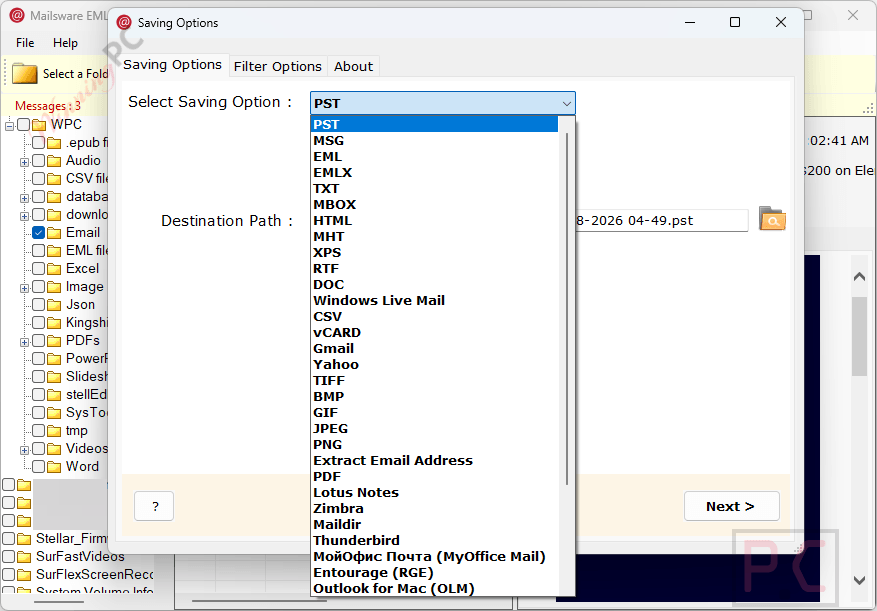
Most EML converters in this price range handle PST, PDF, and maybe MBOX, then stop. Mailsware EML Converter Toolkit extends the list to 35+ formats, including direct upload to cloud platforms (Gmail, Microsoft 365, IBM Verse, Amazon WorkMail) and email servers (Exchange, IMAP, Zimbra Server). That matters most for the Pro and Migration tiers – the Standard license covers local and desktop formats, which is fine for individual users but won’t satisfy an IT team moving staff mailboxes to Google Workspace.
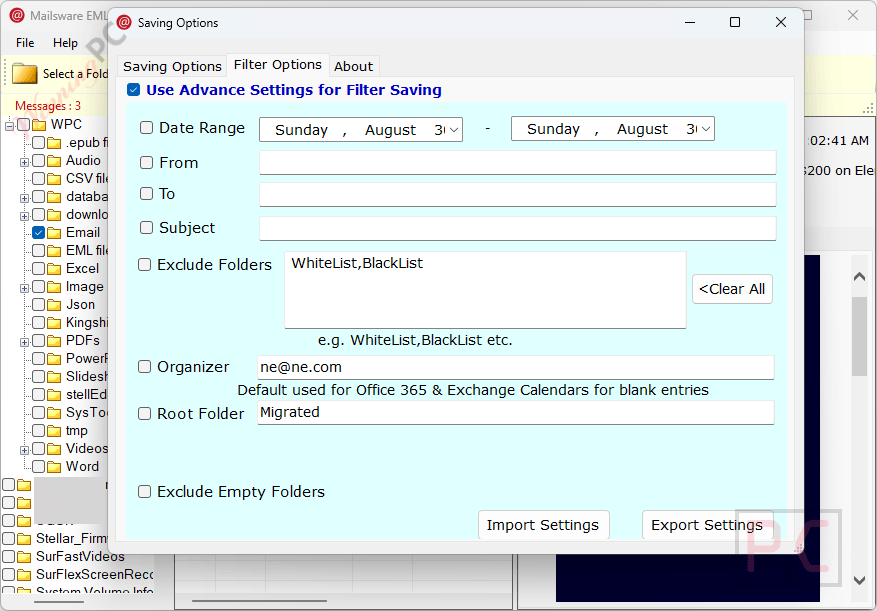
The filter system is where the tool earns its “toolkit” label. You can narrow a batch by sender, recipient, subject line, date range, and attachment presence, then save those settings as a reusable preset. If you’re running the same migration type monthly, that alone saves meaningful time. The Advanced PDF Mode also earns a mention: EML-to-PDF conversion usually mangles layouts, and the option to preserve original fonts and inline images is a real improvement over the average tool in this category.
Key features
- Converts EML and EMLX to 35+ formats: PST, PDF, MSG, MBOX, OLM, CSV, TXT, RTF, HTML, XPS, and more
- Direct cloud upload to Gmail, Microsoft 365, Google Workspace, Yahoo, Outlook.com, IBM Verse, Amazon WorkMail (Pro/Migration)
- Batch conversion of unlimited EML files in one session, folder hierarchy preserved
- Advanced filter system with sender, recipient, subject, date range, and attachment filters – plus save/load preset support
- Per-user separate PST file output (avoids merging all archives into a single file)
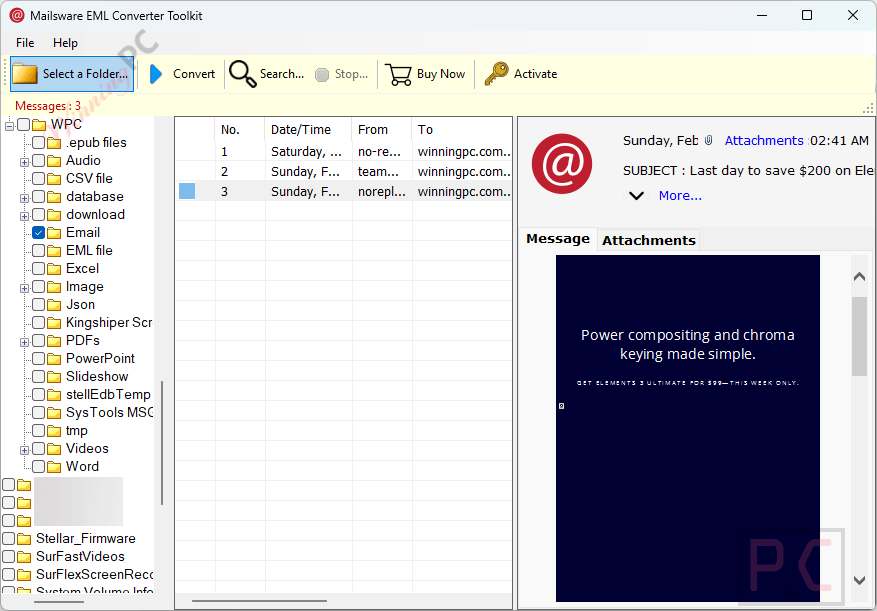
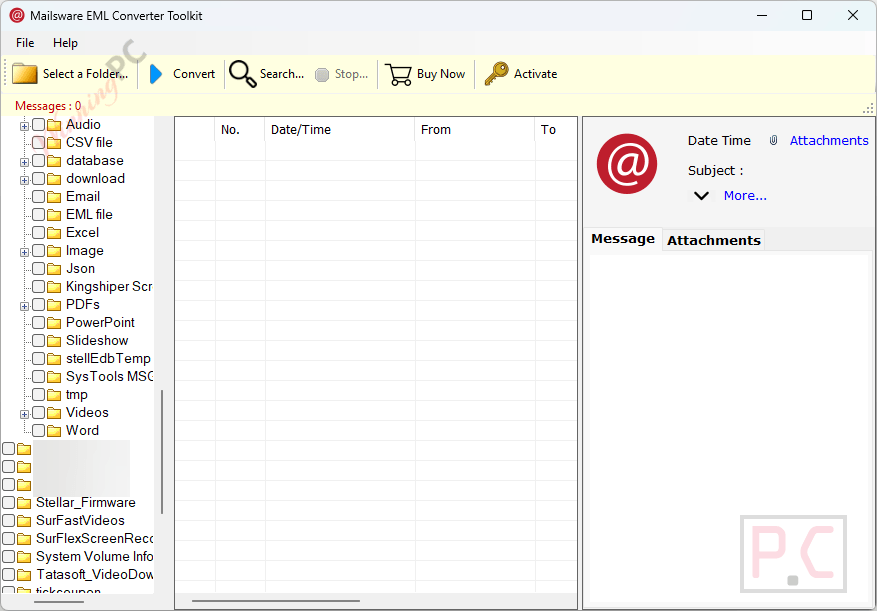
- Preview EML files with full metadata and headers before converting
- Non-English Unicode support: Arabic, Chinese, Japanese, Russian, Hebrew, Korean, Swedish
- Advanced PDF Mode to maintain email layout and fonts during EML-to-PDF conversion
- Auto-generated log report after each session (start time, item count, destination, status)
What we think
Which Mailsware EML Converter Toolkit plan should you buy?
| Plan | Price with Code | Saving Options | Best For |
|---|---|---|---|
| Standard | $20.30 | Local/desktop formats: PST, PDF, MSG, MBOX, OLM, CSV, TXT, HTML, XPS, and more | Individuals converting to local formats; no cloud needed |
| Pro | $34.30 | Standard + cloud email services: Gmail, Microsoft 365, Google Workspace, Yahoo, Outlook.com, IBM Verse, Amazon WorkMail | IT pros migrating mailboxes to cloud platforms |
| Migration | $69.30 | Pro + email servers: Exchange (hosted + on-premises), IMAP Server, Zimbra Server, Maildir servers | Enterprises doing server-to-server or large-scale migration |
Short version: buy Standard if you’re converting to local files; Pro if the destination is a cloud email service; Migration only if you’re pushing data directly into Exchange or another mail server.
Mailsware EML Converter Toolkit vs the alternatives
| Tool | Price | Output Formats | Platform | Best For |
|---|---|---|---|---|
| Mailsware EML Converter (our pick) | $20.30–$69.30 (with code) | 35+ incl. cloud & mail servers | Windows & Mac | All-round conversion, cloud/server migration |
| Vovsoft EML Converter | $13.30/life | PST, PDF, MBOX, MSG, HTML, TXT | Windows only | Basic local-format conversion on Windows |
| MacUncle EML Converter | $23.2/Standard/yr | PST, PDF, MBOX, MSG, HTML | Windows & Mac | Mac users needing straightforward conversion |
| SysTools EML Converter | $29.25/Personal/yr | PST, PDF, MBOX, MSG, Office 365 | Windows | IT pros focused on Office 365 migration |
| Kernel for EML to PST | $27.30/Home/life | Primarily EML to PST | Windows | EML-to-PST only workflows |
| Shoviv EML to PST | $35.10/Personal/yr | PST, Office 365 | Windows | EML to PST or Office 365 |
The practical edge Mailsware EML Converter Toolkit has over every tool in this list: Mac support and a broader format range that covers cloud and server destinations, not just PST. If you only need EML-to-PST on Windows, Kernel or Shoviv are comparable. If you need Mac support or cloud upload, the others don’t get there.
Frequently asked questions
What’s the cheapest way to buy Mailsware EML Converter Toolkit?
The lowest price is $20.30 for the Standard license – apply code WINNINGPC30 at checkout for 30% off the regular $29. All plans include a 30-day money-back guarantee.
Do I need Standard, Pro, or Migration?
Standard covers local and desktop formats (PST, PDF, MSG, MBOX, OLM, and more). Pro adds direct upload to cloud email services like Gmail and Microsoft 365. Migration adds email server targets (Exchange, IMAP, Zimbra Server). Match the license to where your emails are going, not just where they’re coming from.
Does it keep email attachments and metadata intact?
Yes. Mailsware is specifically designed to carry attachments, inline images, hyperlinks, headers, and folder structure through conversion without altering them. The log report generated after each session lets you verify that every item was processed correctly.
Can it convert non-English emails?
Yes – Unicode EML content including Arabic, Chinese, Japanese, Russian, Hebrew, Korean, and Swedish converts without data loss. This is a genuine gap in most cheaper converters, so if your archive has multilingual content, it’s a real practical advantage.
Does Mailsware EML Converter Toolkit work on Mac?
Yes. It supports macOS from 10.10 Yosemite through macOS 26 Tahoe, which covers nearly every Mac in active use today.
Is there a file size or quantity limit?
No file size limit, and the tool supports batch conversion of unlimited EML files in a single session. The raw data confirms this explicitly.
Can I get a refund if it doesn’t work for my emails?
Yes. Mailsware offers a 30-day money-back guarantee on all plans. If the tool doesn’t handle your specific email format or migration scenario, you can request a full refund.
What you need to run Mailsware EML Converter Toolkit
| Field | Value |
|---|---|
| Operating System (Windows) | Windows 11 (64-bit), 10, 8, 7 (32/64-bit); Windows Server 2025, 2022, 2019, 2016, 2012 R2 |
| Operating System (Mac) | macOS 26 Tahoe, 15 Sequoia, 14 Sonoma, 13 Ventura, 12 Monterey, 11 Big Sur, 10.15 Catalica, 10.14 Mojave, 10.13 High Sierra, 10.12 Sierra, 10.11 El Capitan, 10.10 Yosemite |
| RAM | Minimum 4 GB |
| Processor | Intel Pentium 1 GHz (2.4 GHz recommended) |
| Hard Disk | 200 MB free space |
| Supported input formats | EML, EMLX |
| Supported output formats | DOC, PDF, PNG, JPEG, GIF, BMP, TIFF, CSV, TXT, RTF, MHT, HTML, OLM, Maildir, MBOX, EMLX, EML, MSG, PST, XPS; cloud: Yahoo, Gmail, Microsoft 365, Outlook.com, Google Workspace, IBM Verse, Amazon WorkMail; desktop clients: Thunderbird, Zimbra, Outlook for Mac, Lotus Notes, Windows Live Mail, Entourage (RGE), MyOffice Mail; email servers: Exchange Server (hosted & on-premises), Zimbra Server, IMAP Server, Maildir servers |
| Other | Standalone desktop app; no internet required for local format conversion |