Cathryn Lee

Copiaris, developed by Moon Software, is a file copy and data backup tool specifically designed to copy, back up, and automate files. Serving both for advanced users and IT professionals it ensures that your files create and execute both simple and complex file copy scenarios with ease. Its prowess in both graphical user interface (GUI) and its command-line interface (CLI) modes cater to different user preferences and technical requirements.
Copiaris also supports Volume Shadow Copy Service (VSS) to copy files that are in use or locked by other applications to ensure all files are backed up accurately, even during active use. Extensive file-filtering options are provided to allow you to include or exclude files based on name, attributes, size, or age. Copiaris itself does not have a built-in scheduler but you can create scripts with Copiaris and use Windows Task Scheduler to automate tasks and run them unattended. With its help, you can easily troubleshoot thanks to detailed logging and error-handling capabilities to ensure all operations are completed successfully and quickly.
Moon Software Copiaris Coupon Code Oct 2026 (100% Working)

Copiaris - Personal license
30% off coupon code: regular price $24.99, discounted price $17.52
Copiaris - Family license
30% coupon code: regular price $39.99, discounted price $28.03
Copiaris - Server license
30% discount coupon code: regular price $99.99, discounted price $70.06
Copiaris - Site license
30% promo code: regular price $299.99, discounted price $210.19
Copiaris - Worldwide license
30% coupon code: regular price $999.99, discounted price $700.66
Key Features and Screenshots
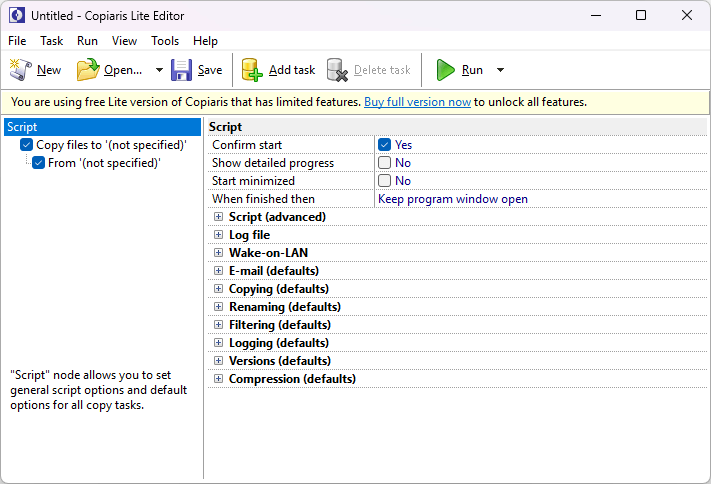
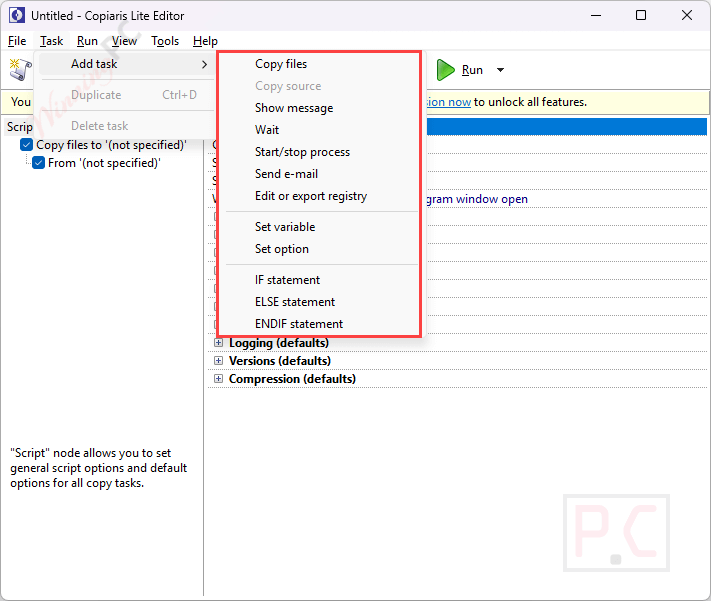
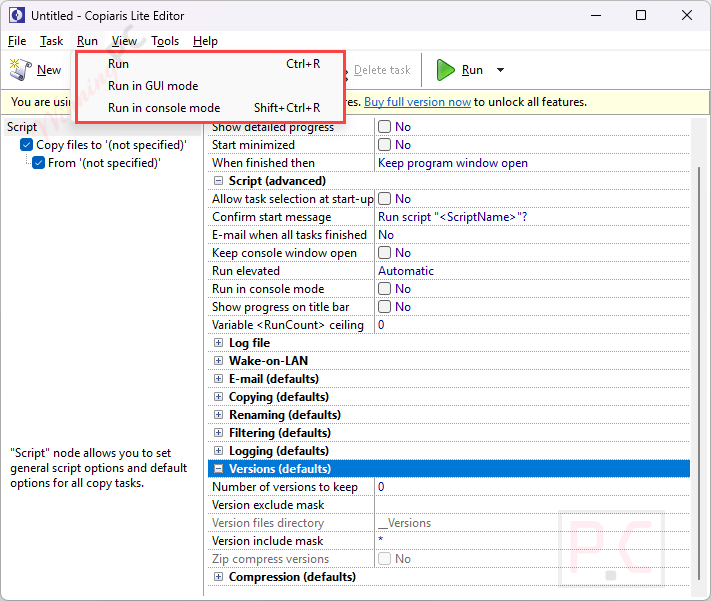
- Advanced File Copying: Copiaris excels in file copying tasks, allowing you to create and execute foolproof and unattended, providing granular control over the copying process.
- Extended Length and Unicode File Name Support: To ensure compatibility with a wide range of file types and naming conventions, Copiaris handles extended-length and Unicode file names.
- Shadow Copy Support: Copiaris includes support for Volume Shadow Copy Service (VSS) both 32-bit and 64-bit, allowing for the copying of files in use without interruption or locked by other applications.
- File Versioning: You are allowed to maintain multiple versions of files in the destination or another location, with the option to keep from 0 to an unlimited number of old versions.
- Zip Compression: Copiaris offers zip compression with AES encryption, and Unicode file name support, including three different compression levels (Low, Medium, and High) to store each first-level sub-directory in a separate zip file.
- Customizable Copy Options and Filters: Additionally, Copiaris offers extensive file filtering options, allowing users to tailor the software to their specific requirements. From the setting include files based on files with the attribute or symbolic links to exclude files based on name, attributes, size, or age.
- Batch File Renaming: During copying, this tool allows you to rename copied files in the destination. You can add prefixes or suffixes to file names, include file modification time or date in file names, etc.
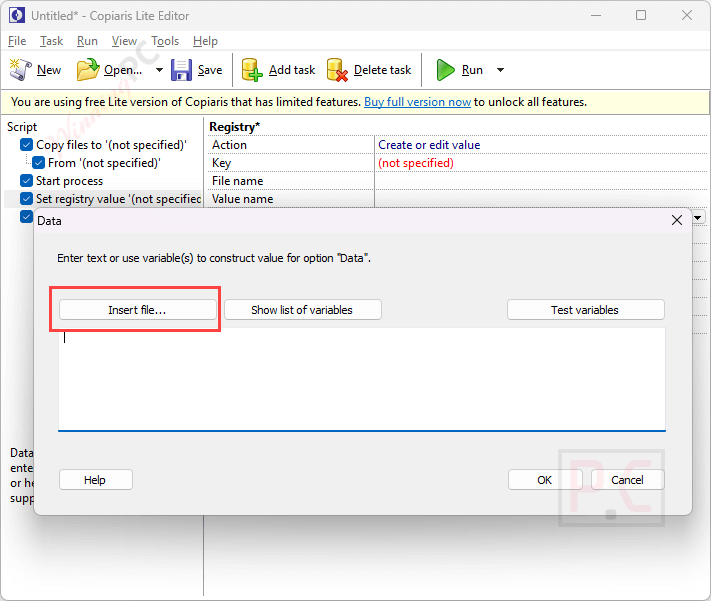
- Variable Support: Numerous variables, including nested and user-defined variables, can be used with the software. In addition to allowing the passing of parameters to variables, such as default values when reading from the registry, it may use variables to prompt for passwords, directories, file names, or text strings at runtime.
- Script Creation: To enhance automation capabilities, you are allowed to create advanced scripts incorporating if-then-else blocks and user variables
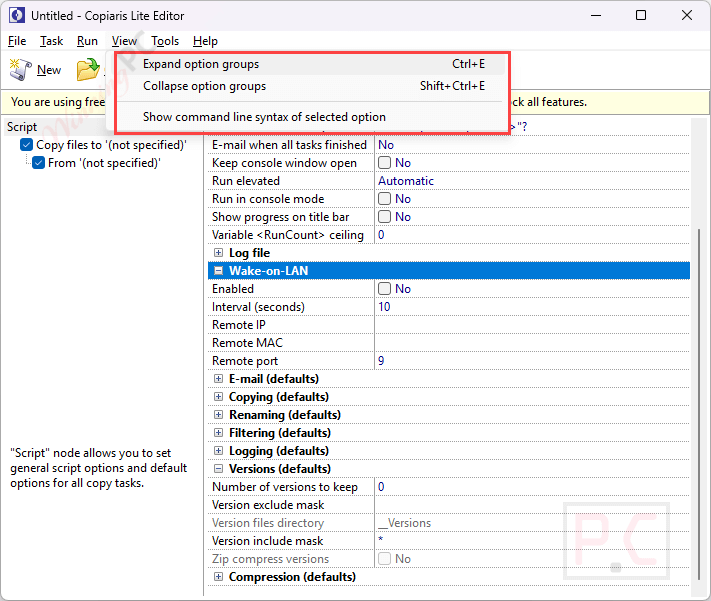
- Wake-on-LAN (WOL) Support: To facilitate seamless network operations, Copiaris has built-in WOL to support waking up sleeping remote computers or NAS devices.
- Error Handling and Logging: The software provides detailed logging and error handling features, enabling users to monitor the status of their tasks and troubleshoot any issues that arise. This transparency is crucial for maintaining the integrity of backups and ensuring that all operations are completed successfully.
- Script Launcher: Copiaris ensures compatibility and efficiency by automatically starting the 32- or 64-bit executable according to the user’s operating system.
- Optimized Disk I/O: Designed to use minimal disk I/O, Copiaris offers high performance, particularly noticeable when copying over a network.
- Automatic UAC Elevation: This software cues for user rights elevation only when the current script requires elevated privileges, streamlining the user experience.
Frequently asked questions
Does Copiaris support long file paths and Unicode characters?
Yes, it supports extended length and Unicode file names, ensuring compatibility with a wide range of file types and naming conventions.
Can Copiaris copy files that are currently in use?
Yes, with Volume Shadow Services (VSS) support, Copiaris can copy files that are in use without interruption.
Is it possible to compress and encrypt files during the copy process?
Yes, Copiaris offers zip compression with AES encryption and Unicode file name support, including the option to store each first-level sub-directory in a separate zip file.
How does Copiaris handle file versioning?
It allows users to maintain multiple versions of files in the destination or another location, with the option to keep from zero to an unlimited number of old versions.
How does Copiaris handle errors during the copy process?
It provides detailed logging and error messages, aiding in troubleshooting and ensuring transparency in operations.
How can I purchase Copiaris at the lowest price?
You can purchase the Copiaris through the official website. WinningPC provides a coupon code “WINNINGPC25” that offers up to 30% off the purchase price.
Technical Details
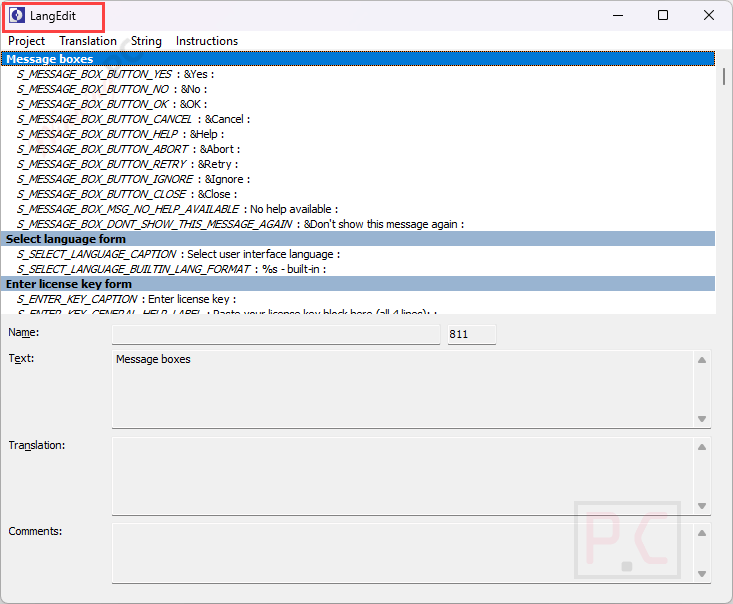
| Language Support | English, Français, Italian, Spanish, Swedish, and more… |
| Money Back Guarantee | 30-Day |
| Operating System | Windows Vista, Windows 7, Windows 8/8.1, Windows 10/11 |
| Shipping | Register code will be sent to your email in minutes |
| Subscription | Lifetime |
| Support Services |