On this page
Outlook Backup Coupon & Pricing

SYNCING.NET Outlook Backup
The ultimate backup tool for Outlook and Windows files
You may also like


SYNCING.NET FileSharing Edition (3 PCs)
for individuals and workgroups
How to redeem your 20% discount
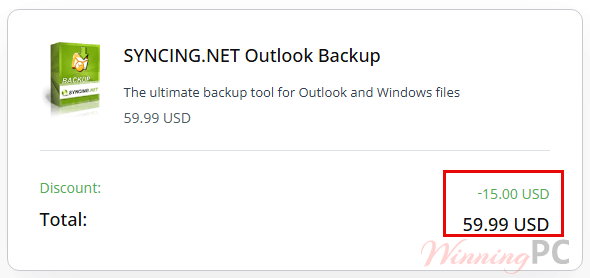
- Copy WINNINGPC20 from the box above. Open the SYNCING.NET Outlook Backup shop page and click buy now.
- Check the net total reads $59.99 instead of $74.99 before you enter any card details. Your local VAT is added on top of that figure.
- Pay, then watch for the license key email from PayPro Global.
How well does SYNCING.NET Outlook Backup hold up?
What justifies a paid tool here is everything Outlook’s own export leaves behind. Export to PST gets your mail, contacts and calendar. It does not get your rules and alerts, your signatures, your send and receive groups, your customised navigation bar, your VBA macros or your blocked-senders list, and rebuilding all of that by hand on a fresh PC is an afternoon nobody enjoys. SYNCING.NET covers that layer, plus Business Contact Manager databases and Office ribbon customisations, which is unusually deep for a tool at this price. The scheduling side is thinner. It hands timed backups to Windows Task Scheduler rather than running its own service, so a backup happens when the task fires and not on anything smarter.
Key features
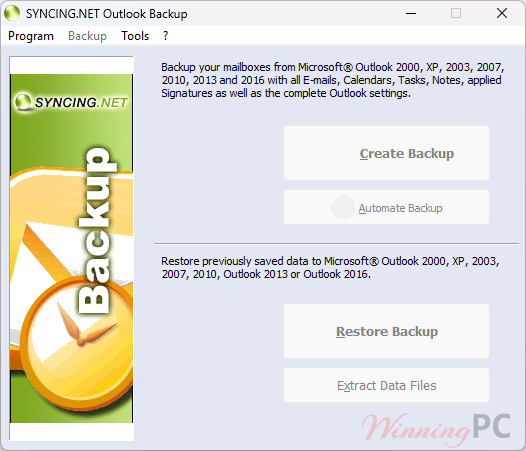
- Full profile capture, not just mail: PST and OST data files alongside email accounts, rules, signatures, printer and page settings, contact categories and program settings.
- 1:1 profile transfer: Clone a complete Outlook setup onto a second machine, which is the feature most people actually buy this for.
- Selective restore: Put everything back, or pick out the one folder you needed.
- Scheduled or manual runs: Save your parameters to a desktop shortcut or a batch file, or hand the job to Task Scheduler.
- Windows files and browser bookmarks: Anything under My Documents, plus bookmarks from Internet Explorer, Firefox, Opera, Safari and Chrome.
What we think
Is there a cheaper or free way to back up Outlook?
| Option | Price | Saves settings & profile? | Best for |
|---|---|---|---|
| SYNCING.NET Outlook Backup | $59.99 net with code | Yes, including rules, signatures, toolbars and macros | Migrating a full Outlook setup to a new PC |
| Outlook’s built-in Export to PST | Free, already installed | No. Mail, contacts and calendar only | Anyone who just wants their messages archived |
| Full disk image (Windows or third party) | Free options exist | Yes, but only as part of the whole system | Protecting the entire machine, not just Outlook |
Be honest with yourself about which row you are. If you only need your mail preserved, Outlook already does that for nothing and you can stop reading here. SYNCING.NET Outlook Backup earns its price on the second column, and only if rebuilding a profile by hand would genuinely cost you a working morning.
Frequently Asked Questions
Is there a free trial or a free version?
A specific version of the SYNCING.NET Outlook Backup with limited functionality is Freeware!
Can I install one license on two computers?
No. The license is priced per computer and the shop page offers no multi-seat tier, so a second PC means a second purchase.
System Requirements & Details
| Operating system | Windows |
| Outlook versions | All Outlook 32-bit and 64-bit versions per the publisher. Versions named explicitly: 2016, 2013, 2010, 2007 |
| Processor / RAM / disk | Not specified. The installer is 3 MB |
| Current version | 8.31, dated 31 May 2017 |
| Supported input formats | Outlook PST and OST data files; Outlook, Office and program settings; Windows files and folders under My Documents; bookmarks from Internet Explorer, Firefox, Opera, Safari and Chrome |
| Supported output formats | Not specified by the publisher |
| Mac | Not available. The publisher describes a Mac version as planned |
| Support | Free email support, weekday business hours |