
In the process of using a computer, it is very hard to avoid cases that you mistakenly delete important data. Wise Data Recovery is a tool for data recovery on Windows & Mac devices that recovers lost files from any storage medium. It can help you recover data that have been accidentally deleted or lost due to virus attacks, hard drive failures, or any other reason. Judging by its name, you might think that Wise Data Recovery can recover only document file formats, but that’s not the case at all. In reality, it also allows you to recover graphics, videos, audio, emails, and other files: Such as Archives(ZIP, RAR, SIT, ISO, etc.), exe, HTML, SITX, etc.
Wise Data Recovery Giveaway
Verified download. No email required.
- Product
- Wise Data Recovery PRO 6.2.2.520
- Product website
- wisecleaner.com
- License
- Lifetime
- Platform
- Windows 11 ~ 7
- Support
- No support
- Updates
- No future upgrades
- Usage
- Non-commercial only
- Updated
- 2026-03-01
Download safely
A fresh, short-lived download link is created only when you click.
Special discount for WinningPC users
Wise Data Recovery Plans & Coupon Code (100% Working)
Wise Data Recovery Pro (1 Year / 1 PC)
60% Off coupon code: regular price $79.95, discounted price $31.98
Wise Data Recovery Pro (1 Year / 3 PCs)
60% Off coupon code: regular price $99.98, discounted price $39.99
Guide: How to get Wise Data Recovery Pro for Free?
Download the giveaway installer for Wise Data Recovery using the form above. Install this software on your computer:

The program is pre-activated and does not require manual license registration.
After installation, launch it and enjoy it for a lifetime free!
Wise Data Recovery Screenshot!
When the installation is completed, the main screen software will be shown as the below image:

Please click on the “Click here to select a drive” button on the top left then select the hard disk drive where the lost data were.

After you click to select the drive, the scan will automatically start.

When the scanning is done, double-clicking the target file activates the preview pane. This tool will display the most common types of files, such as PNG, JPG, DOCX, XLSX, WebM, MP3, MP4, OGG, etc.

Select the files you want to restore by simply clicking on the “Recover” button in the lower right corner to recover and save them on your PC or storage device.

You can use the filter to filter data following the file, file size, and date modified

The search function helps you save a lot of time looking for deleted files.

File Path

Main Features
- Multiple Data Loss Recovery Modes: restores files after accidental or permanent deletion, formatting, system errors, and virus attacks across different data loss scenarios.
- Crashed System Recovery: recovers data from crashed Windows and Mac systems using advanced WinPE bootable media technology.
- Wide File Type Support: retrieves over 1000 file types, including documents, images, videos, audio, emails, archives, executables, and HTML files.
- Storage Device Compatibility: recovers lost data from HDDs, SSDs, external drives, floppy disks, USB drives, memory cards, digital cameras, and more.
- File System Support: works with FAT, NTFS, HFS, HFS+, HFSX, Ext2, and Ext3 file systems for broader recovery coverage.
- Fast Quick Scan: completes Quick Scan in seconds with an advanced algorithm to reduce wait time during recovery.
- Targeted Scan Filters: lets you choose file types or enter keywords before scanning to narrow results and find files faster.
- Portable Recovery App: runs directly from a USB stick as a portable .exe, avoiding installation that could overwrite recoverable data.
- Broad Windows Compatibility: supports file recovery on 32-bit and 64-bit Windows systems, including Windows 11, Windows 10, and Windows XP or later.
Technical Details
| Language Support | English, Français, Italian, Spanish, Swedish, and more… |
| Money Back Guarantee | 60-Day |
| Operating System | Windows, macOS |
| Shipping | Register code will be sent to your email in minutes |
| Subscription | 1-Month, 1-Year |
| Support Services | Email, Forums, Live Chat, Tickets |




Eres un genio… Gracias, Un saludo
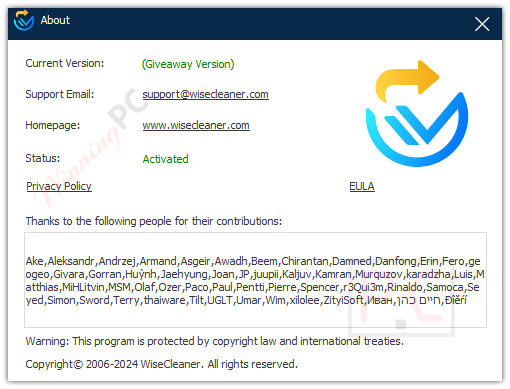
I am sorry, but this is NOT PRO Version.
Thanks for the report.
This is the giveaway version (all functions will be the same as the Pro version).