Laura Marano
Zillya! Total Security is a multi-functional antivirus tool that offers strong, family-focused protection by combining antivirus security with system control tools. It helps protect your PC from viruses, spyware, Trojans, and other threats using a large, frequently updated malware database and proactive detection that runs smoothly without slowing down your computer.
Zillya! Total Security also includes a built-in firewall and web filter to block dangerous websites, phishing attempts, and suspicious online activity. In addition, it offers extra tools such as an optimizer, process manager, startup manager, privacy protection, file shredder, and parental control to help keep your system fast, clean, secure, and safe for kids.
Zillya! Total Security Pricing Plan & Discount (Oct 2026)
Zillya! Total Security 1PC/1year
40% Off coupon code: regular price $40, discounted price $24
Key Features and Screenshots
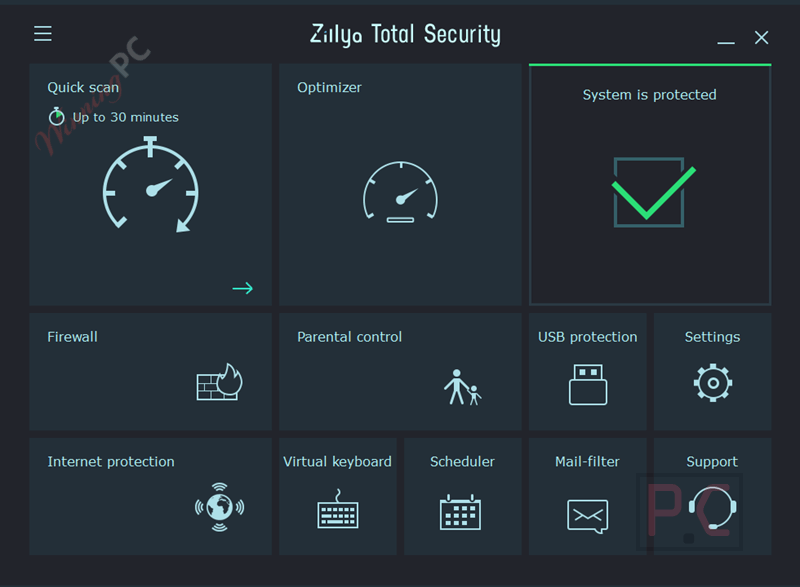
- Family-focused security suite: Combines antivirus protection with computer control tools, including parental control, to help protect all family members.
- Malware protection: Shields your PC from viruses, spyware, Trojans, and other malicious programs.
- Large malware signature database: Uses a database with over 15 million malware signatures to detect known threats.
- Proactive protection module: Actively identifies suspicious behavior to stop new and unknown threats early.
- Daily database updates: Keeps virus definitions current without overloading your PC or slowing performance.
- Optimized system performance: Runs efficiently so protection does not cause freezing or noticeable slowdowns.
- Firewall protection: Reduces infection risks during web browsing and blocks unauthorized data transfers.
- Web filtering: Checks online data in real time and blocks websites with detected security threats.
- Custom blacklist support: Lets you block access to specific websites with unwanted or objectionable content.
- Anti-phishing web filter: Helps prevent access to known fraudulent or spyware-related websites.
- Low memory usage: Consumes no more than 512 MB of RAM, making it suitable for older computers as well.
- System optimizer: Finds and removes unnecessary files and programs to help speed up your PC.
- Detailed cleanup review: Shows removable files, their sizes, and total space to be freed before you confirm deletion.
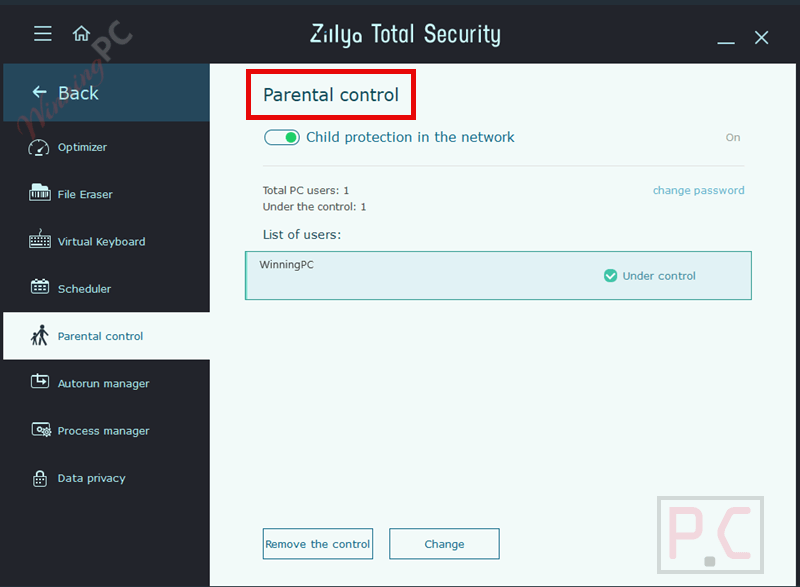
- Parental control module: Limits access to websites parents consider unsafe for children.
- Safe browsing environment for kids: Uses filtering rules to help create a protected online space for minors.
- Process manager: Displays running apps and services along with their resource usage.
- Forced process termination: Allows you to stop frozen or resource-heavy processes that affect performance.
- Startup manager: Analyzes programs that run at system startup to reduce boot time.
- Startup optimization: Disables unused programs and services that consume system resources.
- Privacy protection tool: Removes traces of user activity by cleaning configuration and temporary files.
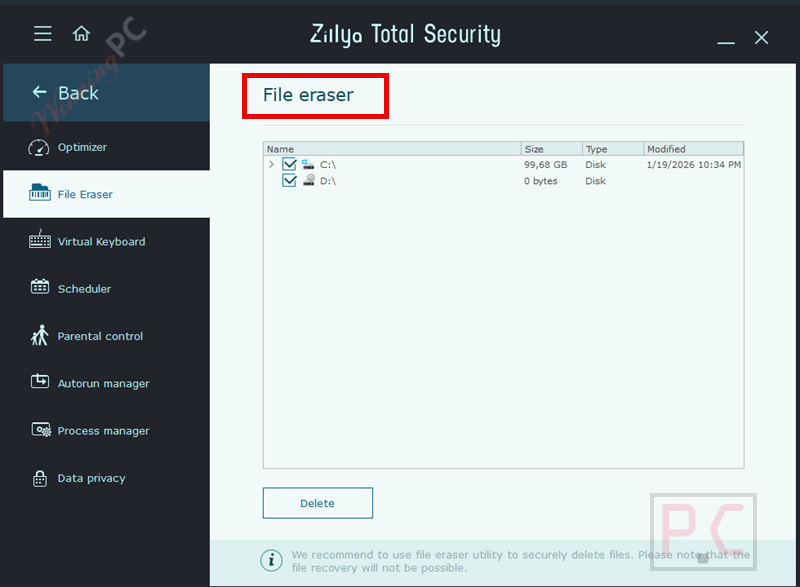
- Secure file shredder: Permanently deletes sensitive files so they cannot be recovered.
- Multi-pass file wiping: Overwrites files with random data before removal to prevent restoration.
- Real-time system file checker: Monitors your PC continuously to detect malware attempts.
- Email scanning: Checks incoming and outgoing emails for malicious attachments or content.
- Heuristic analysis: Identifies new and unknown threats not yet listed in virus databases.
- Fast scan mode: Quickly checks critical system areas for common threats.
- Full scan mode: Scans all files on the computer for complete system inspection.
- Selective scan mode: Allows scanning of specific files or folders chosen by the user.
- Daily antivirus updates: Ensures ongoing protection with regularly refreshed security data.
How to Use (Step-by-Step Guide)
Step 1. Install and open Zillya! Total Security on your PC.
Step 2. Update the virus database to get the latest protection.
Step 3. Run a Full Scan the first time to check the whole system.
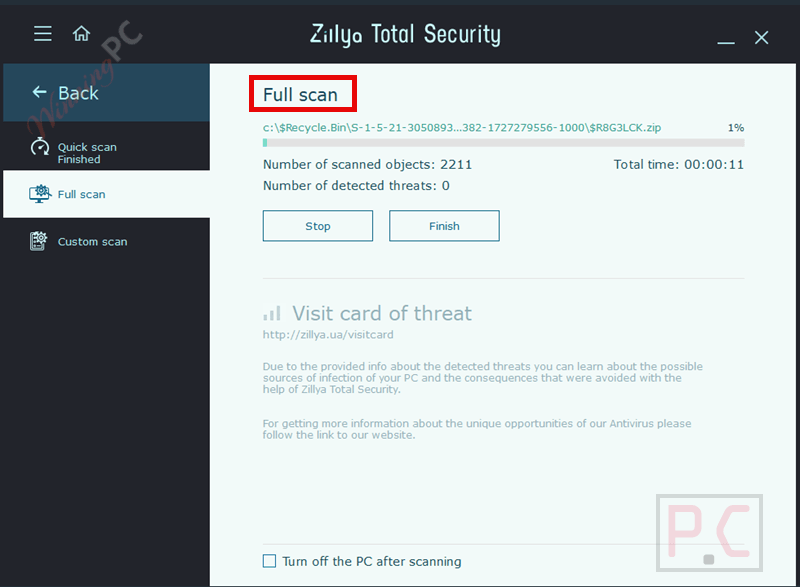
Step 4. Use Fast Scan for quick checks or Selective Scan for specific files.
Step 5. Enable Firewall and Web Filter for safer browsing.
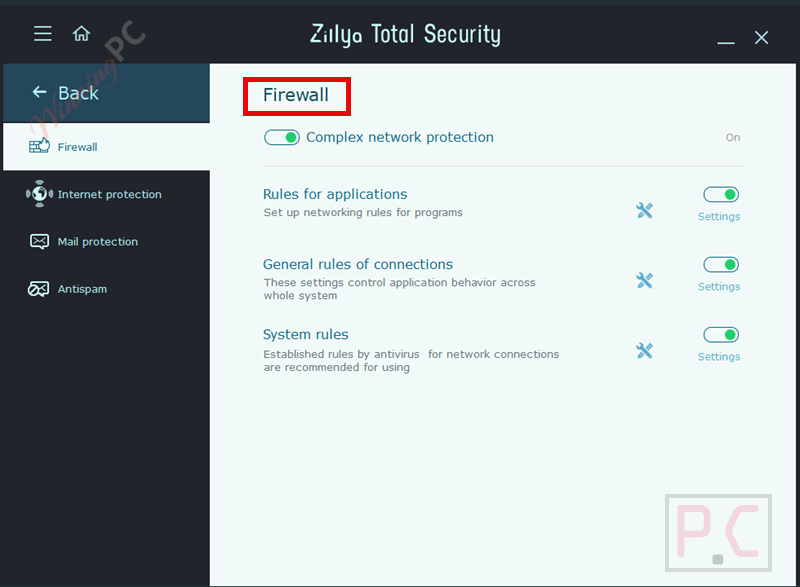
Step 6. Set up Parental Control if children use the computer.
Step 7. Run the Optimizer to clean junk files and free space.
Step 8. Use Startup Manager and Process Manager to improve performance.
Step 9. Use Privacy Protection and File Shredder when needed.
Step 10. Let daily updates run automatically for ongoing security.
Frequently Asked Questions
Does Zillya! Total Security slow down the computer?
No, it is designed to run efficiently and uses up to 512 MB of RAM, even on older PCs.
Does it include a firewall?
Yes, it has a built-in firewall that helps block unauthorized connections and online threats.
Can I block unsafe or unwanted websites?
Yes, the web filter allows you to block dangerous sites and create custom blacklists.
What does the parental control feature do?
Zillya! Total Security filters web content to help create a safer online environment for young users.
Does the software include system cleanup tools?
Yes, it includes an optimizer that removes unnecessary files and frees up disk space.
Is there a discount available for Zillya! Total Security?
Yes, WinningPC provides the coupon code WIN***GPC40, which gives you 40% off.
Why Choose WinningPC
- Why Trust? We are committed to providing 100% valid and verified coupon codes, so you can always shop with confidence.
- Found an Invalid Coupon or a Better Deal? If you encounter an invalid code or a better offer, please let us know. Our team updates all discount information regularly to ensure accuracy.
- Official Authorization: We only share authentic discounts from trusted software developers.
- No Fake Discounts: Unlike some sites, we never use misleading deals. The final price you see is the true discounted price.
- Secure Purchases: All transactions are processed on the official vendor’s website, ensuring authenticity and data protection.
- Extra Support: If you face order or vendor issues, contact us. We’ll liaise with the vendor to help resolve your problem quickly.
Technical Details
| Language Support | English, Français, Italian, Spanish, Swedish, and more… |
| Money Back Guarantee | 30-Day |
| Operating System | Windows XP (SP3), Windows 7 (х32, х64) (+SP1), Windows 8, 8.1 (x32, x64), Windows 10 (x32, x64), Windows 11 (x32, x64) |
| Shipping | Register code will be sent to your email in minutes |
| Subscription | 1-Year |
| Support Services | Email, Tickets, Phone |