
 Laura Marano

The current EaseUS VoiceWave coupon is ANNI***2025, giving 70% off, that drops the price from $29.95 to $8.98. ✅ Verified Oct 2026 by Laura, with a 30-day money-back guarantee. Click “Copy” below, then paste the code at checkout on EaseUS’s site.
EaseUS VoiceWave stands out as an exceptional real-time voice modulation software designed specifically for Windows operating systems. With its diverse range of features, this voice changer tool effortlessly transforms your voice into various captivating personas. You can use it to change your voice to a deep male voice, a young man’s voice, a little girl’s voice, a girl’s voice, a girl’s speech, a female student, an armored robot, a robot, etc.
Despite being a relatively new addition to the software market, EaseUS VoiceWave boasts an impressive array of functionalities that rival those of the leading voice changers, such as voice and sound effects, voice customization, and keybinds control. Unleash your creativity with EaseUS VoiceWave by incorporating amusing voice alterations for comical effects or adopting an entirely different persona to conceal your true identity in gaming environments, online meetings, virtual conversations, or social media platforms.

EaseUS Halloween Sale - Enjoy Up to 55% Off
Save up to 55% on selected voice changers, data protection tools, and more during the EaseUS Halloween Sale. Ends October 31, 2026.
EaseUS VoiceWave
3 plans · best save 70%
Monthly Subscription ★ Best Deal
1-month free upgrades | 30-day money back guarantee
Yearly Subscription
1-year free upgrades | 30-day money back guarantee
Lifetime Upgrades
Lifetime free upgrades | 30-day money back guarantee

Table of Contents
EaseUS VoiceWave License Key Free Download
- Product name: EaseUS VoiceWave v3.2
- Website: EaseUS site
- License type: 1-year
- Platform: Windows
- Download: voicewave_installer.exe
Giveaway link: EaseUS VoiceWave giveaway page- License code – last updated: Oct 09, 2025
Click here...
License code: 1V41F-V3HXQ-712IR-74R3K-6PXNT
NOTE: The code is valid Oct 09 ~ 13, during the promotion.
Click on the “Get the license” button on the giveaway page to get your free license code.

Download and install the software on your computer.

When the installation is done, please insert the EaseUS VoiceWave license code to activate it.

Got it for free!

EaseUS VoiceWave Screenshot!

Soundboard
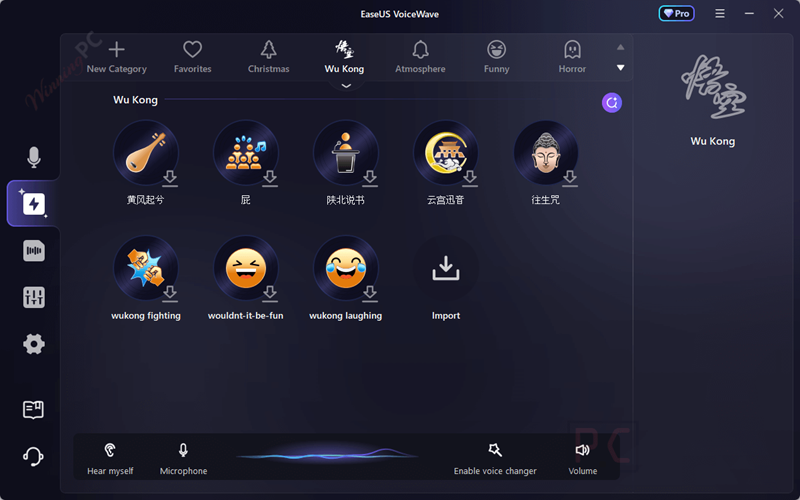
Record Mode
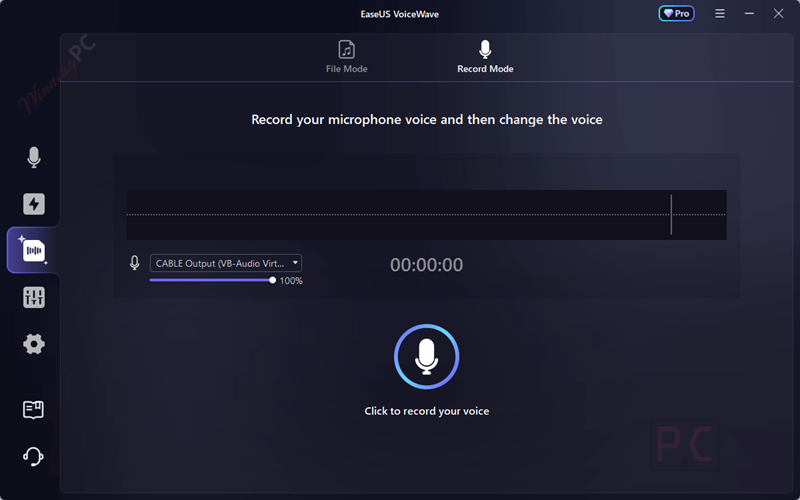
Change Audio
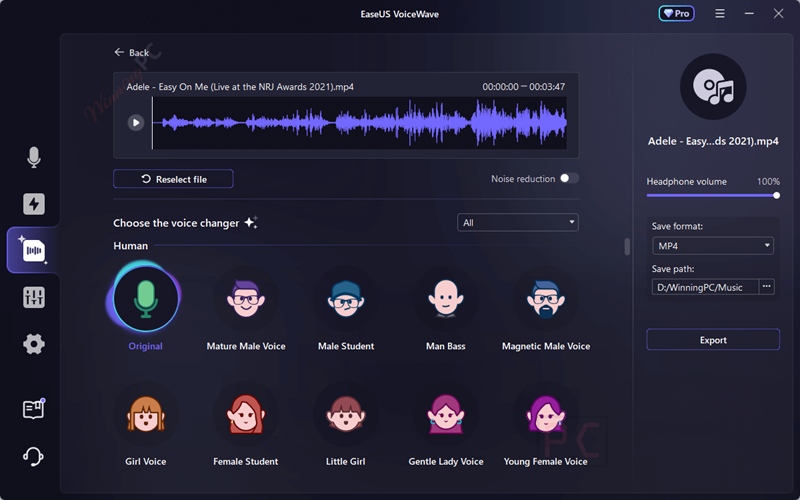
Voice Laboratory
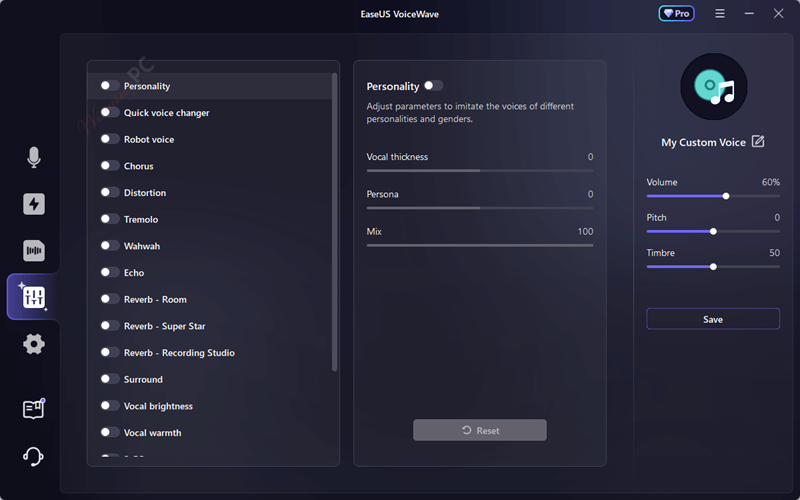
Settings

Main Features
- Real-Time Voice Changer: Instantly transform your voice during live or recorded sessions, perfect for both gaming and content creation.
- Audio Recorder: Capture and enhance your voice recordings with easy exporting to MP3 format.
- Soundboard: Access over 300 sound effects to add fun and creativity to your audio projects.
- Noise Reduction: Clean up your audio by reducing unwanted background noise, ideal for both live and pre-recorded content.
- Audio Mixer: Mix and master multiple vocal tracks, fine-tuning the balance with a variety of effects.
- Extensive Sound Effects Library: Includes over 100 popular sound effects, such as ghostly echoes and character voices, to enhance your audio.
- Versatile Voice Modulation: Designed for gamers, VTubers, live streamers, and post-producers, this tool offers extensive voice modification capabilities to elevate your online presence.
- Comprehensive Voice Changing Tool: Enjoy a feature-rich voice changer that supports over 200 online games and 50 instant messaging apps, offering more than 100 voice effects and 300 soundboard effects.
- AI Voice Generator: Experiment with AI to craft and customize your own unique voice personas in just a few clicks.
- AI Song Cover Creation: Generate AI-powered song covers that match your voice style and preferences.
- Text-to-Speech: Convert text into natural-sounding speech to enhance user engagement and accessibility in your content.
Technical Details
| Language Support | English, Français, Italian, Spanish, Swedish, and more… |
| Money Back Guarantee | 30-Day |
| Operating System | Windows 10 (64 bit OS)/Windows 11 |
| Shipping | Register code will be sent to your email in minutes |
| Subscription | Lifetime |
| Support Services | Email, Tickets, Forums |



I’m getting an “Invalid code” error 🙁
Will try https://www.easeus-software.com/multimedia/voice-changer.html
Wow. Just wow.
It didn’t like that I was browsing using my phone – it needed a desktop browser to work correctly.
Once installed it claims to be V1.5
Once “activated” it claims to be Giveaway V1.0
If you check for updates it says “A new version is available”
Press the “Update now” button and it simply opens z Web browser to:
https://multimedia.easeus.com/voicechanger/
This appears to let you download V2.0240611
I am cautious about trying that download.
Just sticking to the giveaway, some features seem to be missing-notably text to speech.
It’s been a while since I’ve seen this shoddy an offering.
“fictional feature” – I love it! 🙂
EaseUS have responded to my support ticket to them.
Please note everyone that the winningpc version does install and CAN be activated – but the process is quite clunky and might take several attempts – with different browsers – until you can get it to work. Not promising.
Regarding my queries sent to EaseUS, they have replied:
Regarding the soundboard feature, we regret to inform you that this feature is still under development. We appreciate your patience and understanding as we work to enhance our software’s capabilities to better meet your needs.
and
For the text-to-speech functionality you mentioned, it seems there might have been a misunderstanding. The feature you are looking for is actually part of our another product, EaseUS VoiceOver. You can access this product and explore its features by visiting the following link: https://multimedia.easeus.com/ai-voice-generator/.
So. On the winningpc page for EaseUS VoiceWave there is a section 4 called “Main Features”, subtitled “Feature Highlights”.
Feature Highlight #3 says:
Soundboard: Access over 300 sound effects to add fun and creativity to your audio projects.
IMO it is NOT alright to advertise this feature and then not supply it.
Feature Hightlight #11 says:
Text-to-Speech: Convert text into natural-sounding speech to enhance user engagement and accessibility in your content.
Again, it is NOT OK to list this as a feature and then not supply it. HOWEVER, the (currently free) online text-to-speech functionality at https://multimedia.easeus.com/ai-voice-generator/ does work, offers a range of pretty good-sounding (to me at least) voices and offers MP3, WAV, and FLAC download formats. I have not tested it thoroughly, and it does seem to be a bit clunky (you have to press a button twice, once to produce the speech and a second time to hear it), but it seems to be free at the moment and is certainly good enough for my usual “You have new mail”, “A device has connected” and “I am currently running on battery power” type sound files. Their user interface may improve over time.
Next giveaway event winningPC is STILL advertising the NON-EXISTING text to speech feature…
they are still advertising feature #11 text to speech… I take it that is still a fictional feature… did not see it on the products page.
I think you may have downloaded the wrong installer. Please check our giveaway section and download the correct installer file.
@TK it doesn’t instill a feeling of confidence in EaseUS, does it?
Thank you for your assistance. Actually, I was using the correct installer – but it appears that this offering has been, let’s be charitable, rushed. 🙁
Dear sir is it take a little bit time during registration(when put registartion number)….because in my case it cannot register and loading circle rotate….!!
Can you try a different browser? The Chrome browser on my mobile phone was having none of it, but I was able to apply the code using Microsoft Edge on a PC.
As has been mentioned elsewhere, installation and registration can be a little frustrating, but I managed to get it done. Please ignore the update that is supposedly available – that would take you from “Giveaway V1.0” to “Retail V2.7” which does not recognize the giveaway activation and tells you to downgrade to version 1.0.
Please check your computer connection, or you can get your own license code for free here: https://www.easeus-software.com/multimedia/voice-changer.html