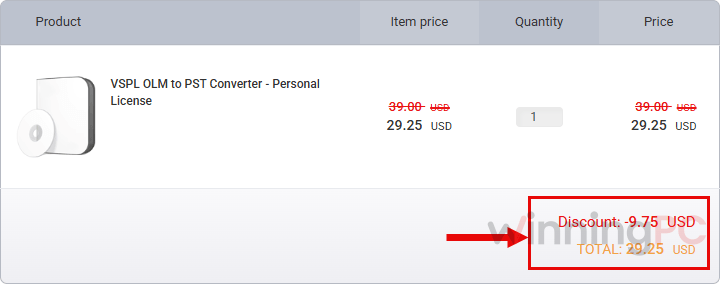
XMAS***5 takes up to 70% off, and the link below applies it for you at checkout. Personal drops to $29.25 (from $99), Corporate to $74.25 (from $199) and Technician to $149.25 (from $299). ✅Verified by Laura. Runs on Windows 11, 10, 8 and 7.
On this page
VSPL OLM to PST Converter Coupons & Pricing
VSPL OLM to PST Converter
3 plans · best save 70%
Personal License ★ Best Deal
1 Year License for 2 PCs | Home or Personal Use Only
Technician License
Lifetime License for 10 PCs | Company & Business Users
Can you trust this VSPL coupon?
Yes. The discount runs through Vartika Software’s own checkout, so you’re buying a genuine license straight from the developer.
Developer checkout, not a reseller
Our link opens Vartika’s store with the code already in place. No third-party or grey-market key is involved.
Official installer only
You download the build from vartikasoftware.com and unlock it with a real license. No crack, no patched installer.
Your original OLM stays untouched
The converter reads the archive and writes new files, leaving the source exactly as it was.
Payment happens on the developer’s site
You pay on Vartika’s checkout page, not on WinningPC, so your card details never pass through us.
How to Use the VSPL OLM to PST Converter Coupon Code
Optional but smart: download the free demo from vartikasoftware.com and point it at your OLM file first, so you know it reads your archive before you pay.
Click the VSPL OLM to PST Converter coupon link on this page.
Vartika Software’s checkout opens with code XMAS***5 already applied. There’s nothing to copy or paste.
Check Personal, Corporate or Technician that the discounted price ($29.25, $74.25 or $149.25) is showing before you pay.
Complete the purchase and activate the full version with your license key.
VSPL OLM to PST Converter Review & Features
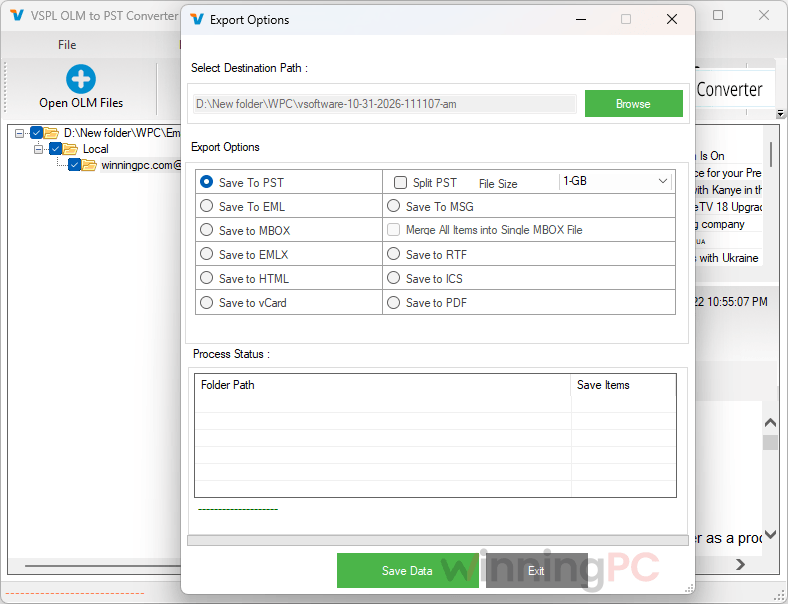
What stands out about VSPL OLM to PST Converter is how many places your mail can end up. PST is only one destination: it also writes MBOX for Thunderbird, loose EML and MSG files, and it can push a mailbox straight into Office 365, Exchange or a Gmail account, which skips the PST step entirely if you’re heading to the cloud. And because it reads the OLM file on its own, the PC doing the work doesn’t need Outlook installed.
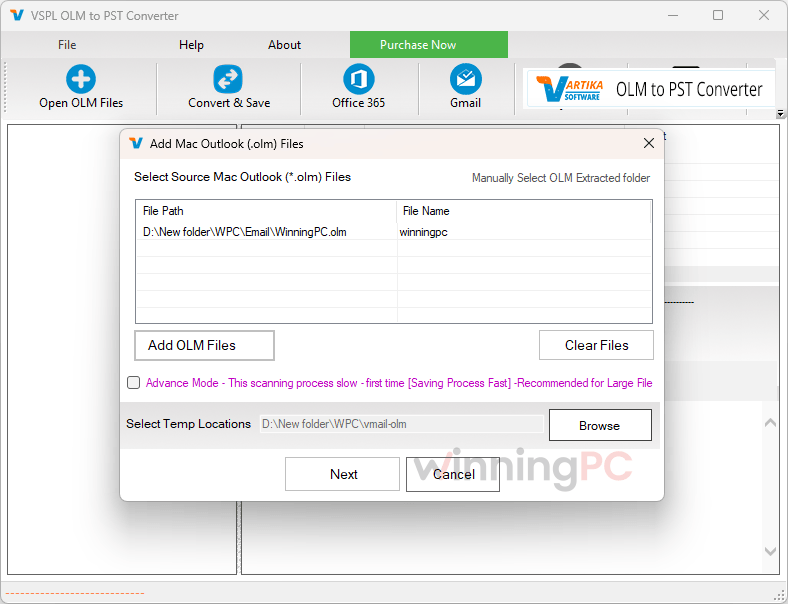
The weak spot is the product page. The copy is rough, and claims like “no data loss” and “fast conversion” are Vartika’s words, not results we’ve measured. We haven’t run a timed benchmark, so judge speed on your own file with the demo.
Key features
- Converts the whole mailbox: emails, attachments, contacts, calendars, tasks and journals, keeping To/CC/BCC, dates, subjects and your folder structure.
- Batch mode with no file-size cap, so several large OLM archives can go through in one run.
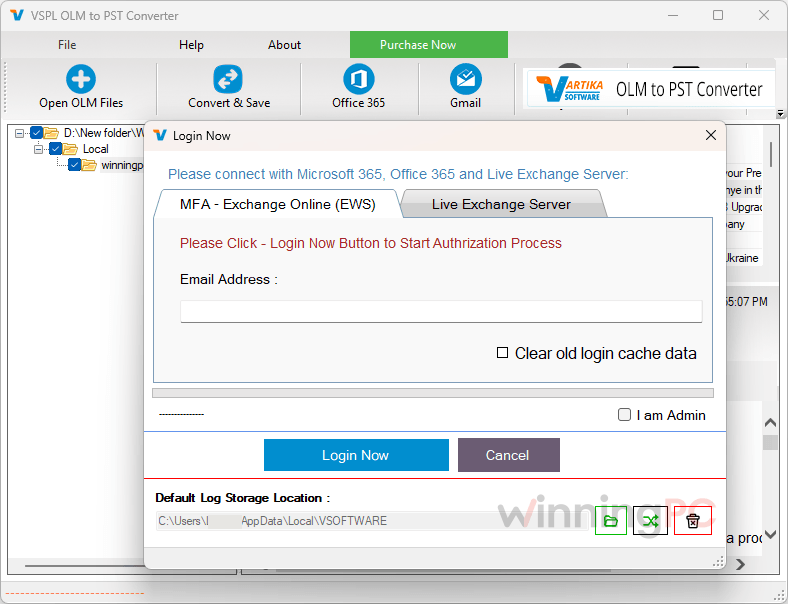
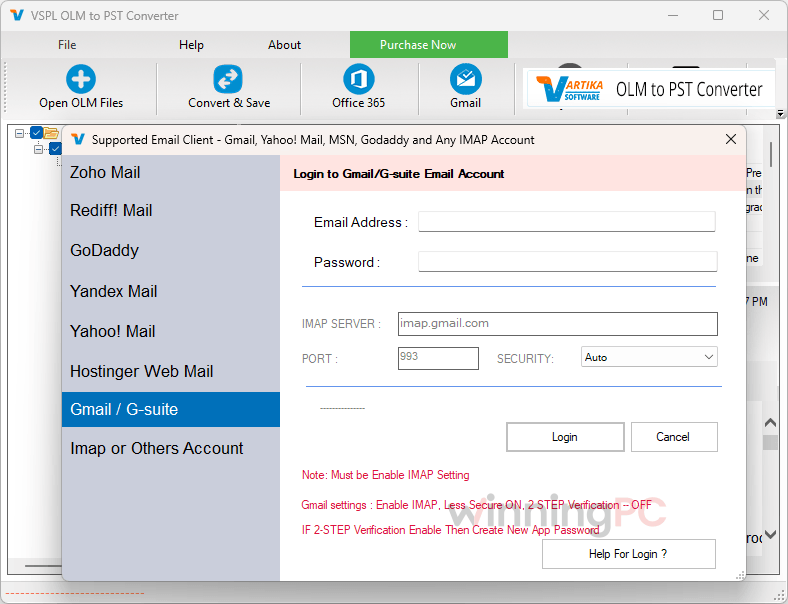
- Direct migration to Office 365 (via an Azure app), Exchange Server, Gmail/G Suite and other IMAP accounts.
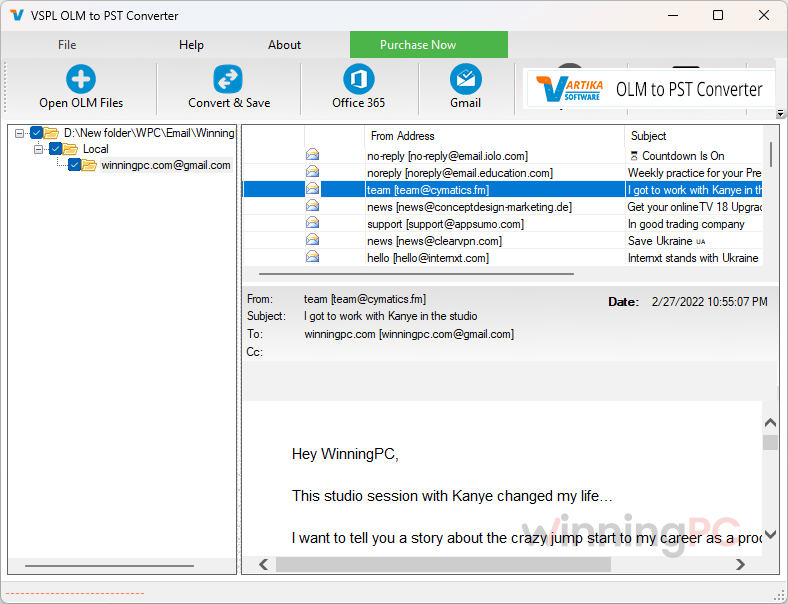
- Preview and selective export: browse the mailbox first, then tick only the folders you actually want to move.
What we think
More VSPL OLM to PST Converter Screenshots
How does VSPL OLM to PST Converter compare?
| Tool | Runs on | Starting price | Pricing model | Best for |
|---|---|---|---|---|
| VSPL OLM to PST Converter (this deal) | Windows | $29.25/Personal/yr $74.25/Corporate/yr $149.25/Technician/yr | Yearly or lifetime | Windows users who want PST plus direct Office 365/Gmail migration on a budget |
| Stellar Converter for OLM | Windows | $35.10/Standard/yr; $89.10/Technician/yr | Yearly, renews after 12 months | Buyers who prefer a big-name vendor and accept yearly pricing |
| Kernel for OLM to PST | Windows | $27.3/Home/yr $139.3/Corporate/life $209.3/Technician/life | Yearly or lifetime | A like-for-like rival with the same three-tier license setup |
| Kernel Mac OLM Converter | macOS | $27.3/Home/yr $104.3/Corporate/2yrs $209.3/Technician/life | Yearly or lifetime | Converting on the Mac before you move to Windows |
| MacUncle OLM Converter | Mac + Windows | $23.2/Standard/yr $39.2/Pro/yr | Yearly | The cheapest Mac-side option |
| PCDOTS Email Converter | Mac + Windows | $84.15/Standard/yr $424.15/Pro/yr $849.15/Enterprise/life | Yearly or lifetime | People converting several email formats, not just OLM |
| Free IMAP route (e.g. a Gmail account) | Mac + Windows | $0 | Free | Small mailboxes when Outlook for Mac still works |
Questions people ask about VSPL OLM to PST Converter
Do I need Outlook installed to convert OLM to PST?
No. The converter reads the OLM file by itself, so the PC doing the conversion doesn’t need Outlook. You’ll only need Outlook for Windows later, to open the PST it creates.
What does the free version actually let me do?
VSPL OLM to PST Converter previews everything in your OLM file but saves only the first 30 items from each folder. That’s enough to confirm it reads your archive properly, though not enough for a real migration.
Is there a limit on OLM file size?
No, according to Vartika there’s no size cap, and batch mode handles several OLM files in one go. Very large archives still need enough free disk space for the converted output.
Can I move Mac Outlook mail straight into Office 365 or Gmail?
Yes. Besides saving files, VSPL OLM to PST Converter can migrate OLM data directly to Office 365 (through an Azure app), Exchange Server, Gmail/G Suite and other IMAP accounts. That’s the faster route if you’re moving to the cloud rather than to desktop Outlook.
Can I open the converted mail in Thunderbird?
Yes. Export to MBOX, the format Thunderbird uses, instead of PST.
Can I get a refund?
Yes, but not a full one. Vartika accepts refund requests within 10 days of activation and deducts $10 or 10% of the price, whichever is higher (₹1000 or 10% for customers in India). After those 10 days there’s no refund at all, which is why testing the free demo on your own file first is worth doing.
System Requirements & Details
| Field | Value |
|---|---|
| Operating system | Windows 11/10/8.1/8/7/Vista; Windows Server 2012/2008 R2/2008/2003 R2/2003 |
| Processor / RAM / disk | Pentium-class CPU · 4 GB RAM minimum · 500 MB for installation, plus space for the converted output |
| Outlook compatibility | Outlook 2021/2019/2016/2013/2010/2007/2003 (Outlook not required to convert) |
| Supported input formats | OLM (Outlook for Mac archive files) |
| Supported output formats | PST, MBOX, MSG, EML, EMLX, vCard, HTML, PDF, RTF |
| Direct migration targets | Office 365 / Microsoft 365, Exchange Server, Gmail / G Suite, other IMAP accounts |